Did your user change their email or phone number or another major attribute? If yes, then you can instantly make changes to such User Attributes & Tags from the User Profile. Here's how.

Open a Chat
In Messegy app, go to the 'History' or 'Live Chat' Page & click the chat of the user to whose profile you want to make changes.
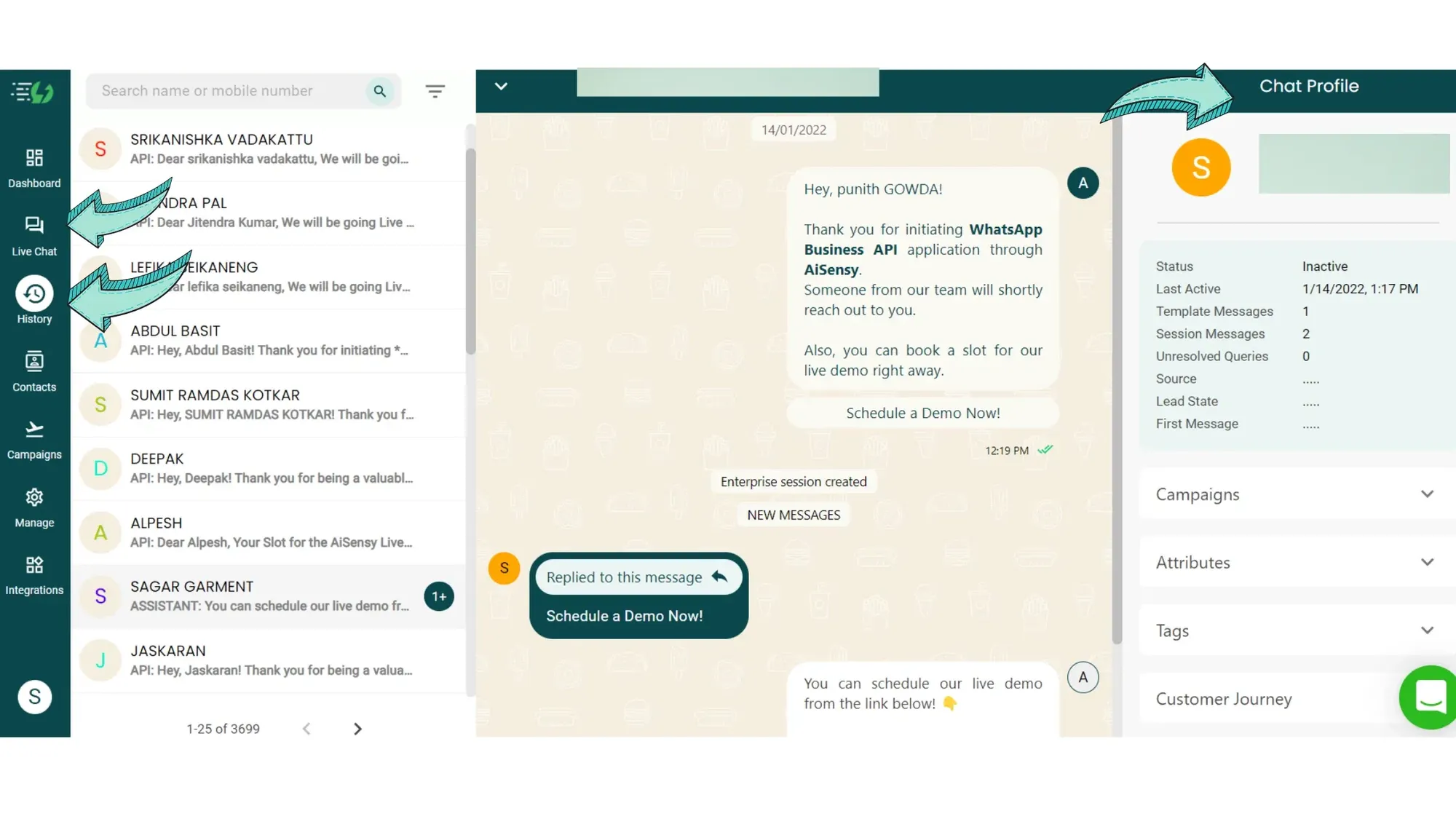
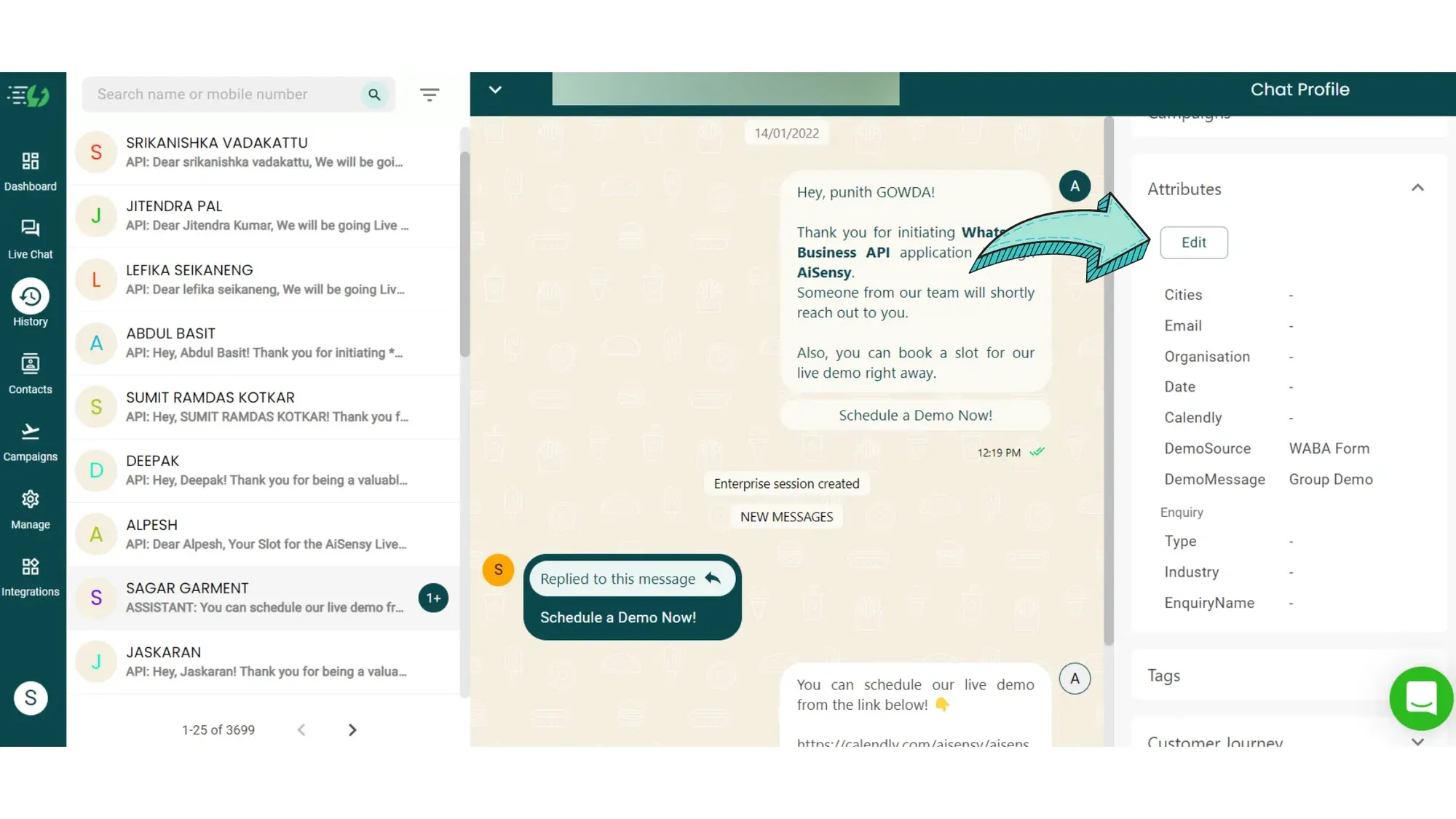
Go to 'Attributes' and click on Edit
Next, press the Attributes dropdown button and click on edit to make changes to the Attributes.
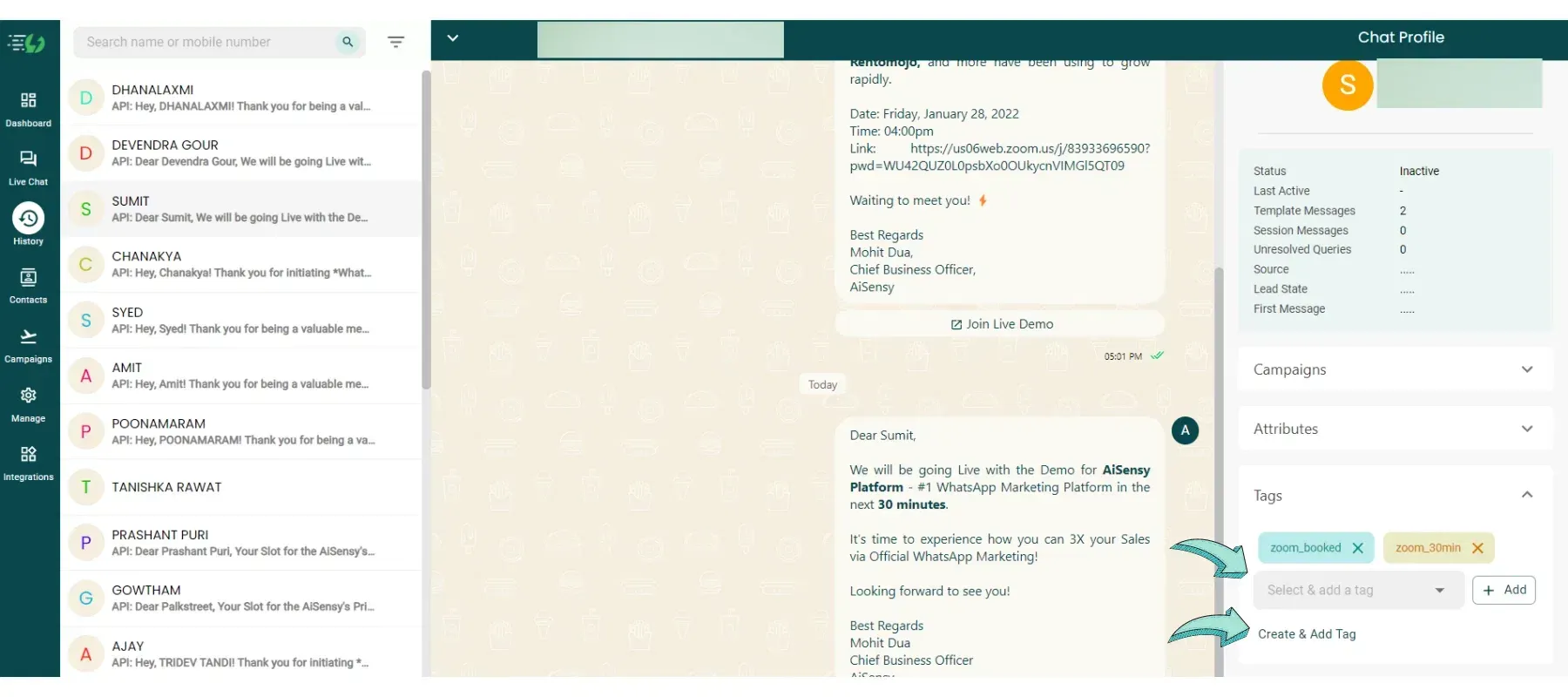
Choose/ Create New Tags
For tags, you can select & add already existing tags. Just choose the tag you want to add and press "Add".Also, you can create new tags & add them to the user profile. Click 'Create & add tag' 👉 Add tag name 👉 Press 'add'.
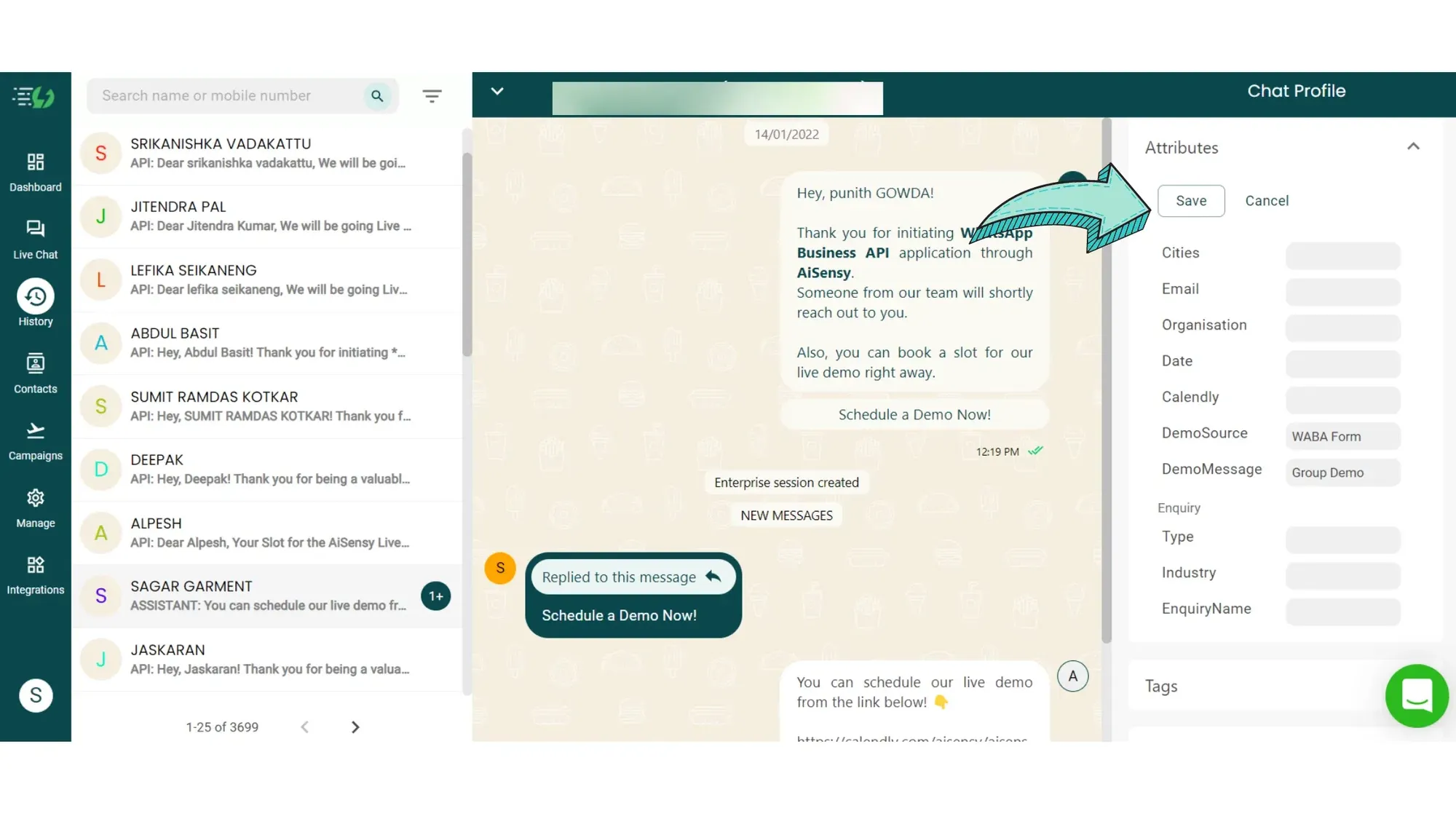
Make the changes and press 'Save'
Make the necessary changes to the Attributes & Tags & press save.You can change the attributes & tags of all contacts any number of times!For more detailed tutorials and guides, visit:
Messegy Help Center
Ready to get Started?
Get Started for FREE. No Credit Card needed.⚡️Powered by Official WhatsApp Business API
Book a DemoStart for FREE