Learn how to generate media links from your Live Chat Textbox. This step is mandatory to send media-based WhatsApp Templates for approval.With this feature, you can:• Send any media type like images, audio, video, files etc to users on WhatsApp,• Directly send pdf catalogues through Live Chat Textbox,• Share invoices with users
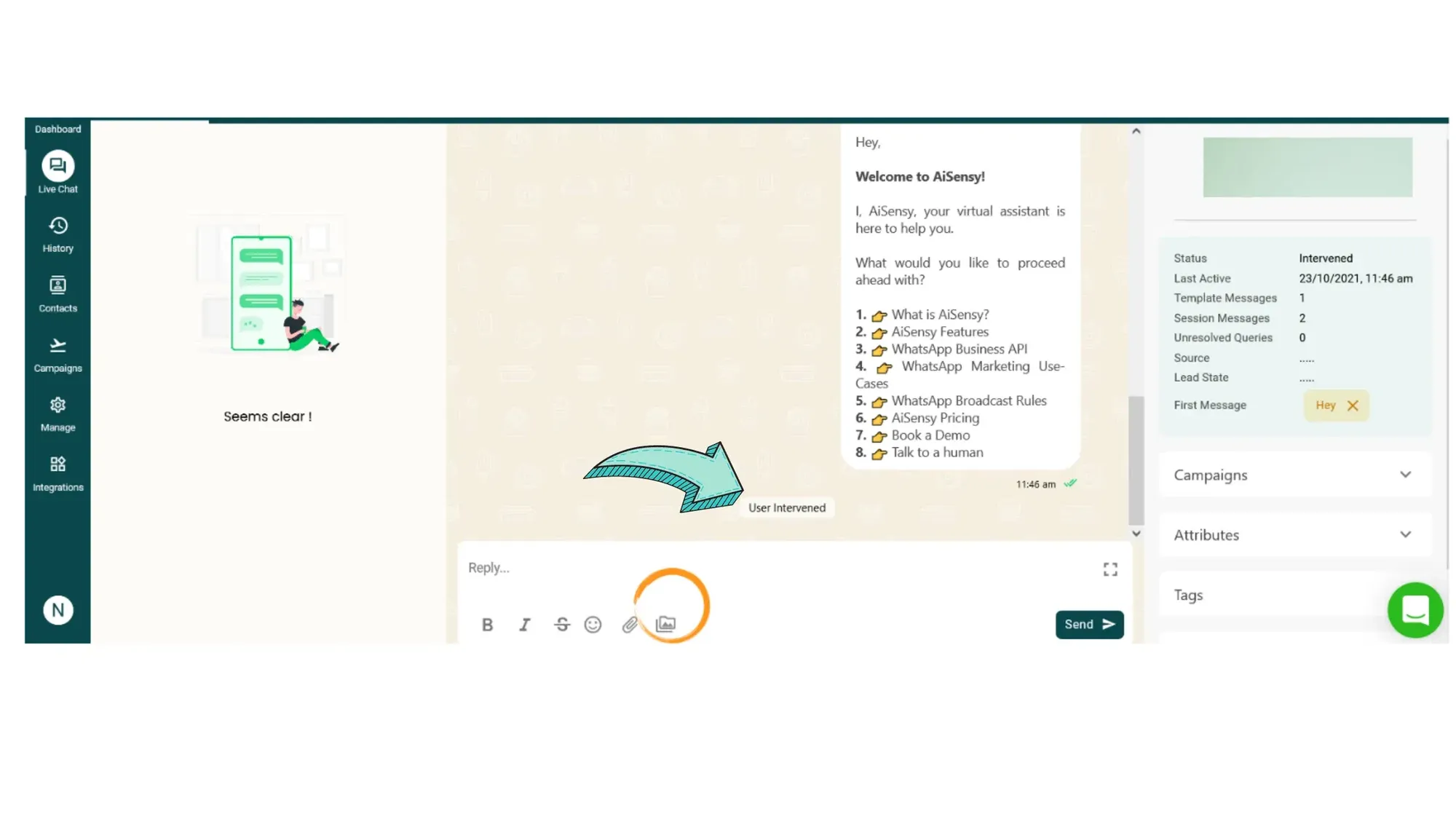
Click the Folder Icon in Live Chat Textbox
To open the media library, click the folder icon as shown in the image on the right.
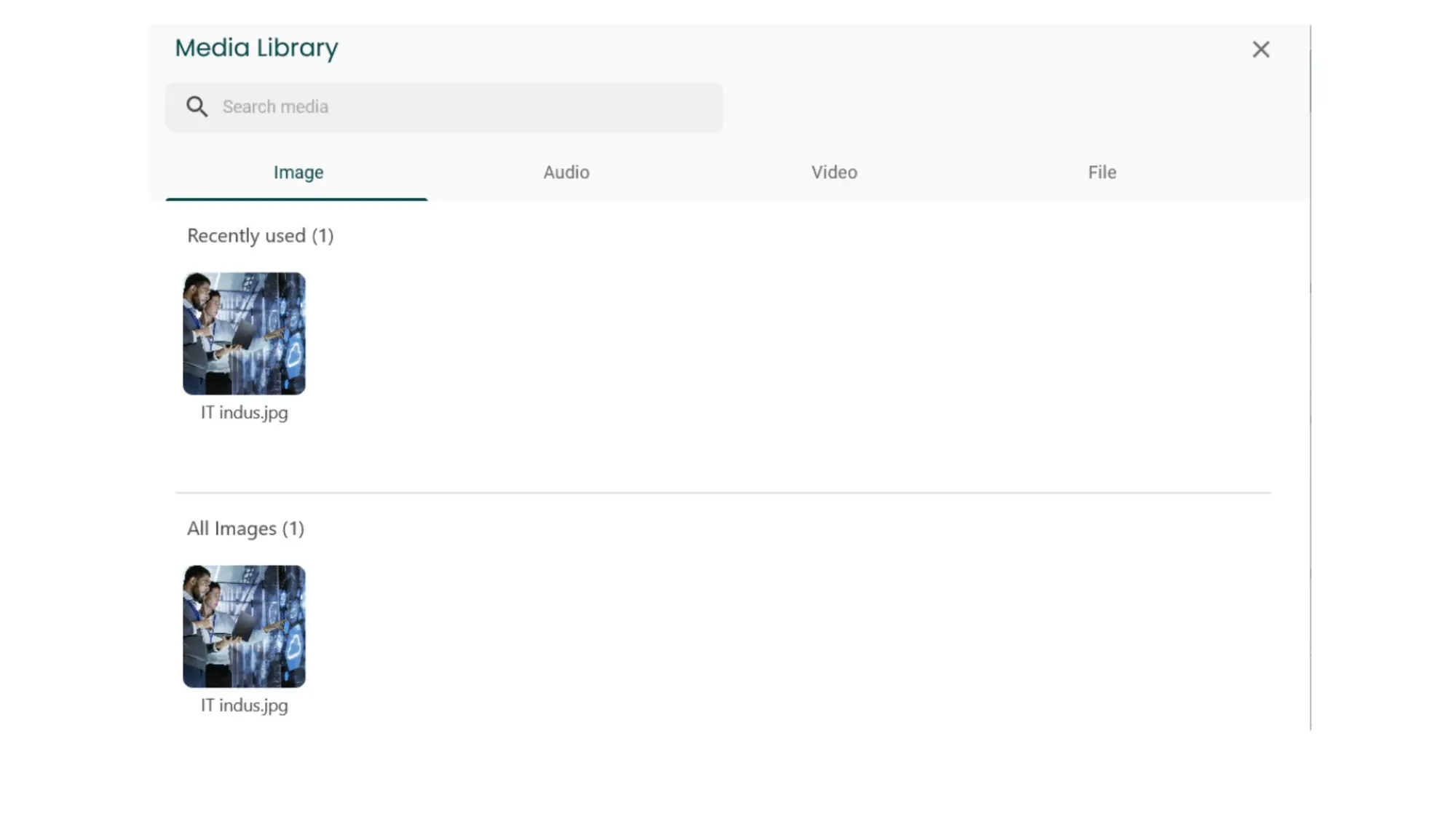
Add Media items to the Media Library
Clicking the folder button will pop open the Media Library Box. Here, you can add media items such as images, audio, video & other files.In the media library you can upload file size up to these dimensions:Image- 5 MBAudio- 16 MBFile- 100 MBVideo- 16 MBSupported file types:Audio- aac, MP4, AMR, MPEG, OggDocument- Any valid MIME-typeImage- Jpeg, pngVideo- MP4, 3gpp
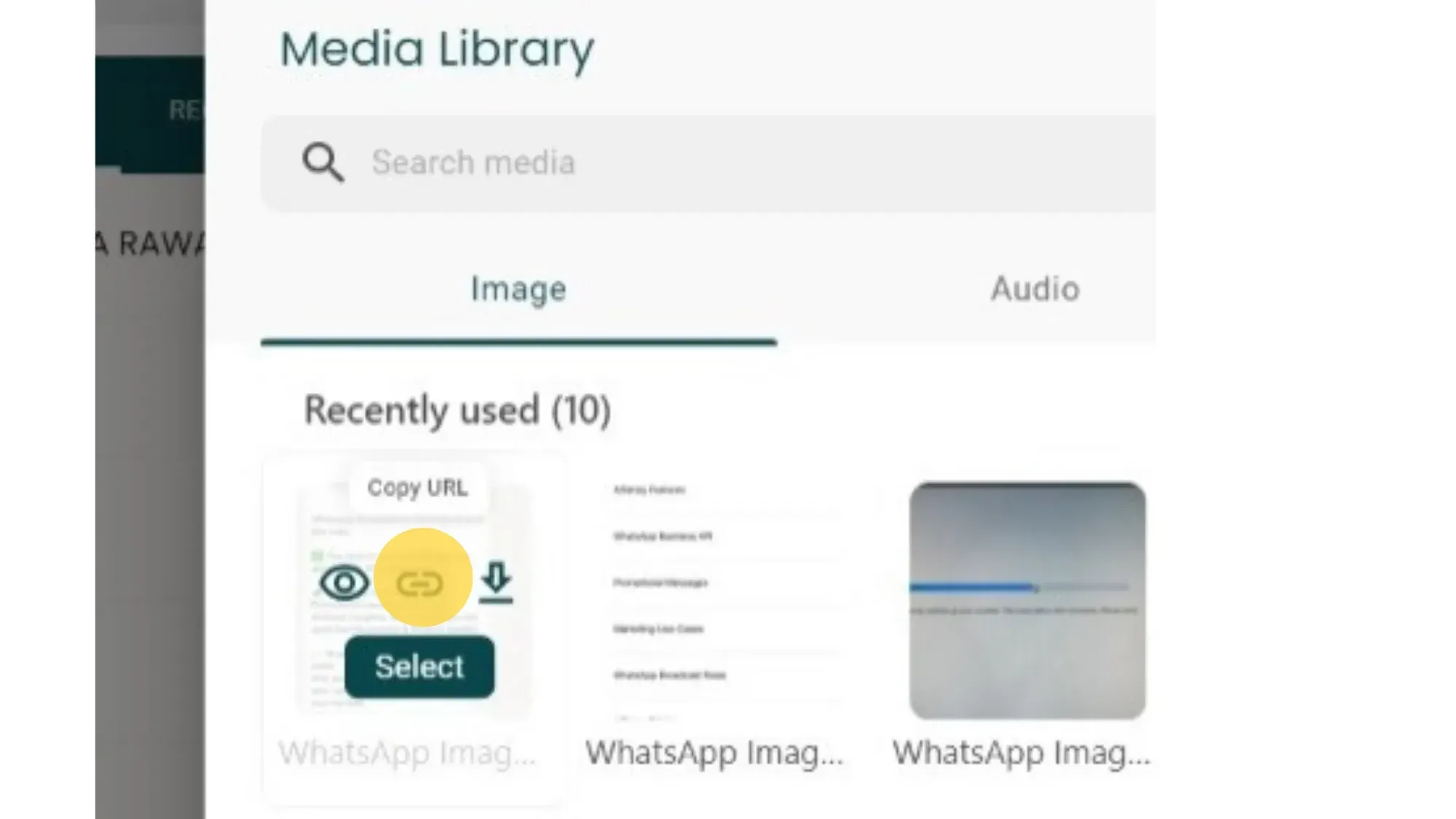
Copy the Media Link
To copy the media file link, simply hover your mouse above the respective media file & click the 'Link' button highlighted in the image on the right. You're good to go!
Ready to get Started?
Get Started for FREE. No Credit Card needed.⚡️Powered by Official WhatsApp Business API
Book a DemoStart for FREE