In this tutorial, you will learn how to create attributes in Messegy App.

What are User Attributes?
The attributes are considered as the qualifying parameters of the users based on which you can easily categorize a particular set of users. E.g. Name, email, Tags, Country & many more.Here's an example: let's say you wish to send a Broadcast to new leads. While adding the leads to Messegy, you assign a Tag named Lead to all the contacts & upload the contacts to Messegy. Here, the tag Lead is a defining attribute using which you can filter a set of users while Broadcasting. These attributes can very well be collected by a WhatsApp Chatbot.
Go to Attributes in Manage Section
To set up User Attributes, go to the 'Manage' Section in Messegy App & click User Attributes.
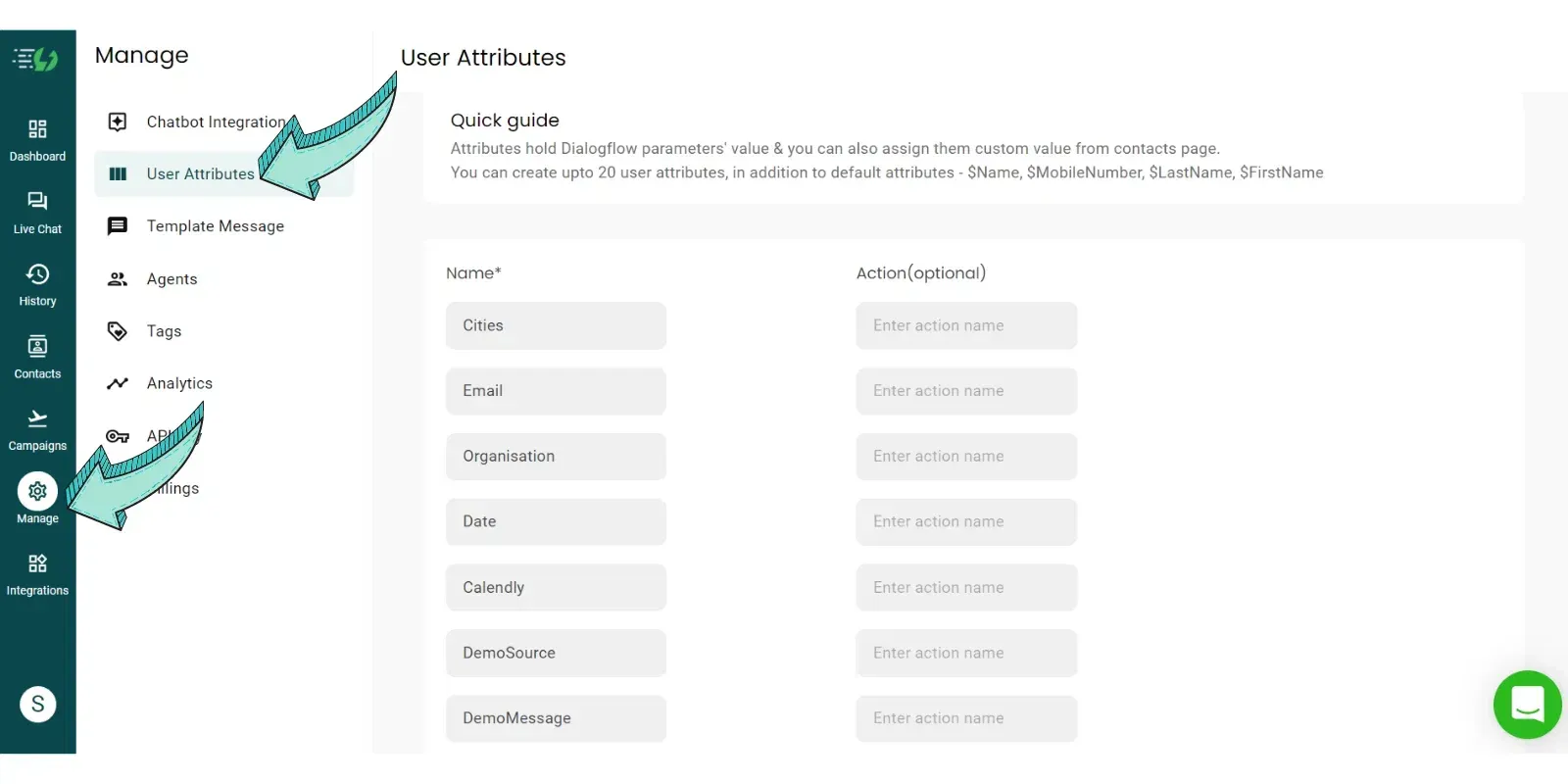
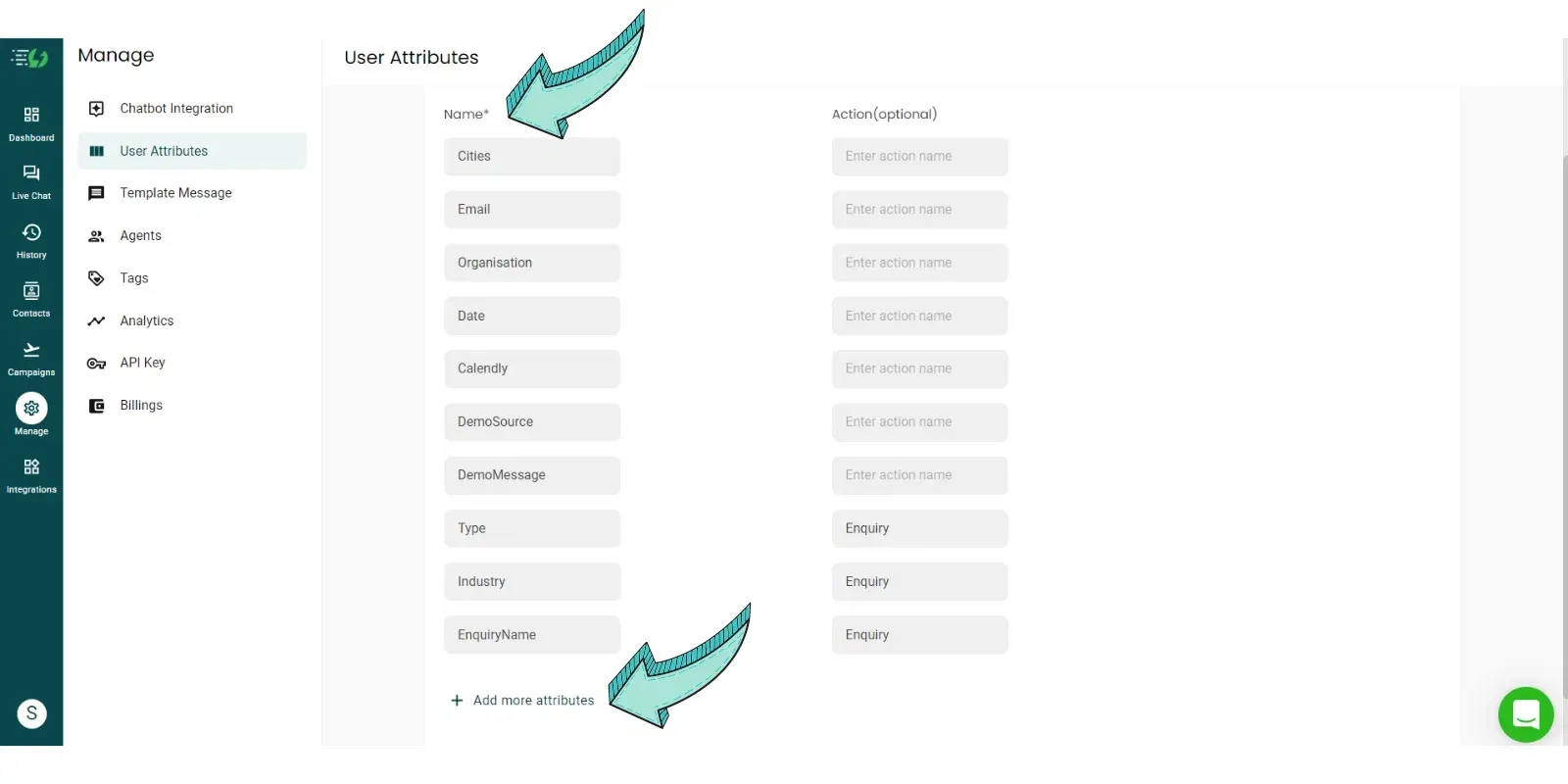
Create up to 20 User Attributes
Go on and create User Attributes such as Email, Name, Date, Type of Enquiry etc.You can create upto 20 User Attributes in Messegy App which is more than enough to qualify your leads. Moreover, you can further segregate the leads through tags.
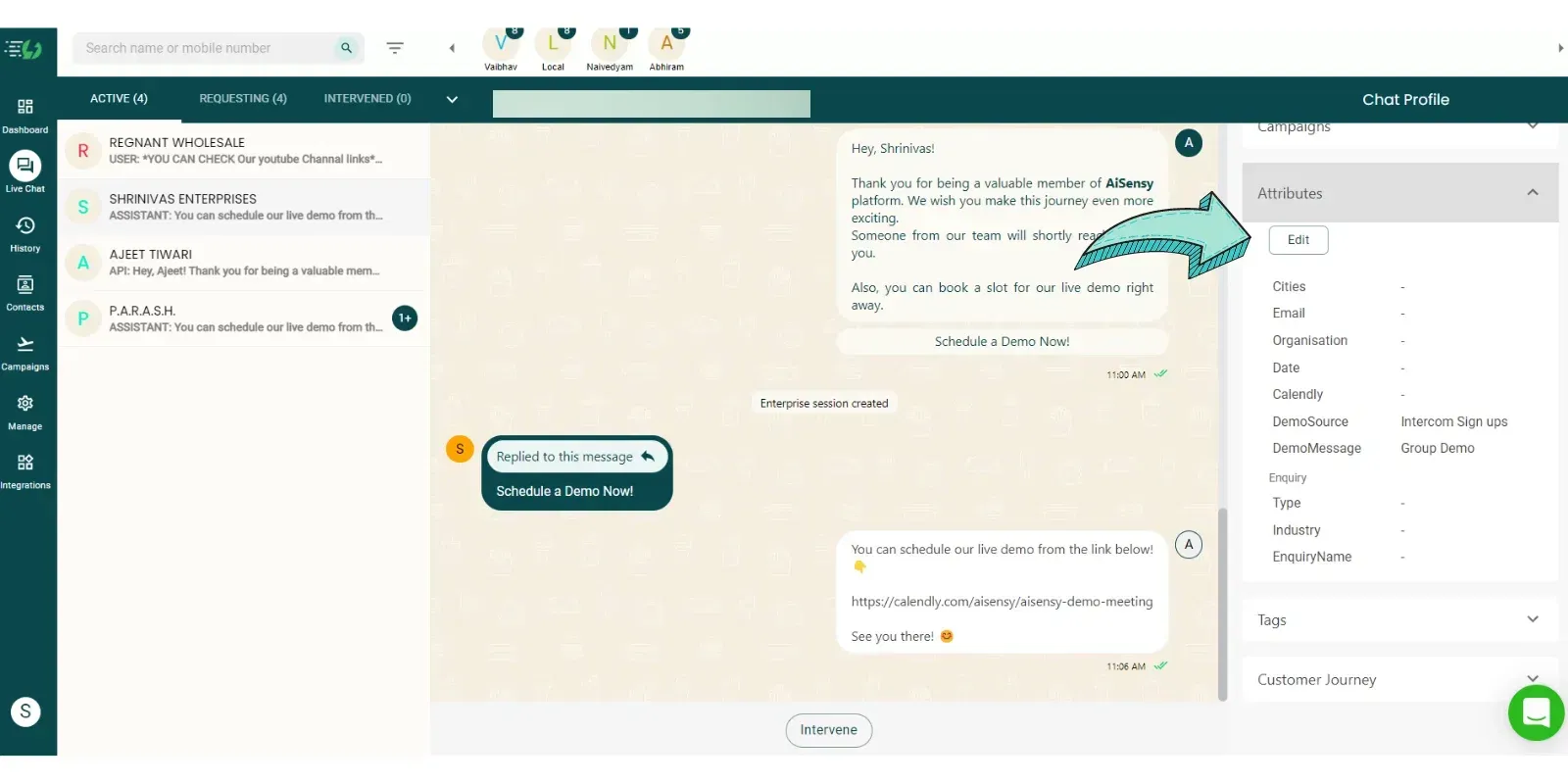
Configure User Attributes Manually through Live chat or History Page
If you want to change the User Attributes of a particular contact, you can do so right from the User Profile section in Live Chat or History Page. Just click the Attributes drop-down icon & click on 'edit' to make the necessary changes.
What is the maximum limit on the number of attributes?
The limit on attributes depends on your Messegy Subscription plan. If you are on the Basic plan, you can add 5 Attributes, 20 attributes in the Pro plan & Unlimited attributes in the Enterprise plan.
Can I filter down my audience on the basis of these attributes?
Yes, audience segmentation can be done on the basis of attributes. Using this, personalized and targeted broadcast campaigns can be sent to the users.
Is the User Profile in History Page similar to that in Live Chat Page?
Yes, the User Profile is entirely the same in both the History Page and Live Chat Page.
Can the Agent make changes in the User Profile in History Page?
Yes, the Agents can make changes in the User Profile by adding/removing Tags. Only the intervention can not be done.
Ready to get Started?
Start for FREE. No Credit Card needed.⚡️Powered by Official WhatsApp Business API
Book a DemoStart for FREE