Learn how Messegy attributes help you segment users and personalize WhatsApp campaigns with ease.

What are User Attributes in Messegy?
The attributes are considered as the qualifying parameters of the users based on which you can easily categorize a particular set of users.
E.g. Name, email, Tags, Country & many more.
Here's an example: Let's say you wish to send a Broadcast to new leads. While adding the leads to Messegy, you assign a Tag named Lead to all the contacts & upload the contacts to Messegy.
Here, the tag Lead is a defining attribute using which you can filter a set of users while Broadcasting.
These attributes can very well be collected by a WhatsApp Chatbot.
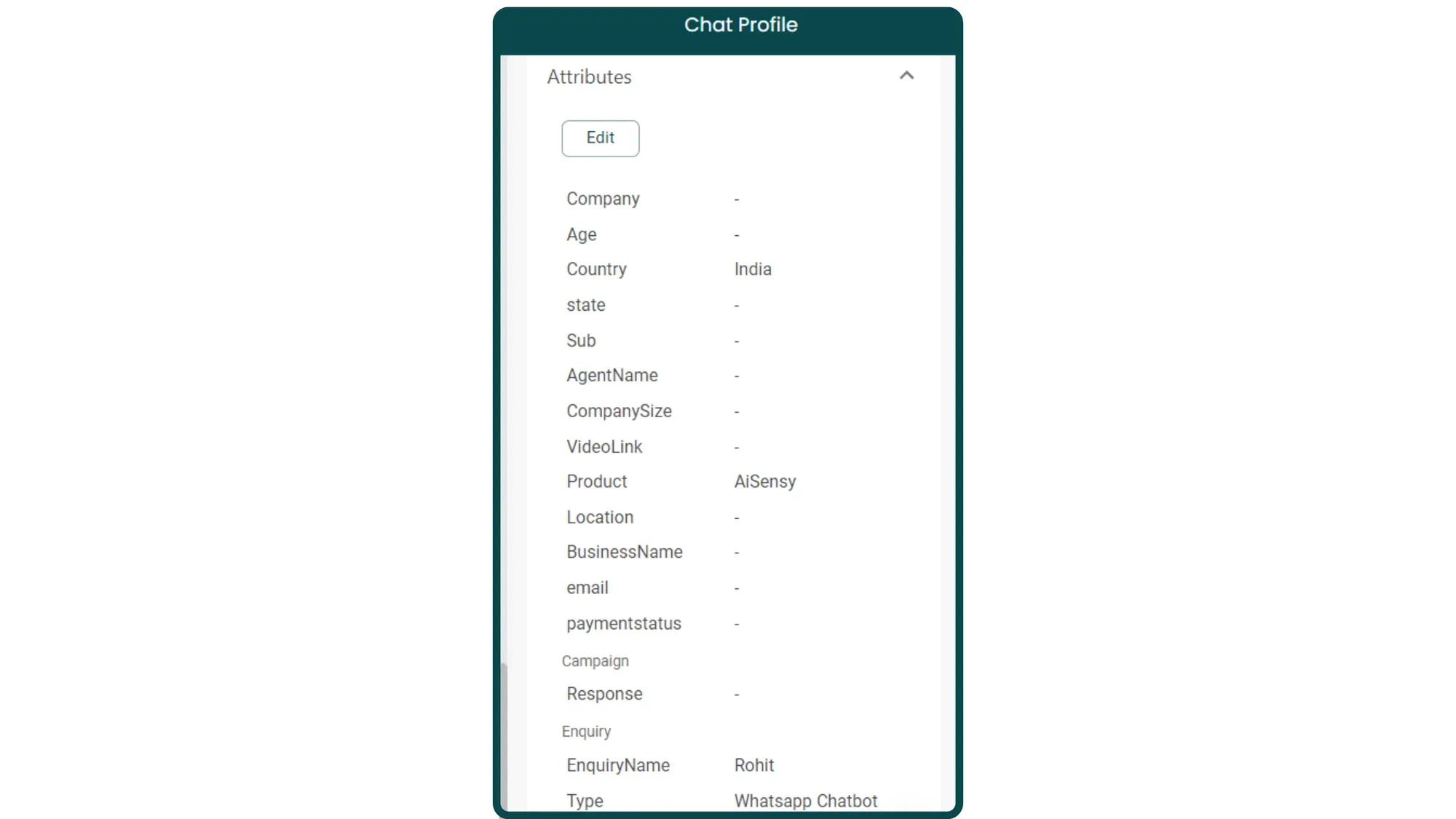
How to use Existing Attributes in Messegy?
Besides creating Custom attributes for your business, you'll find multiple already existing attributes in Messegy.
4 Common Attributes in Messegy
By default, you'll have 4 attributes in your Messegy app that will help you categorize your audience base.
Here are these attributes:
Let's see what they are & how to use these:
- $Name
This attribute captures a user's complete name. E.g. If a user's name is Shivam Aggarwal, the attribute with fetch Shivam Aggarwal
- $FirstName
This attribute captures a user's First Name. E.g. If a user's name is Shivam Aggarwal, the attribute will fetch Shivam.
- $MobileNumber
This attribute captures a user's mobile number.
- $LastName
This attribute captures a user's Last Name. E.g. If a user's name is Shivam Aggarwal, the attribute will fetch Aggarwal.
Shopify Exclusive Messegy Attributes
- $OrderId
This attribute captures the unique Order Id of a new order placed by the user.
- $ZipCode
This attribute captures the Zipcode entered by the user. E.g. 110006
- $Currency
This attribute captures the preferred currency of the user. E.g. INR
- $LineItems
This attribute captures the list of items purchased (If multiple products are purchased) with comma separation. E.g. Soap, Bodywash, Toothpaste etc.
- $OrderName
This attribute automatically captured the User's Order Name. E.g. #11000675
- $CheckoutId
This attribute captures your unique Shopify Checkout Id. Based on this Id, the Abandoned Cart flow is triggered in case the user doesn't complete the purchase.
- $InvoiceUrl
This attribute captures the unique Invoice Url whenever a product purchase is confirmed. Using the Invoice Url attribute, a person is shared a URL of their invoice details instantly when they complete a purchase.
- $OrderNumber
This attribute captures the unique Order number whenever an order is confirmed by the user.
- $OrderAmount
This attribute captures the amount paid by the user for an order.
- $TrackingNumber
This attribute captures the Airway Bill (AWB) number used for live delivery tracking of a user's order.
- $OrderStatusUrl
This attribute captures the order status, meaning whether the order is confirmed, delivered, refunded etc.
- $OrderCreatedOn
This attribute captures the date & time the order was created by the user.
- $PaymentGateway
This attribute captures the mode of payment of the user, meaning whether the order is COD or prepaid.
- $ShippingAddress
This attribute captures the shipping address entered by the user.
- $FullTrackingUrl
This attribute captures the order tracking Url using which a user can track their order delivery details.
- $PartialInvoiceUrl
This attribute captures the unique pathway of the invoice URL. Combining this with your Shopify domain will give you the full Invoice URL. E.g. Shopify Domain + Partial Invoice URL = Complete Invoice URL
- $PartialTrackingUrl
This attribute captures the unique pathway of the tracking URL. Combining this with your Shopify domain will give you the full tracking URL. E.g. Shopify Domain + Partial Tracking URL = Complete Tracking URL
- $PartialOrderStatusUrl
This attribute captures the unique pathway of the Order Status URL. Combining this with your Shopify domain will give you the full Order Status URL. E.g. Shopify Domain + Partial Order Status URL = Complete Order Status URL
- $PartialPrefilledCartUrl
This attribute captures the unique pathway of the Prefilled Cart URL. Combining this with your Shopify domain will give you the full Prefilled Cart URL. E.g. Shopify Domain + Partial prefilled Cart URL = Complete Prefilled Cart URL
- FullAbandonedCheckoutUrl
This attribute captures the complete Abandoned Checkout URL.
- $PartialAbandonedCheckoutUrl
This attribute captures the unique pathway of the Abandoned Checkout URL. Combining this with your Shopify domain will give you the full Abandoned Checkout URL. E.g. Shopify Domain + Partial Abandoned Checkout URL = Complete Abandoned Checkout URL
WooCommerce Exclusive Messegy Attributes
- $WOOCOMMERCE_Email
This attribute captures a user's Email. E.g. shivam@gmail.com
- $WOOCOMMERCE_OrderId
This attribute captures the unique Order Id of a new order placed by the user.
- $WOOCOMMERCE_LineItems
This attribute captures the list of items purchased (If multiple products are purchased) with comma separation. E.g. Soap, Bodywash, Toothpaste etc.
- $WOOCOMMERCE_OrderAmount
This attribute captures the amount paid by the user for an order.
- $WOOCOMMERCE_OrderStatus
This attribute captures the order status, meaning whether the order is confirmed, delivered, refunded etc.
- $WOOCOMMERCE_OrderDate
This attribute captures the date & time on which the order was created by the user.
- $WOOCOMMERCE_PaymentMethod
This attribute captures the mode of payment of the user, meaning whether the order is COD or prepaid.
- $WOOCOMMERCE_PartialTrackingLink
This attribute captures the unique pathway of the tracking URL. Combining this with your WooCommerce domain will give you the full tracking URL. E.g. WooCommerce Domain + Partial Tracking URL = Complete Tracking URL
- WOOCOMMERCE_CheckoutUrl
This attribute captures the complete Abandoned Checkout URL.
- WOOCOMMERCE_OrderKey
This attribute captures the Order key which acts as a unique identifier.
- WOOCOMMERCE_CouponCode
This attribute captures the Unique coupon code of an order.