In this tutorial, you'll learn how to assign roles to managers & agents in Messegy App.
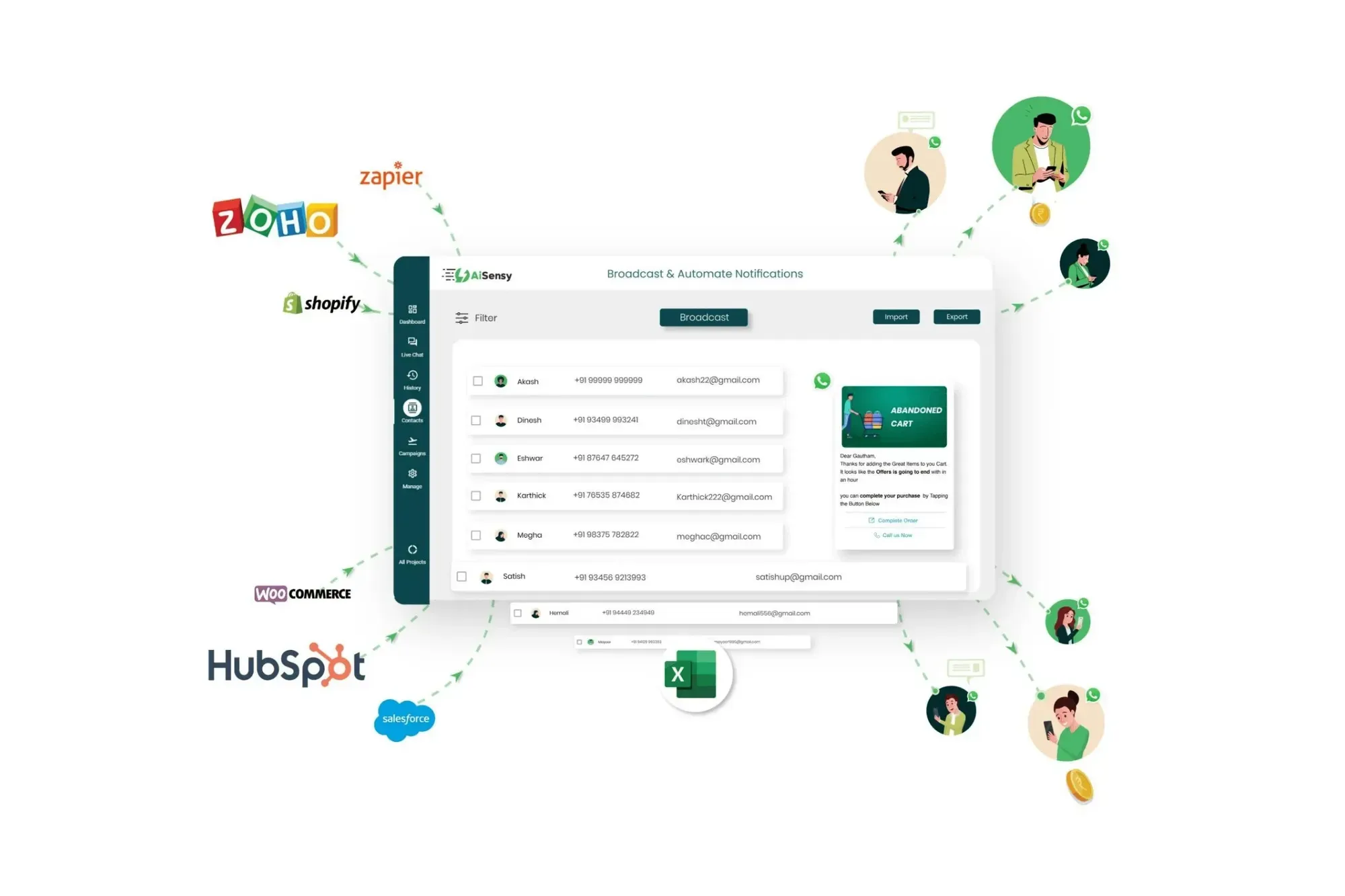
There are two types of Agents in the Messegy App:1. Live Chat Agent- Live Chat Agents only have permission to intervene & respond to chats in Messegy App. Also, they have access to modify user profiles on the Live Chat & History Page.2. Managers- Managers, on the other hand, can overlook everything and shoot WhatsApp Broadcasts & API campaigns.As the owner, You can add multiple agents & assign roles to those agents in Messegy App easily.
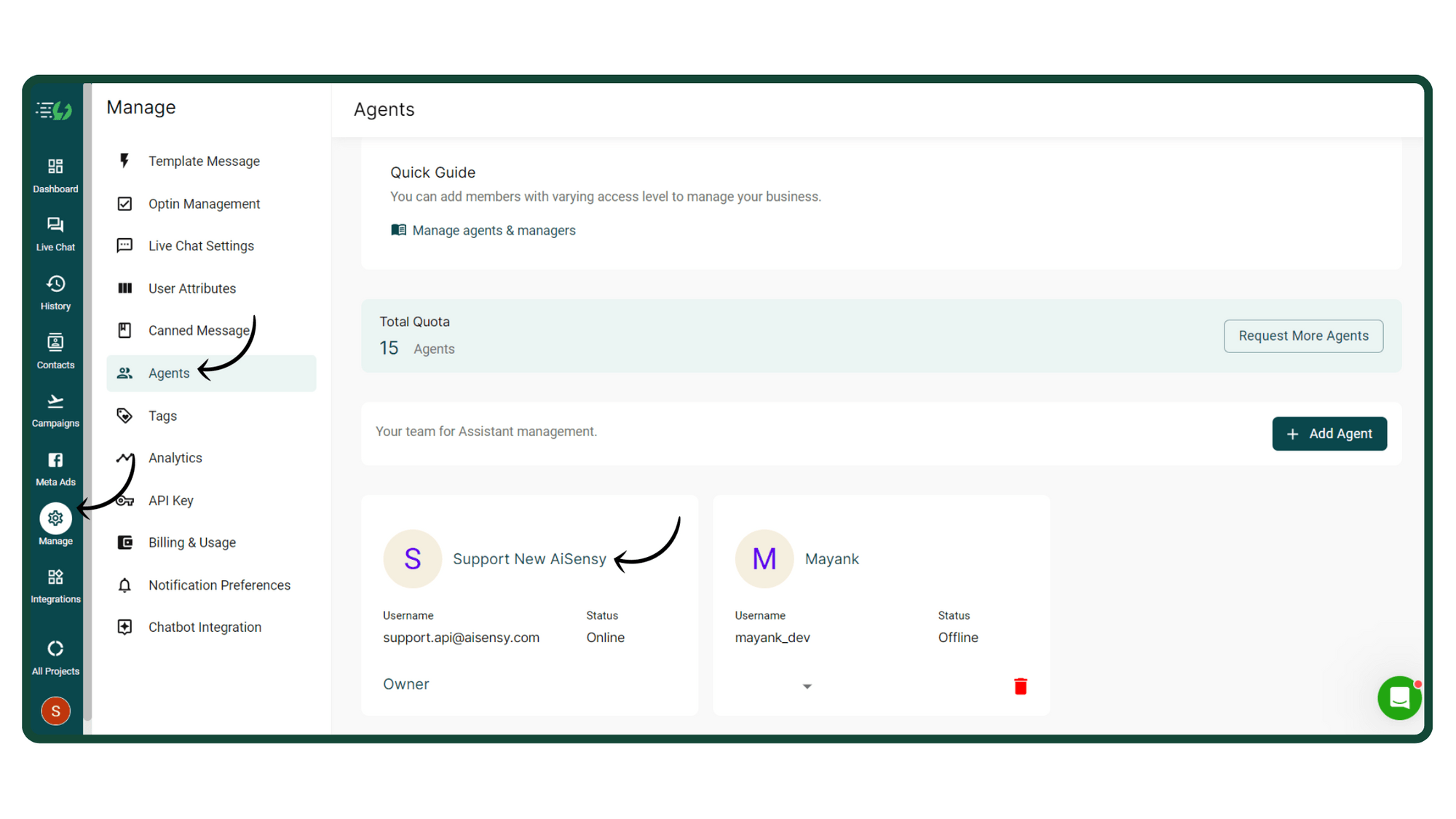
Go to Agents Page in Manage Section
Only the owner can add Managers & Agents to Messegy App.Once you have the owner's access, go to the Agents Page in Manage Section.
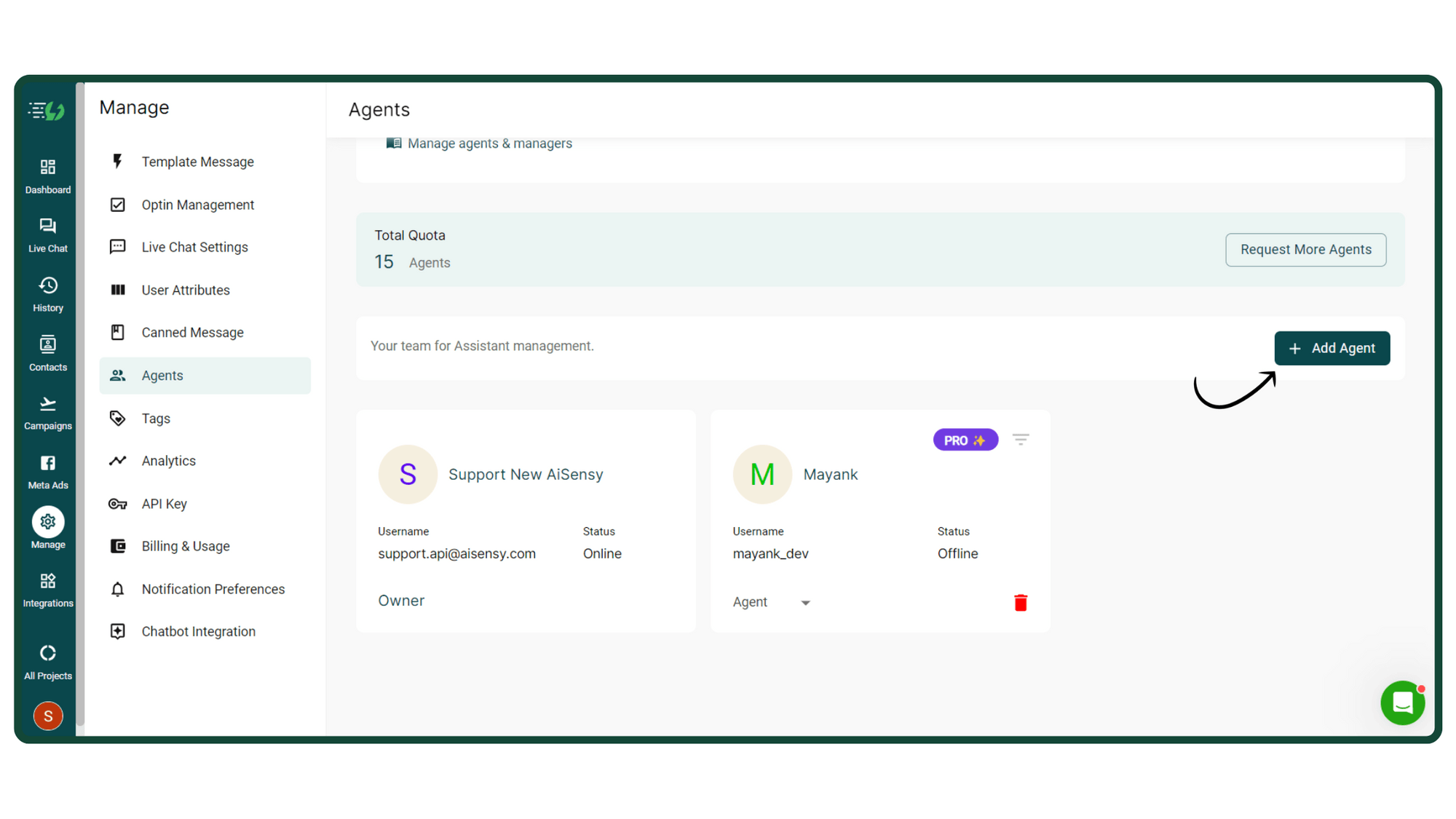
Click 'Add Agent'
Now, click 'Add Agents' as shown in the image on the left
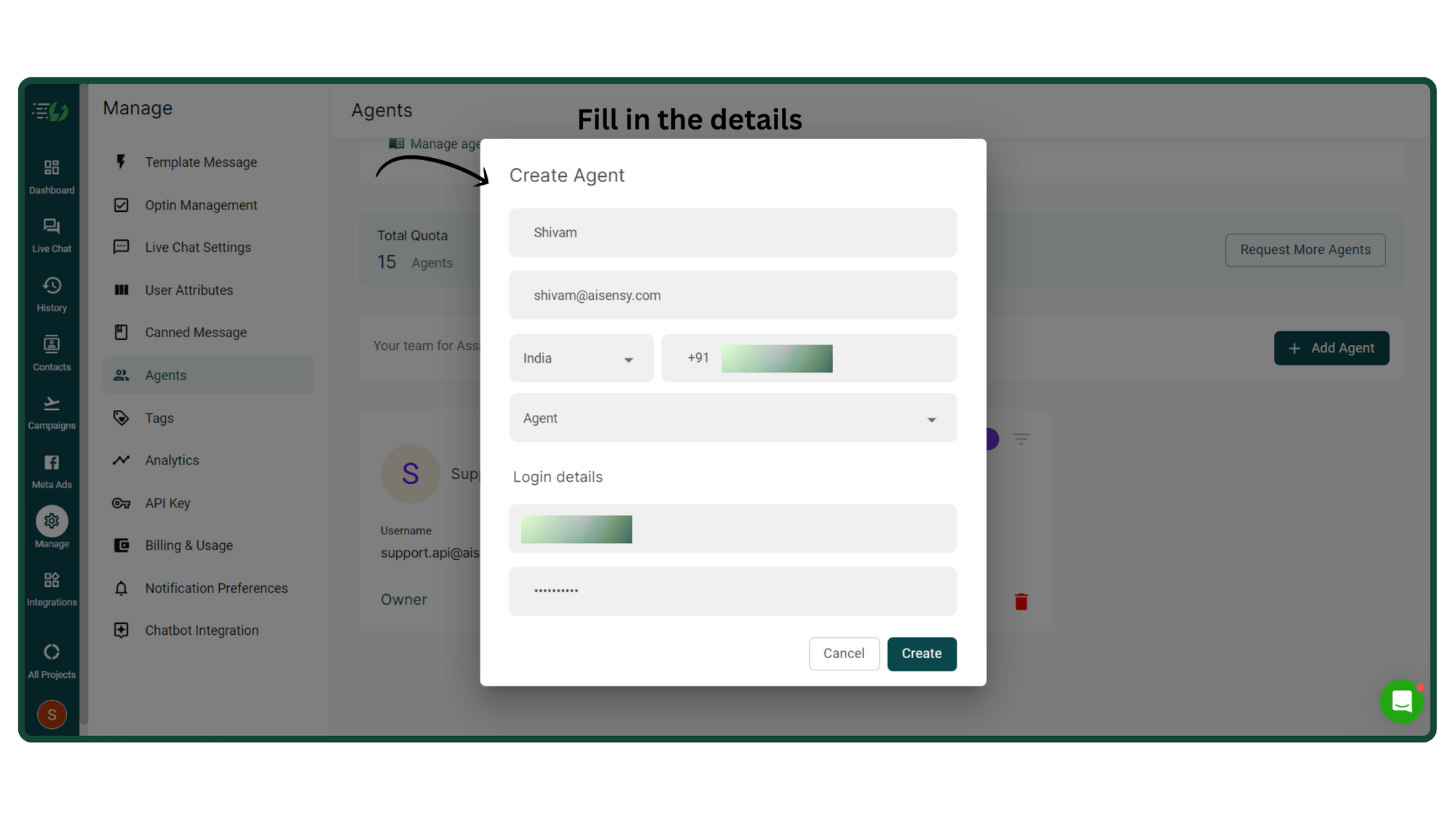
Fill Agent Details
Clicking this will open a pop-up box where you need to fill in the details of your agents.These details include:1. User Name- This is the name the agent will use to log in to Messegy App. E.g. Shivam411.2. Display Name- The Display Name is the name of the agent that will appear in the Messegy App.3. Password- Add a login password for your agent to log in to Messegy AppAfter adding the details, press ‘Create’.
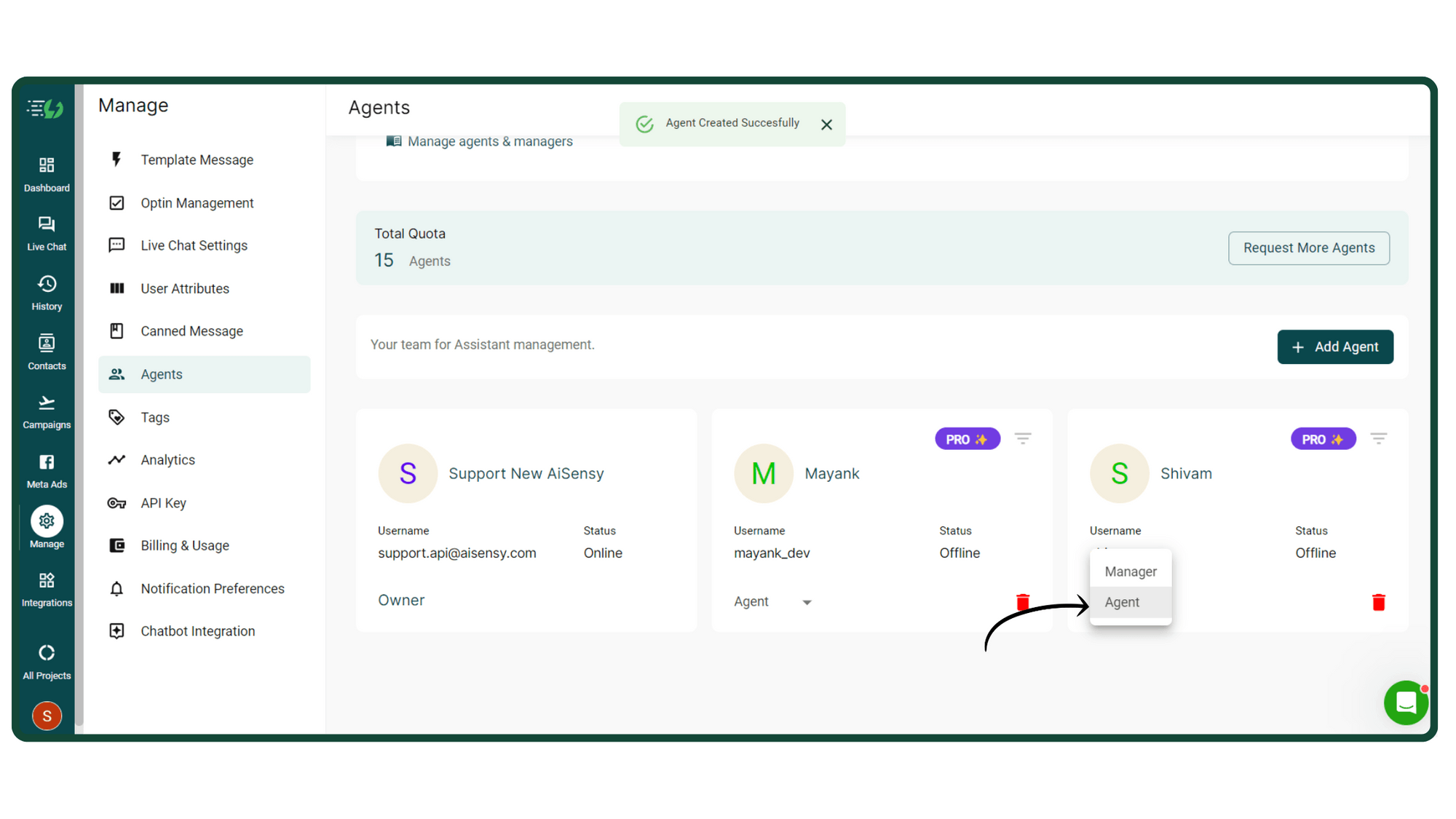
Assign Roles
The final step involves assigning roles & responsibilities to the Agents. You can either assign 'Agents' or 'Managers' in Messegy App.Click the dropdown button as shown in the image on the right & assign them roles accordingly.
Q. How to change Agent Login Password?
If you forget your password, don’t worry - you can change it easily. To change the User Password, go to your profile & click ‘Edit’. Change the password and re-enter the latest password to confirm the change.
Q. How many agent dashboards can I use in the Messegy Platform?
You can create upto 5 Free Agents plus one owner access with all Messegy paid plans. You can purchase more new agents at ₹750/ month each
Q. Can the Agent make changes to the User Profile on History Page?
Yes, the Agents can make changes in the User Profile by adding/removing Tags. Only the intervention can not be done.
Ready to get Started?
Get Started for FREE. No Credit Card needed.⚡️Powered by Official WhatsApp Business API
Book a DemoStart for FREE