The "First Message Tag" in a WhatsApp conversation signifies the user's interest in a particular product or service. This information allows the business to determine the user's landing source on WhatsApp.For example, if the user comes from the “Product X” page, the “Product X” tag will be assigned to the user, implying that the user is interested in Product X.

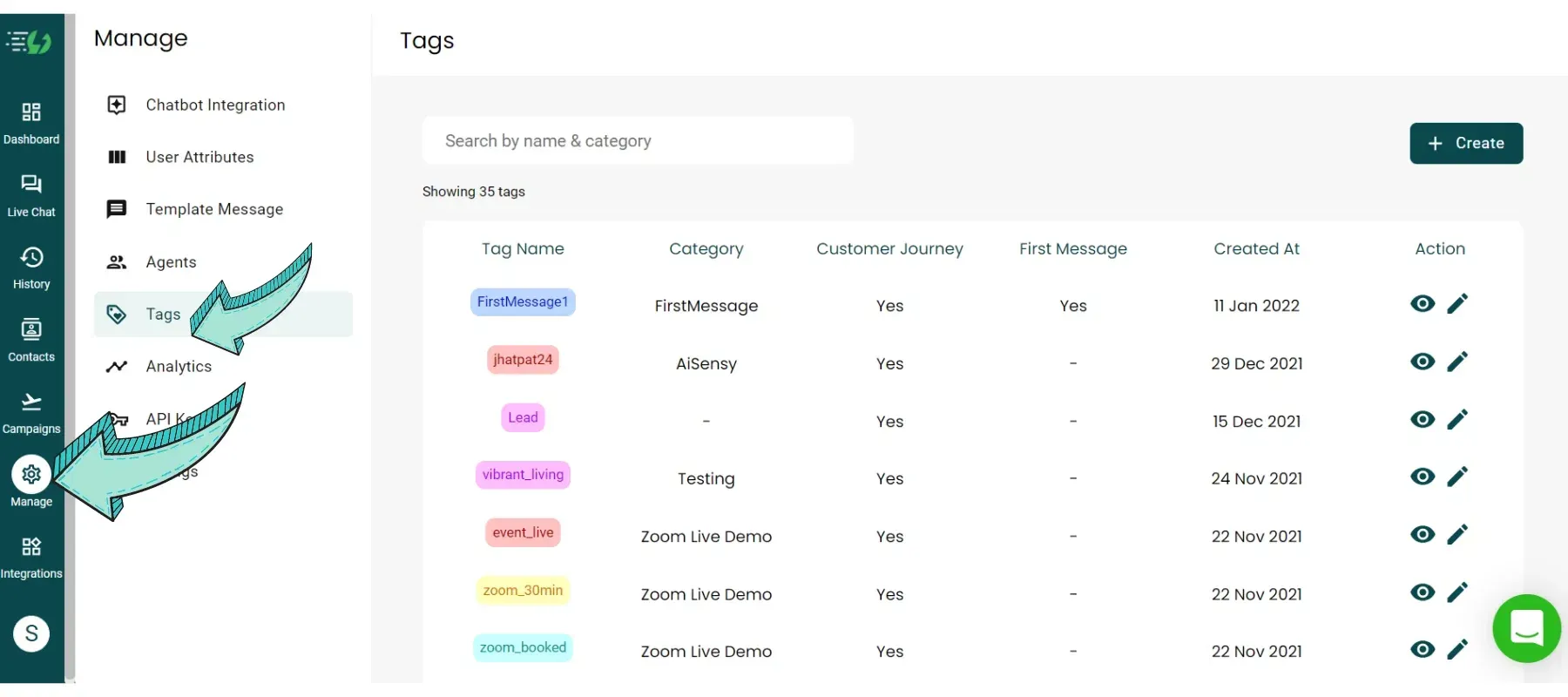
Go to Manage Section & click on "Tags"
Click the "Tags" button in the manage section to create & edit Tags in Messegy App.
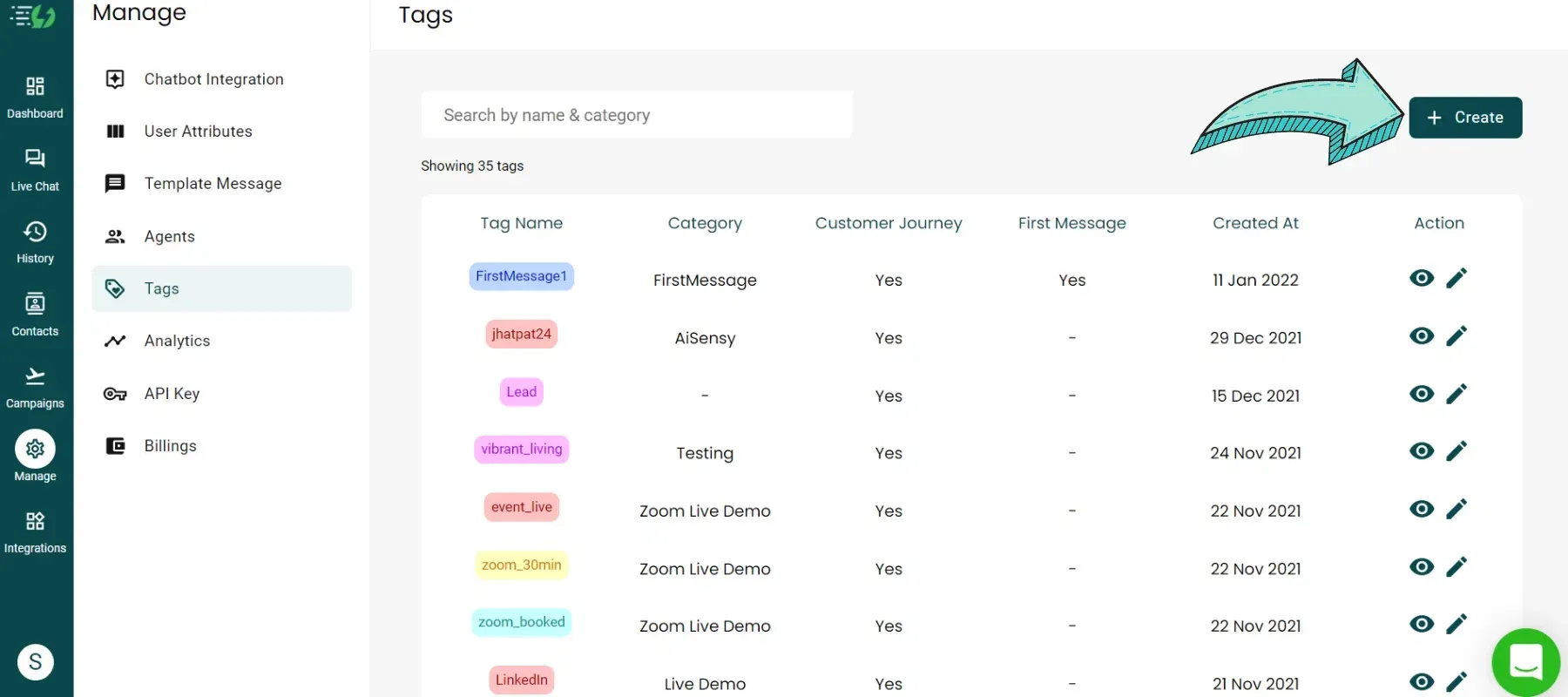
Click "+Create" button to add new Tag
Click the create button on the top right corner to create & customize your 'First Message' Tag
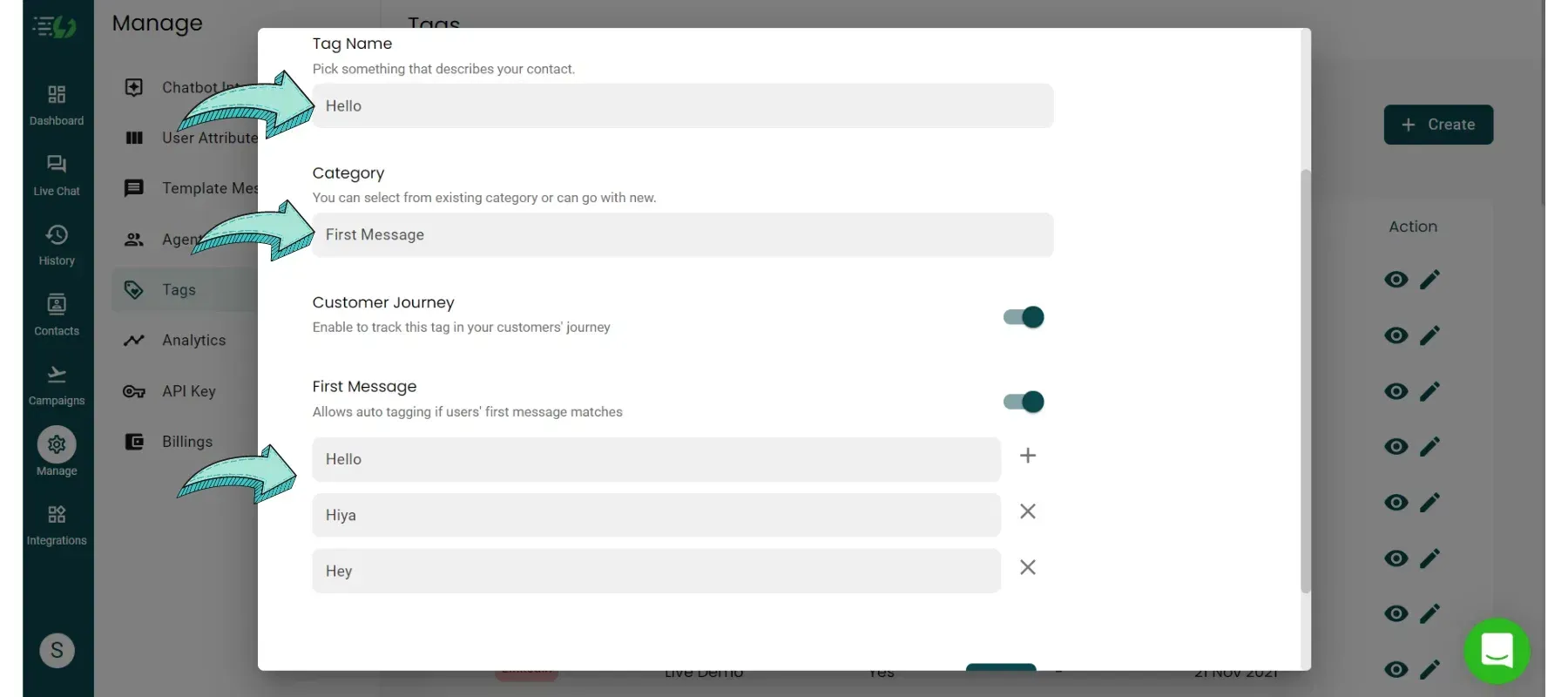
Create the First Message Tag
To create First Message Tag, you first need to add a Tag Name. Since it's a First Message Tag, we've added the tag name as Hello. You can customize it based on where the user is coming from.Set pre-defined First Message such as 'Hi' or 'Hello' to automatically assign users 'First Message' Tag. It should exactly match the message that the user sends. In categories, Select the First Message as Category of your Tag. Last, add all the messages you know customers might send as their First Message. If the message matches with the words or sentences added here, First Message Tag will be allotted automatically.
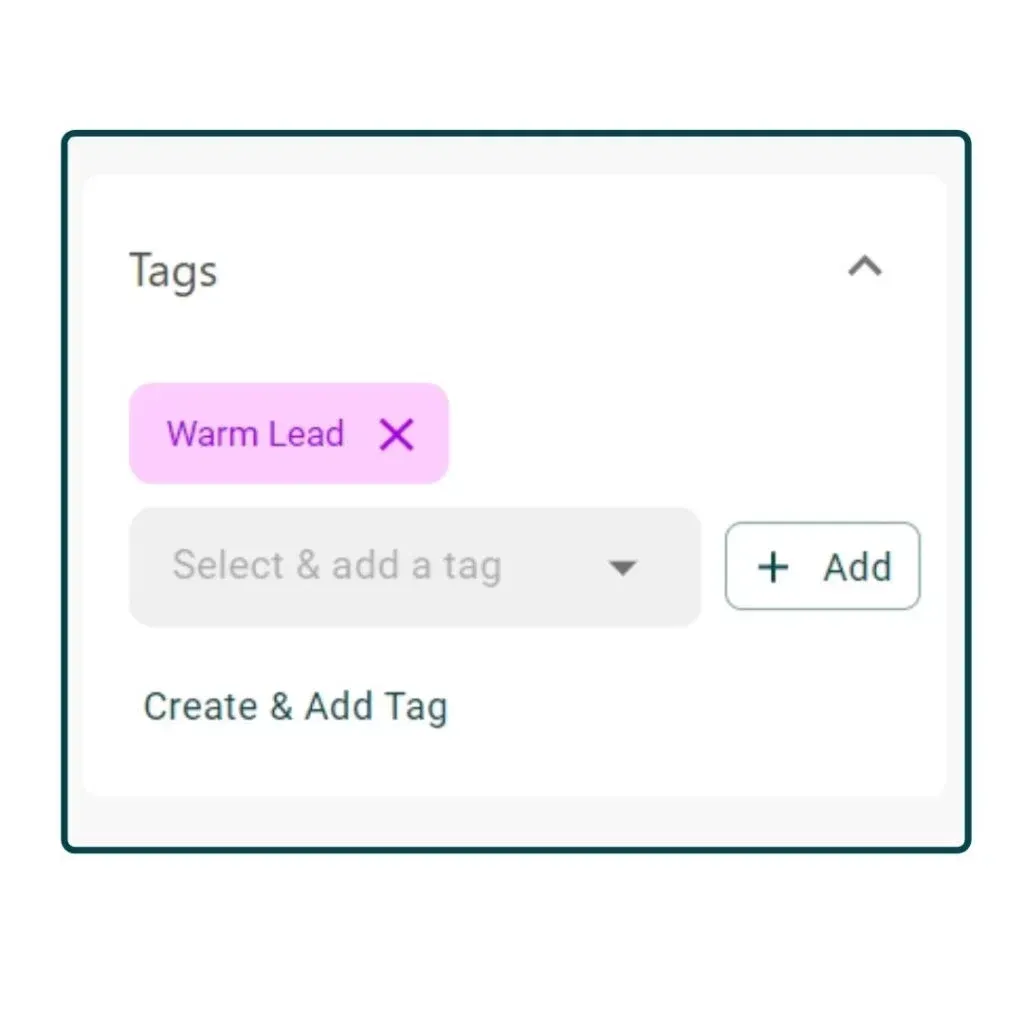
How to manually assign First Message Tag?
If the customer's first message doesn't match with what you've added, then you can manually assign First Message Tags. Simply click on the drop-down option and select First Tag Name under pre-defined tags which denotes First Message. The last step is to just click on the “Add” button. You can also go to the Manage Section, add the message sent by the customer & choose it under pre-defined tags for smart segregation.
FAQs
Still having Doubts? Here are some FAQs
What is the significance of the First Message tag?
The first message tag signifies the interest of the user towards a particular product or service. This makes the business know the landing source of the user on WhatsApp. For example, if the user is coming from the “Product X” page, the “Product X’ tag will be assigned to the user. This implies that the user is interested in Product X. Similarly if the user is coming from an Ad of “Service A”, the “Service A” tag will be assigned to the user in an automated manner.
Can audience segmentation be done on the basis of First Message tag?
Yes, you can segregate your audience on the basis of First Message Tags and can send a personalized & target broadcast campaign.
How to configure First Message Tag?
Any tag can be created as a first message tag. While creating different tags from the “Manage” section, there is an option to make the tag a First Message Tag. You just need to implement that feature and it will be used for the first message tag.
Ready to get Started?
Get Started for FREE. No Credit Card needed.⚡️Powered by Official WhatsApp Business API
Book a DemoStart for FREE