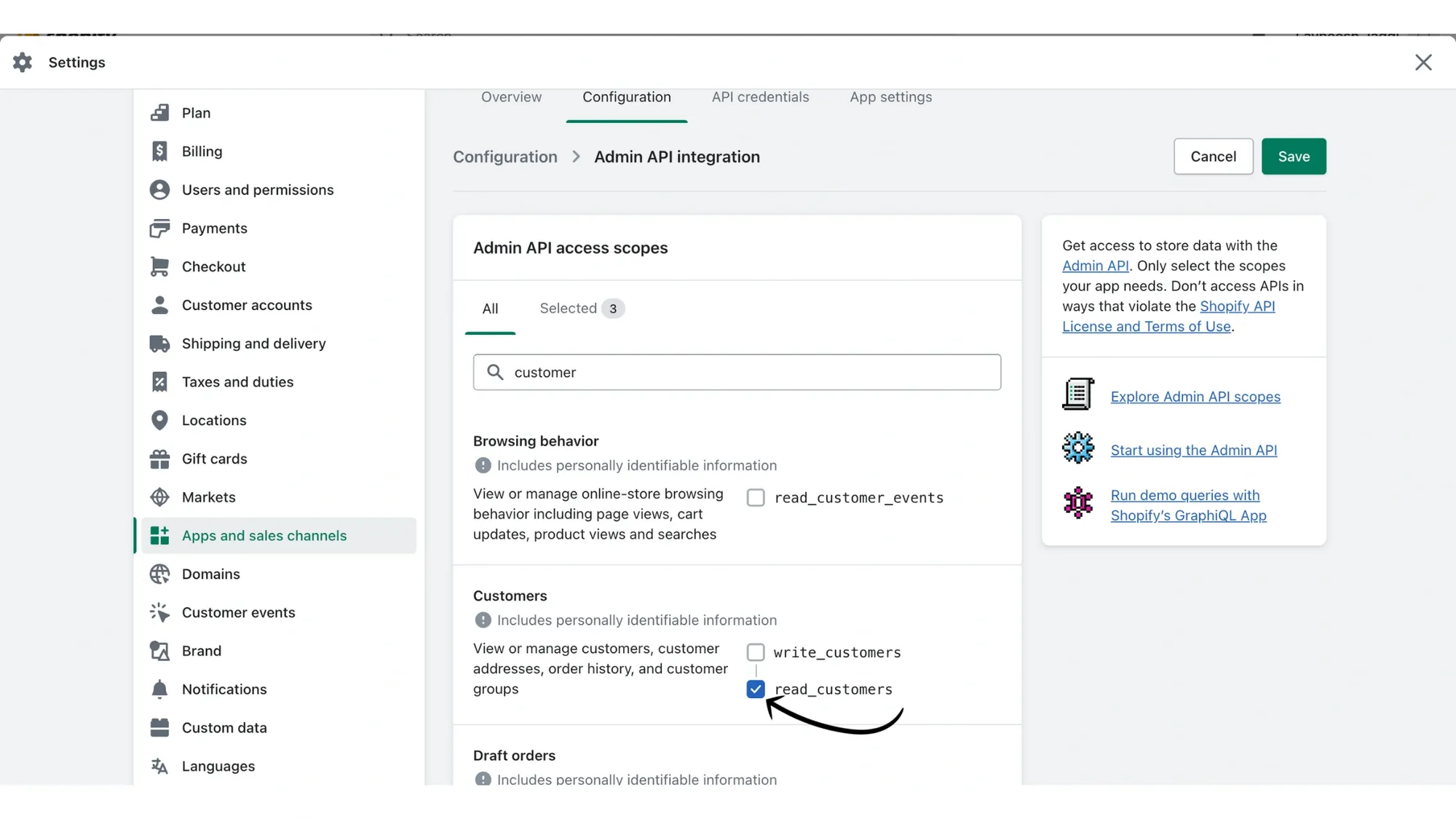
Steps to enable "Read Customer" permission in Shopify to view order details for individual contacts on the Messegy App.
Wish to find out if your Shopify user fulfilled, completed, cancelled, or abandoned an order?
The Messegy App now allows you to view such Order details for individual contacts.
For individual contacts, you can view if the order was fulfilled, completed, abandoned, or canceled.
You can further choose to Retarget users who abandon your cart directly via Messegy.
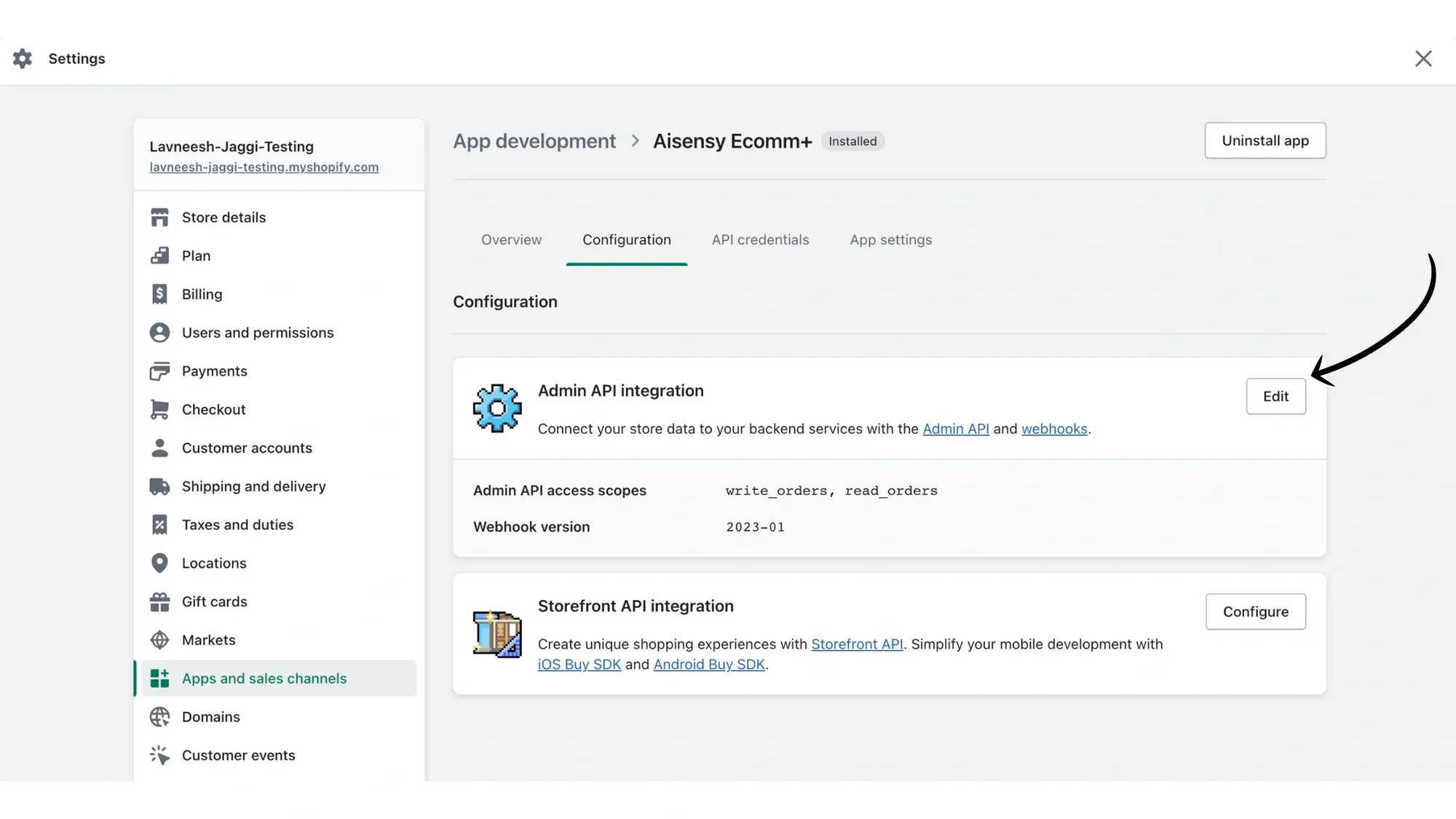
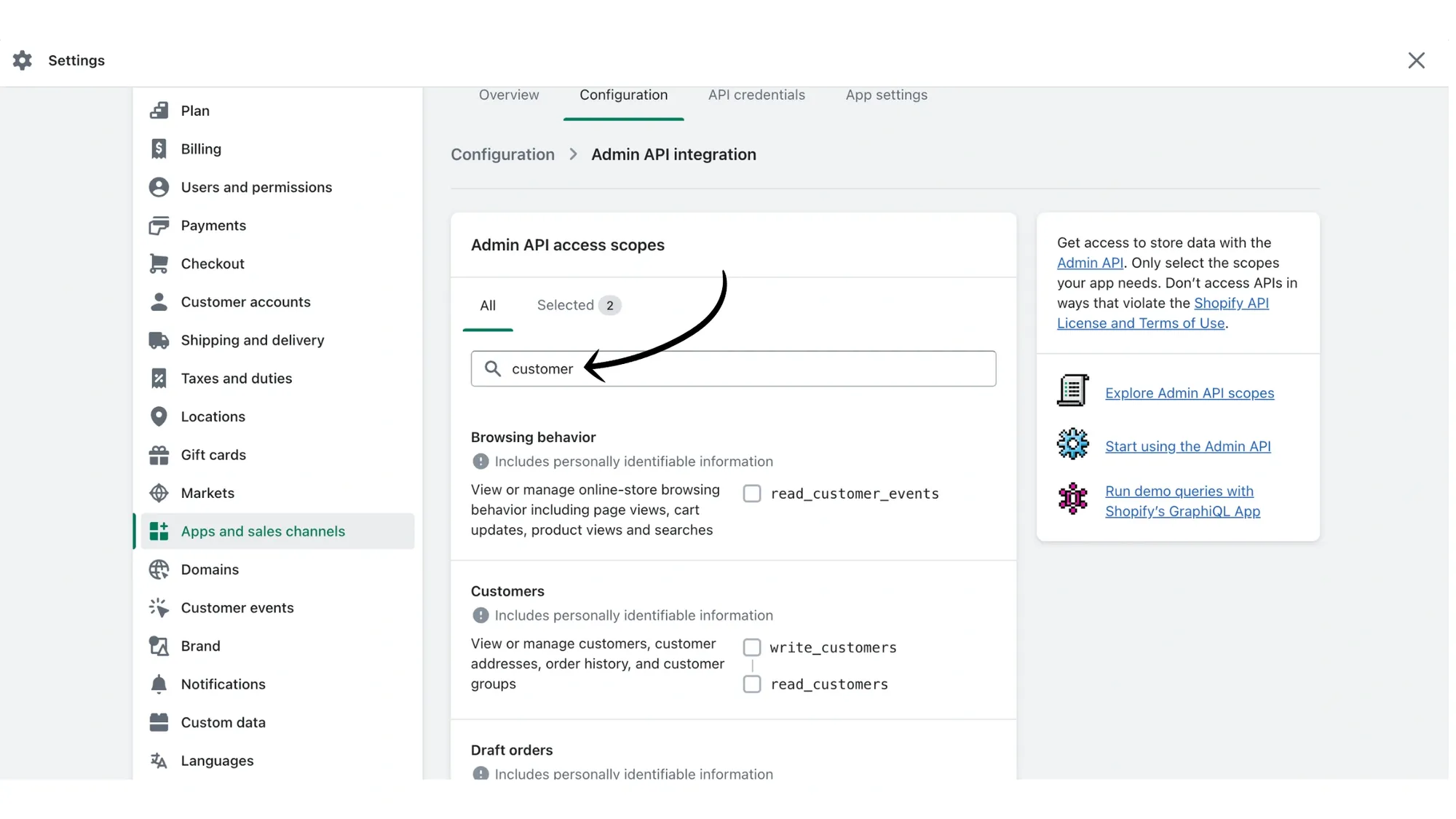
To enable this feature, you first need to give "Read Customer" permission in your Shopify store.
This tutorial will show you how to enable this feature.
Before continuing, make sure your Shopify store is connected to Messegy. If you have not yet done so, check out how to connect your Shopify store with Messegy.
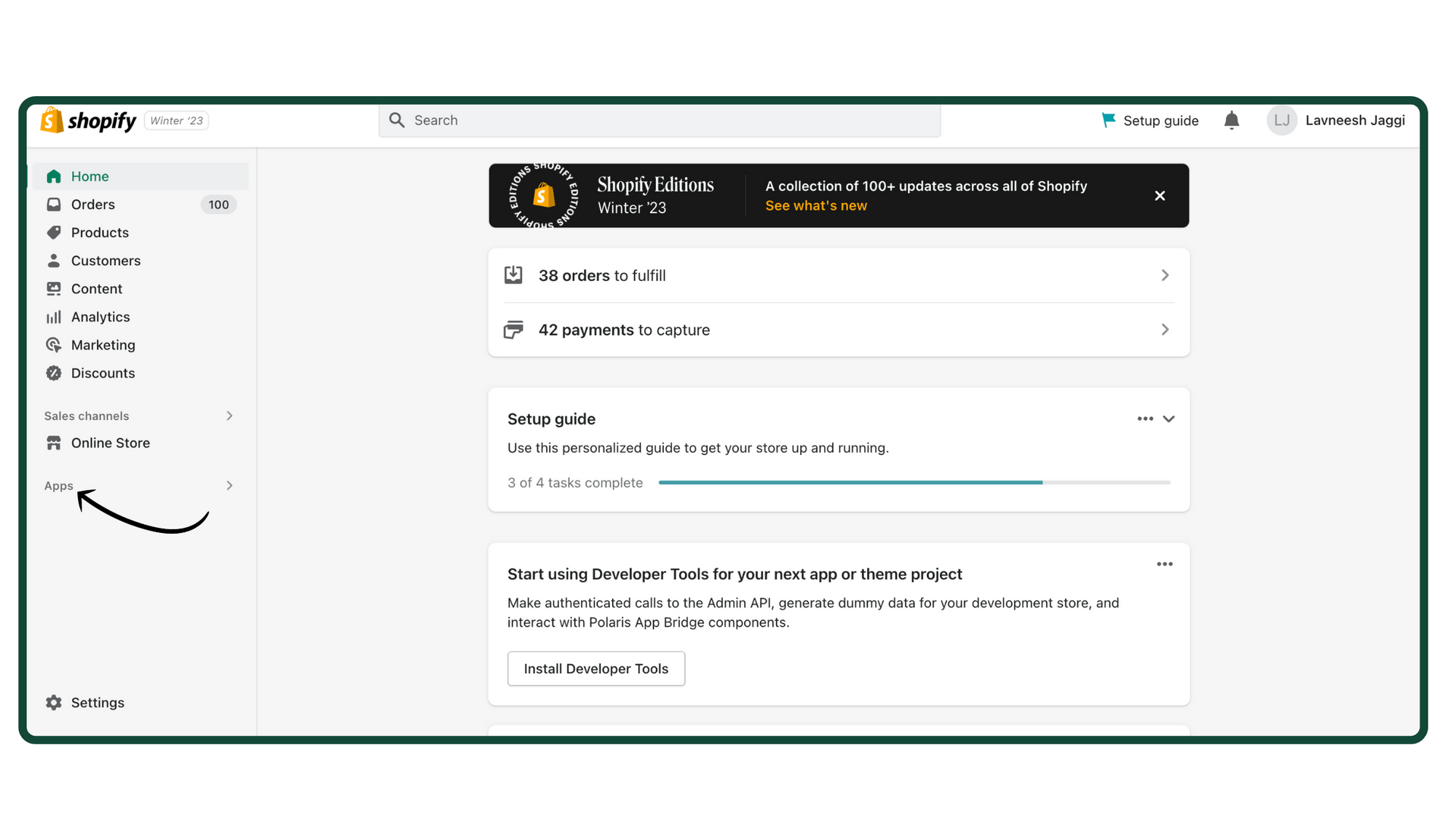
1. In Shopify Store, go to Apps at the bottom left section
First, open your Shopify store & click on Apps at the bottom left menu of the screen.
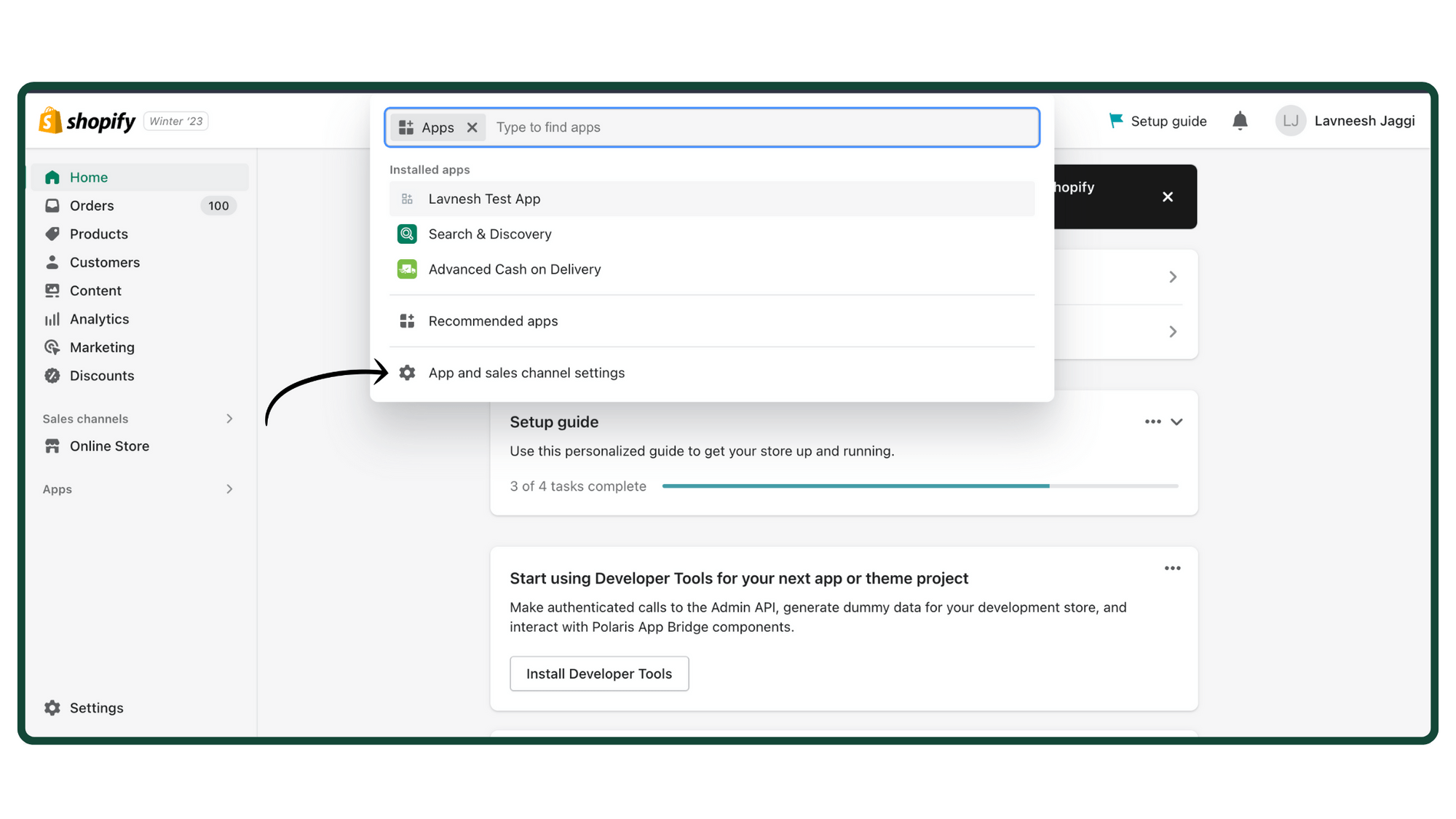
2. Click 'App & Sales channel settings'
In Apps, open App and sales channel settings as shown in the below image.
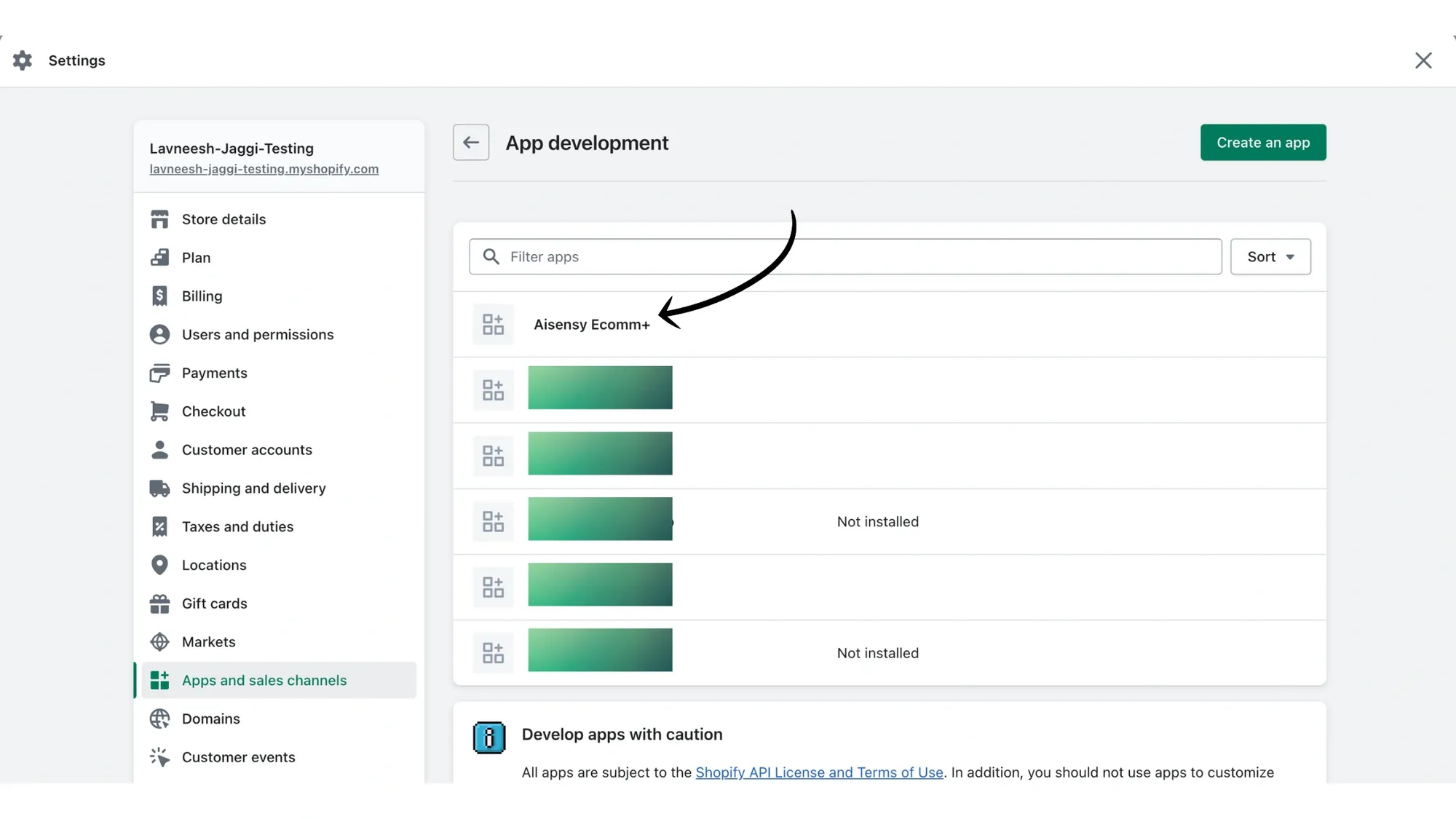
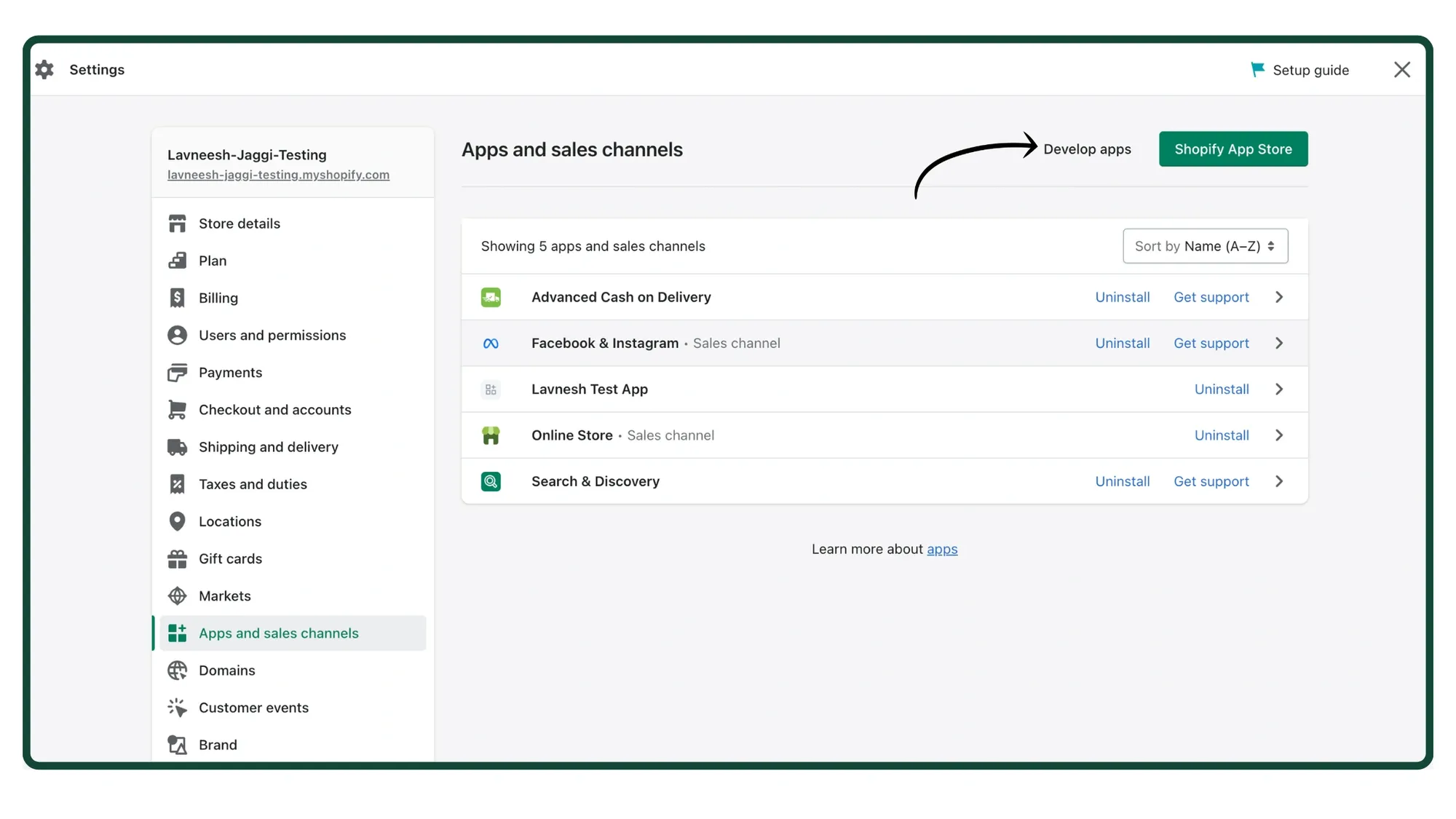
3. Click Develop Apps
Next, click develop apps to create a new app.
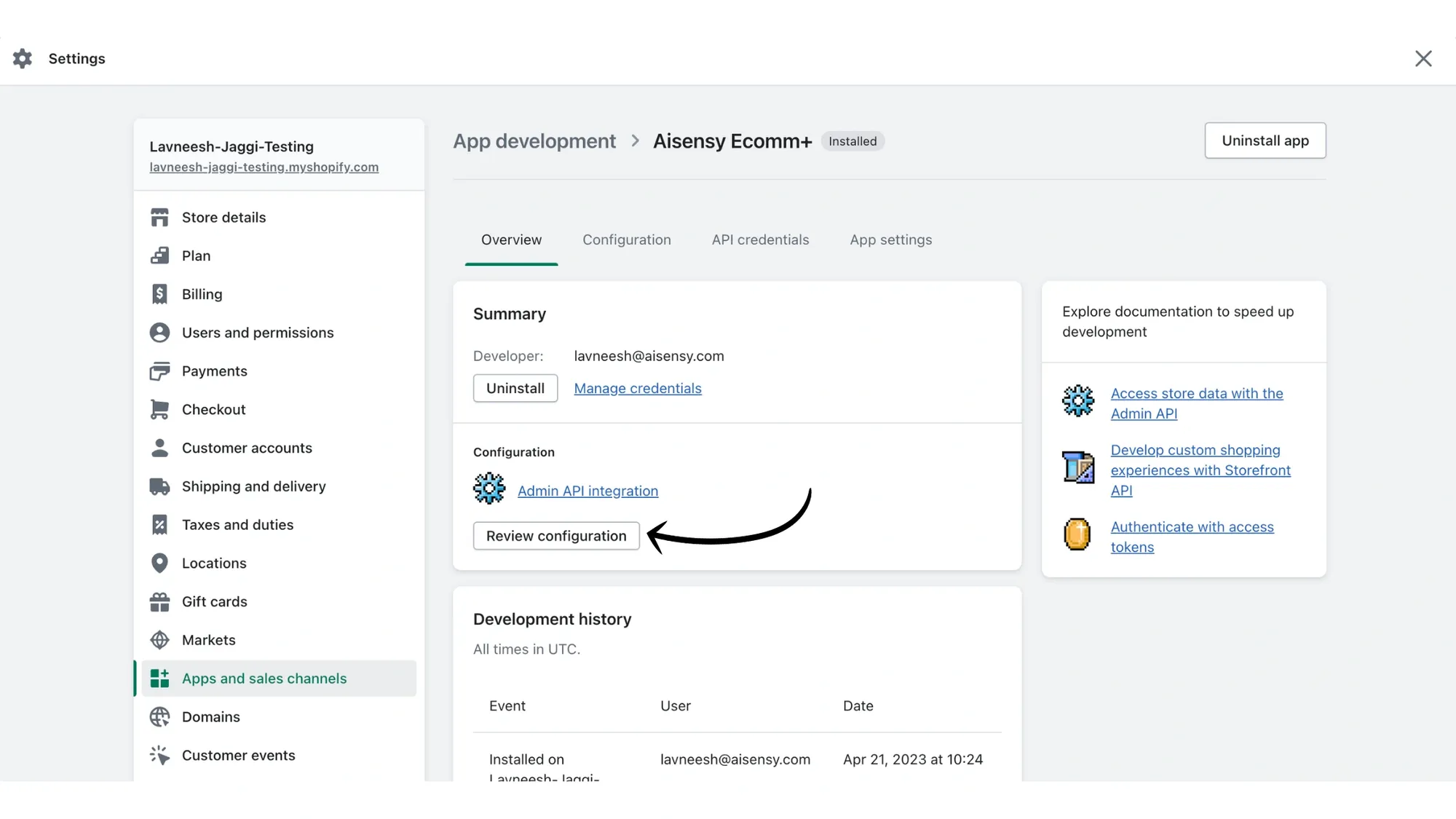
4. Click Installed Messegy App
Next, click on your installed Messegy app to make the necessary changes.