Follow our simple guide to downgrade your WhatsApp Business API number.Note: the process of downgrading WhatsApp Business API number is different from deleting WhatsApp/ WhatsApp Business App.

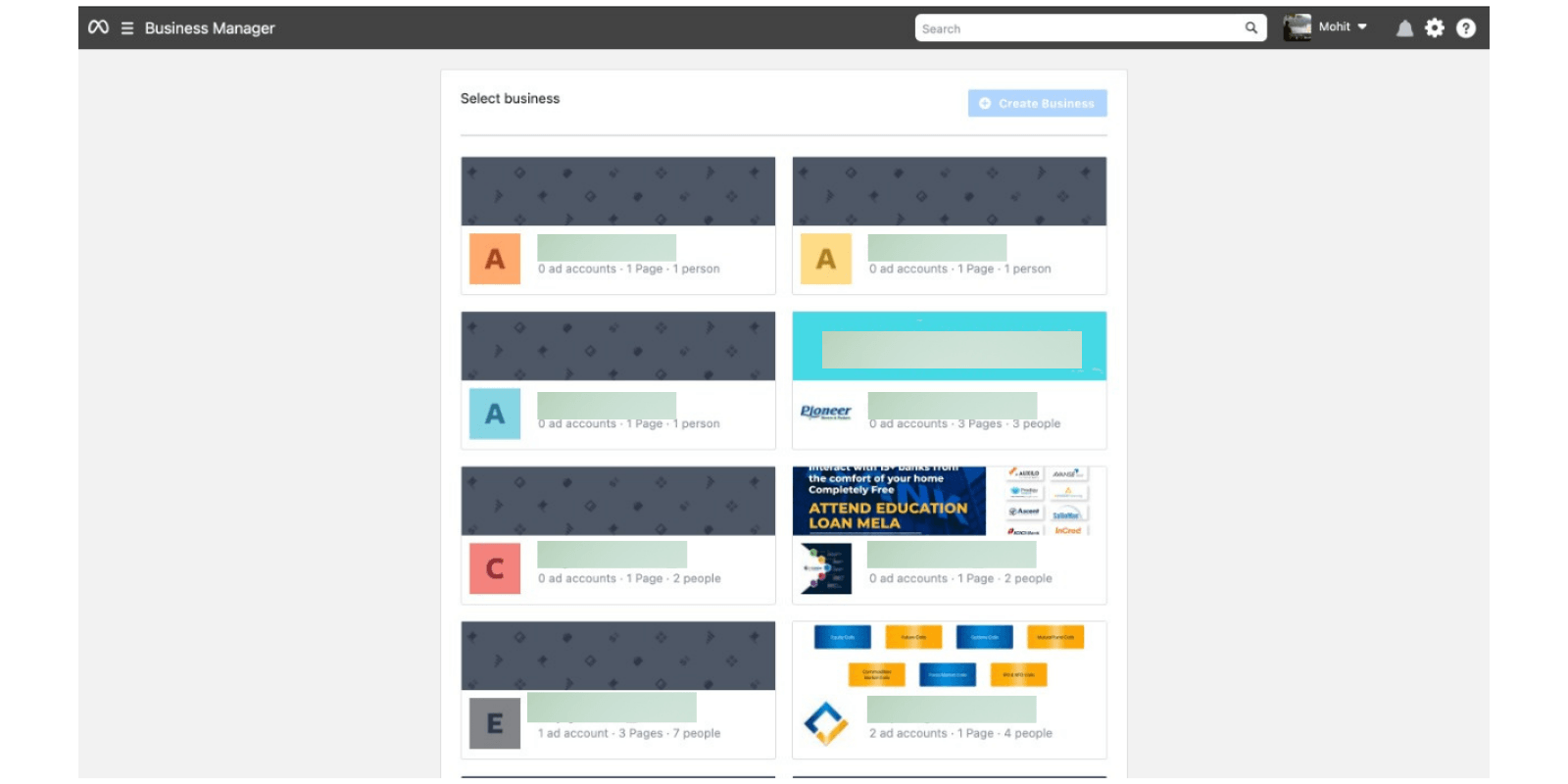
Go to your Facebook Business Manager
The first step to downgrade your WhatsApp Business API number is to open your Facebook Business Manager account.
Go to Facebook Business Manager
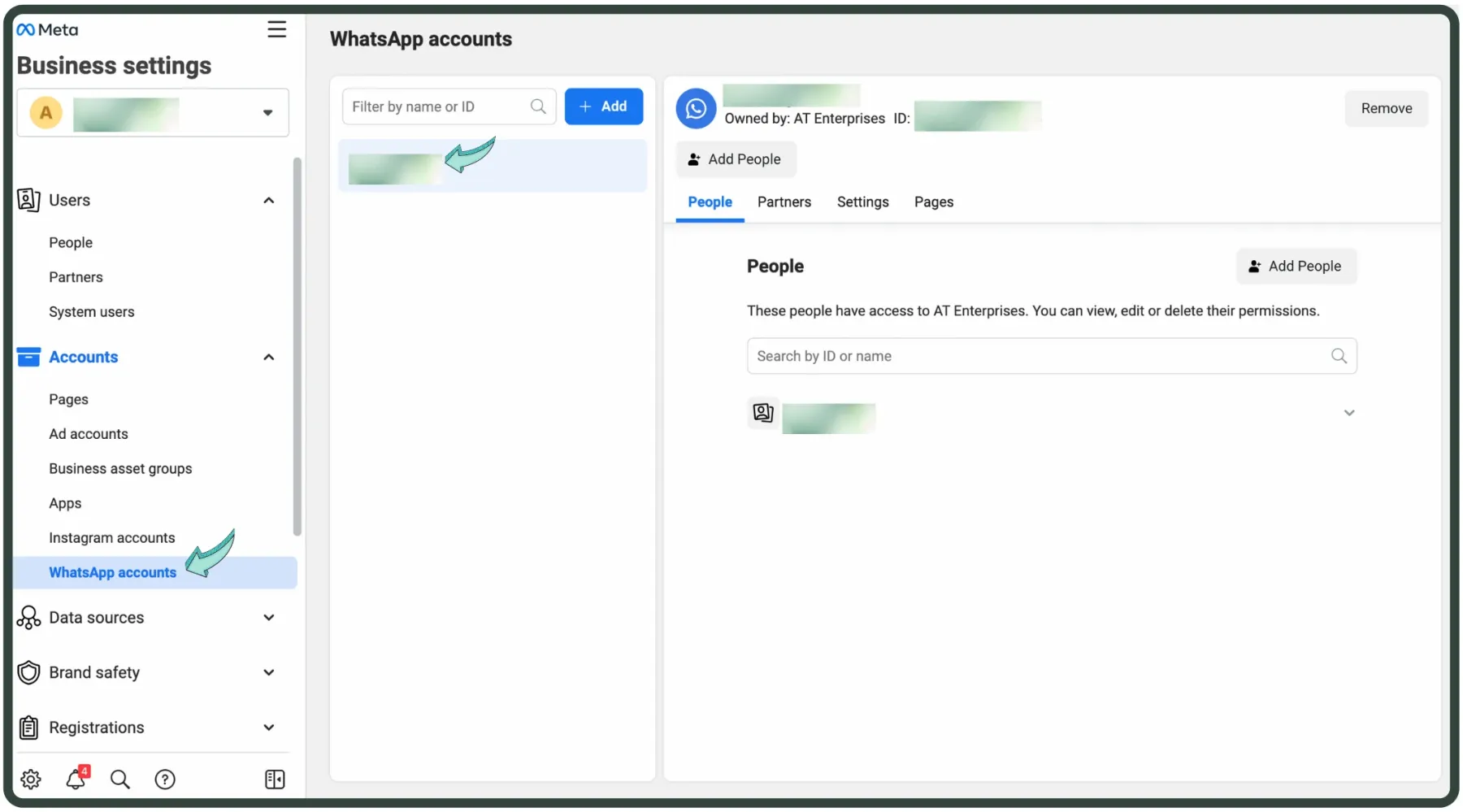
Open "Business Settings" & then "WhatsApp Accounts"
Open Business Settings & choose WhatsApp Accounts from the left panel.If you have multiple WhatsApp Business API accounts, select the one you want to downgrade.
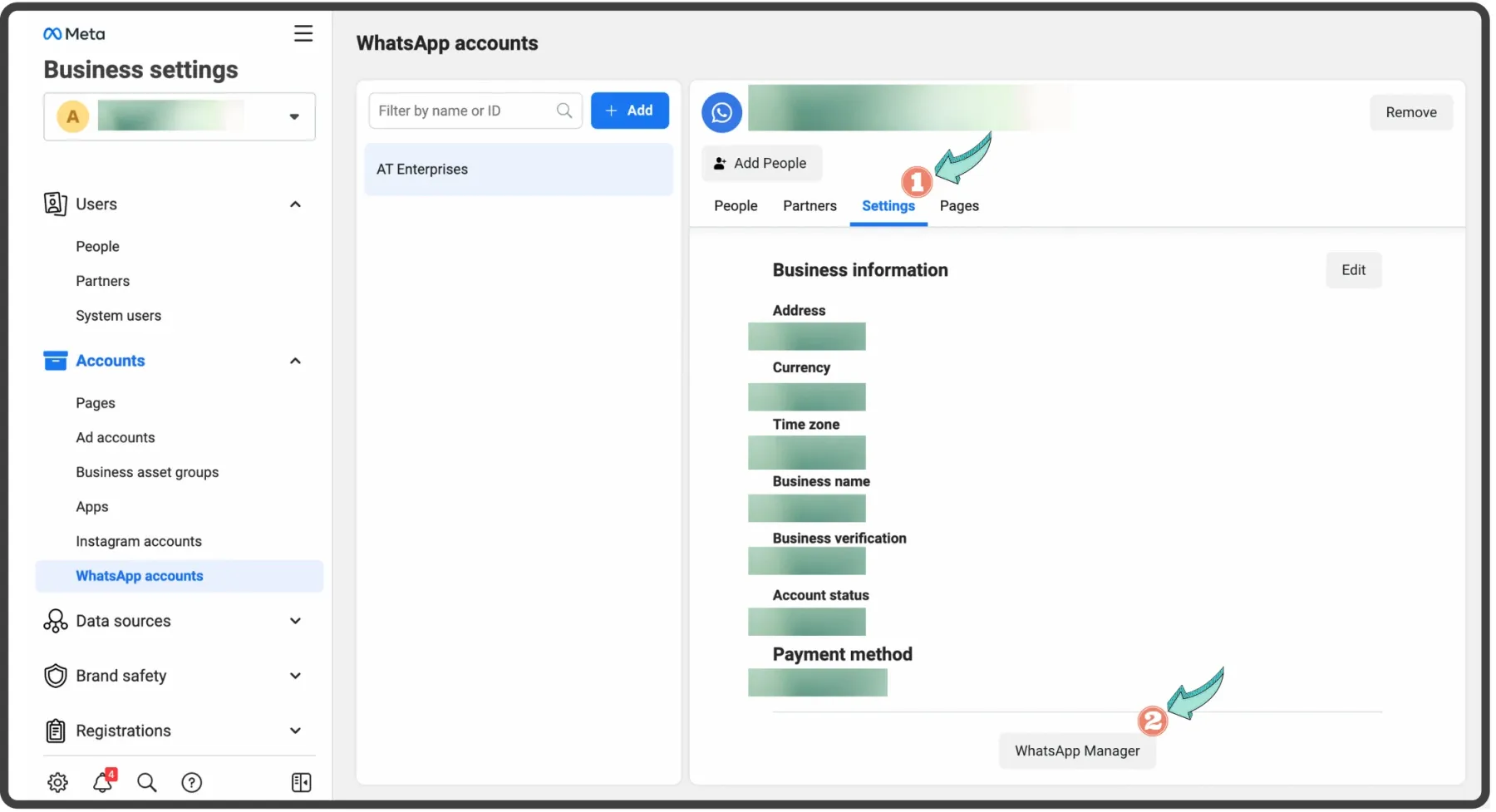
Go to 'Settings' & scroll down & click on 'WhatsApp Manager'.
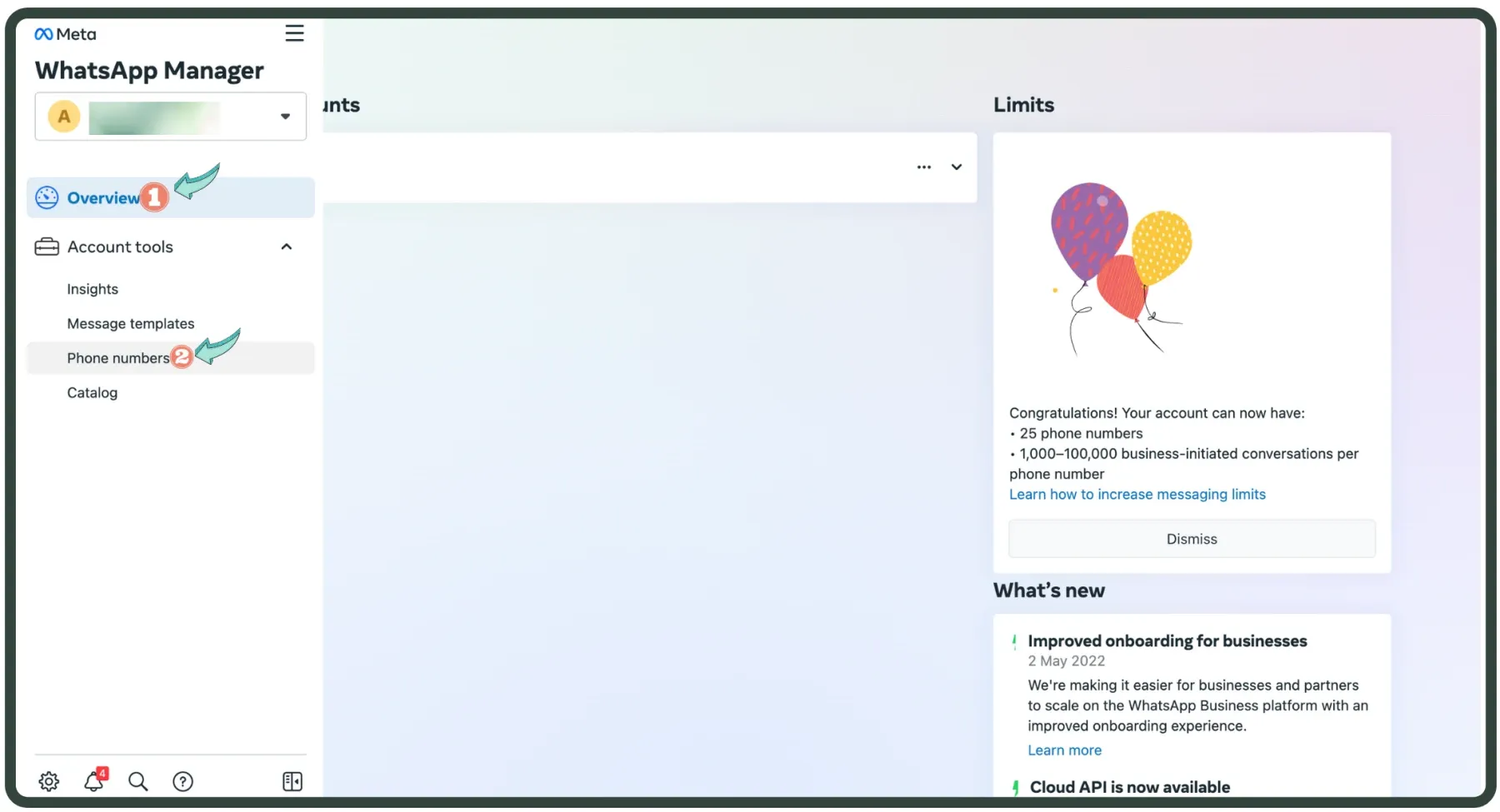
Click on 'Account Tools' & choose 'Phone Numbers'.
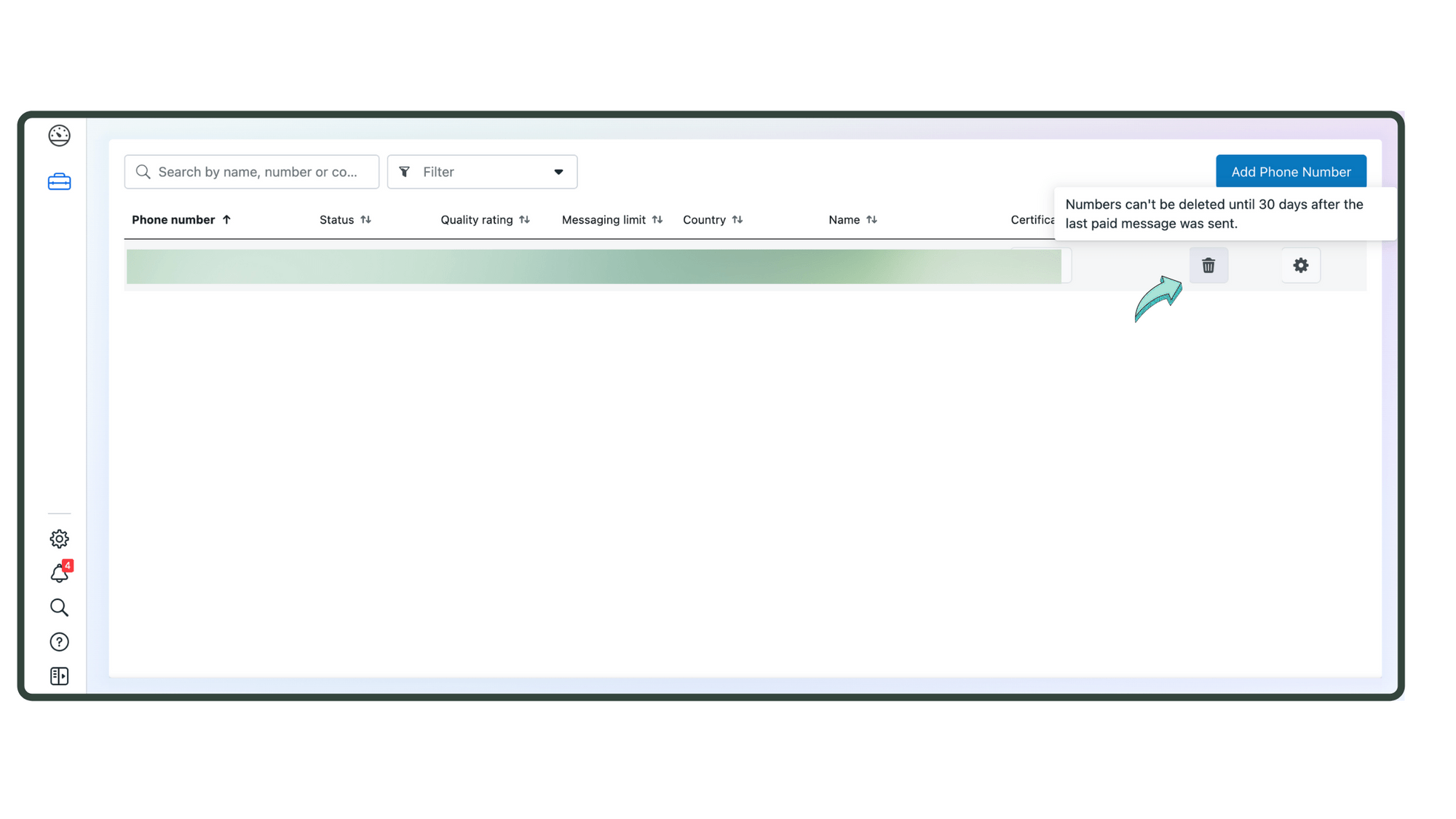
Click on the trash bucket icon to downgrade your WhatsApp Business API Account.
After downgrading, wait for a few minutes & log in to your WhatsApp/ WhatsApp Business App.Note: Downgrading your WhatsApp Business Account is now a Reversible process. You can re-create a WhatsApp Business API account using the same phone number. But, you'll permanently lose all data including messages, contacts & more stored in the WhatsApp Business API account.If you want to downgrade your number from WhatsApp/ WhatsApp Business app & switch to WhatsApp Business API, click the button bellow or contact us.
Phone Number Rules
Ready to get Started?
Get Started for FREE. No Credit Card needed.⚡️Powered by Official WhatsApp Business API
Book a DemoStart for FREE