Learn how to quickly cancel your Messegy subscription with this simple walkthrough. Follow the steps and manage your Messegy profile with ease.
How to Cancel/Restart Your Messegy Subscription
Step-by-Step Guide
We're sad to see you go. Kindly fill this feedback form to help us improve Messegy for you.There are 2 simple ways to delete your Messegy account.
If you wish to shift back to WhatsApp messenger or WhatsApp Business App, then kindly follow the below steps:1. Downgrade your WhatsApp Business API number.2. Cancel your Messegy Plan.However, if you wish to switch to a different WhatsApp API provider, then you need to follow the steps:1. Submit a request to disable 2FA.2. Cancel your Messegy Plan.
Case 1: Shift Back to WhatsApp messenger/ WhatsApp Business App
Steps to downgrade your WhatsApp Business API number
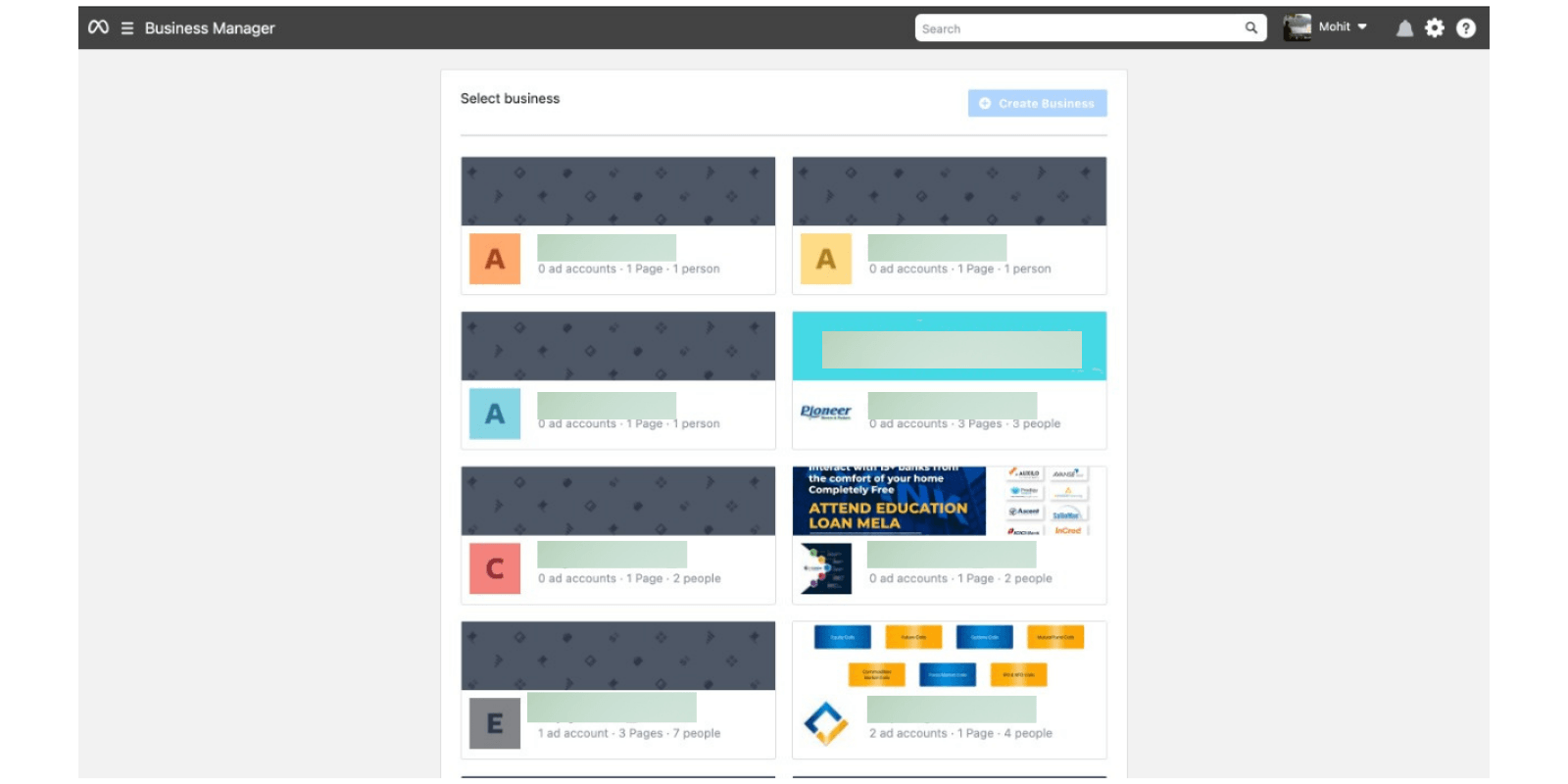
Go to your Facebook Business Manager
The first step to downgrade your WhatsApp Business API number is to open your Facebook Business Manager account.
Go to Facebook Business Manager
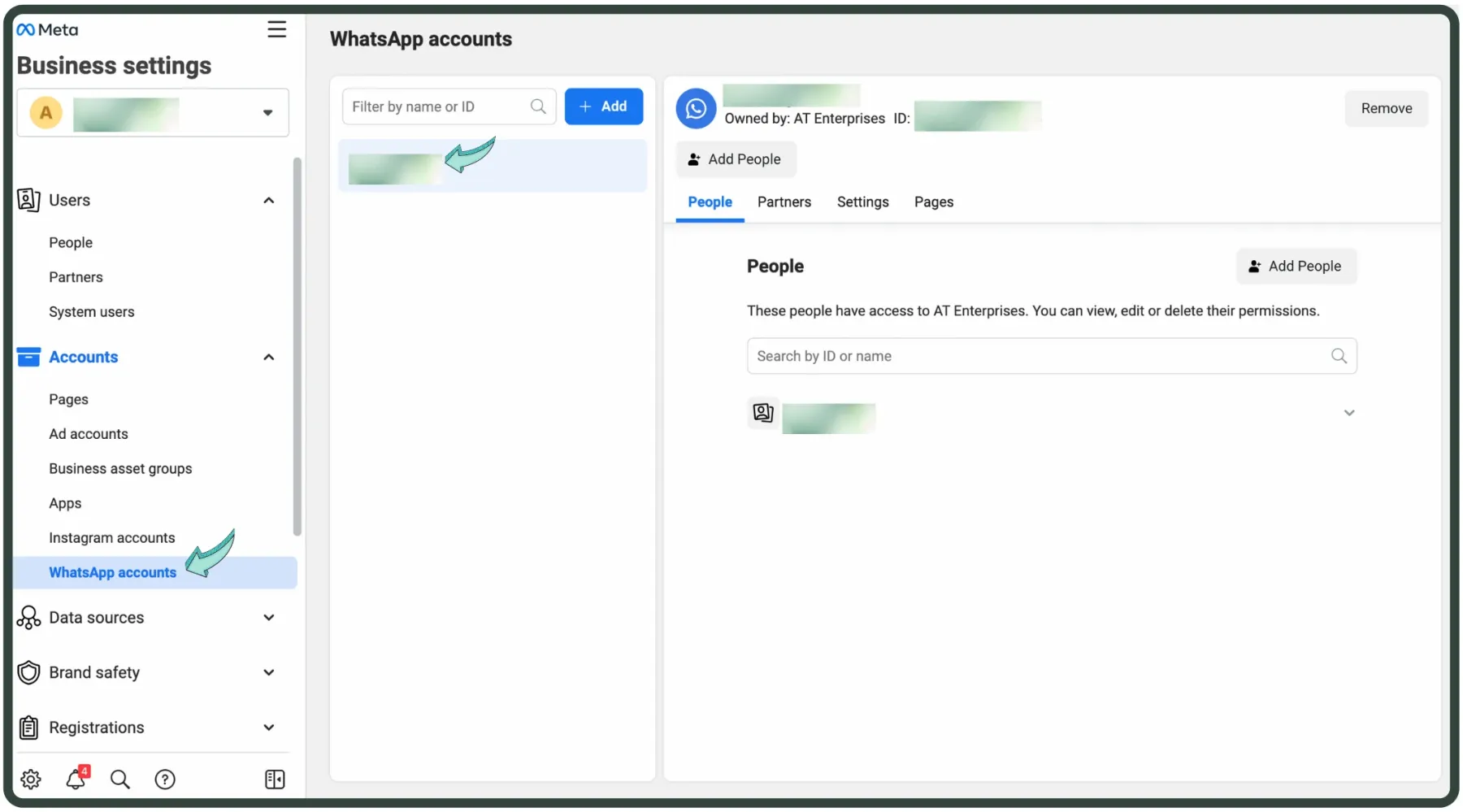
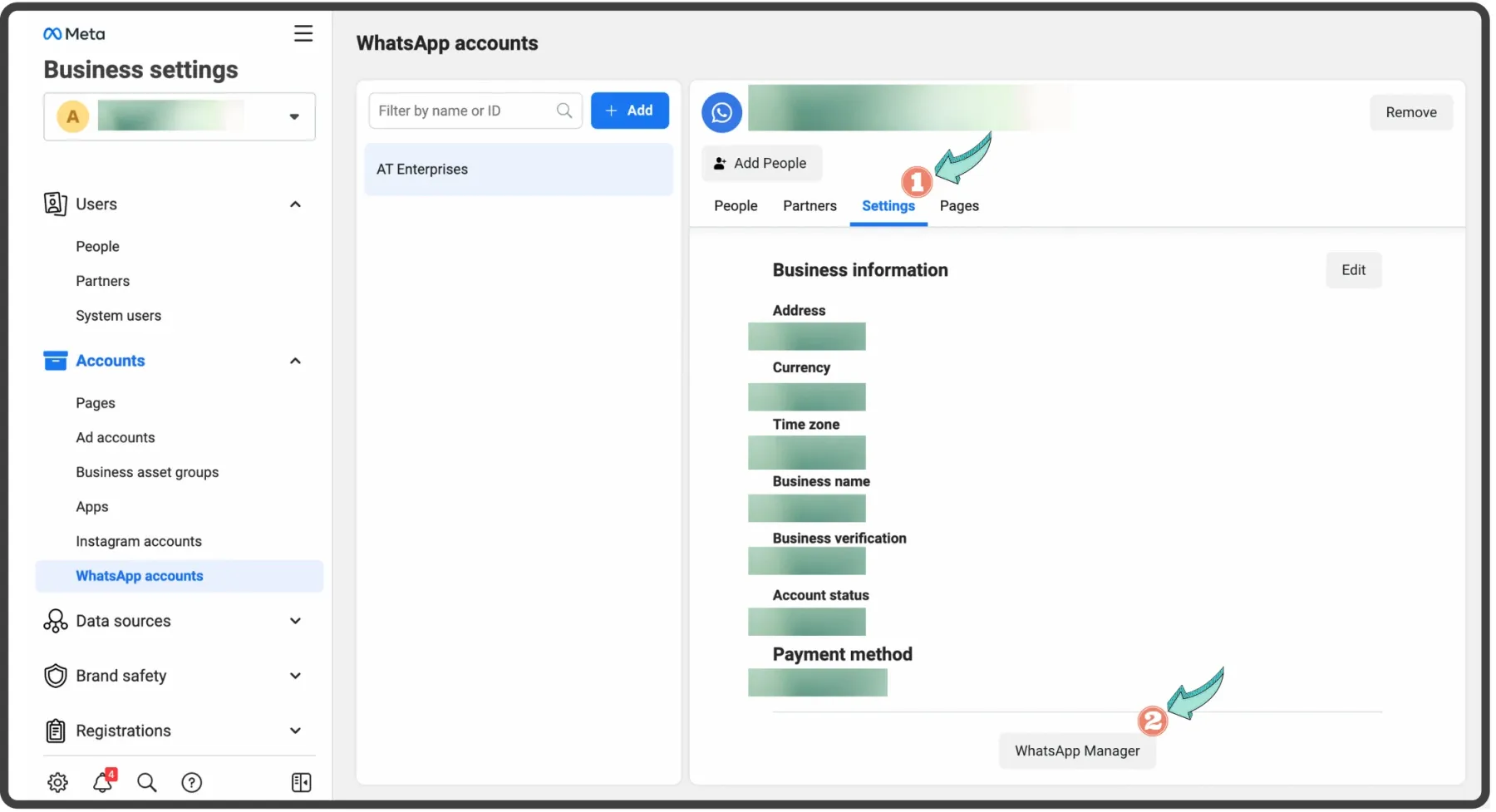
Open "Business Settings" & then "WhatsApp Accounts"
Open Business Settings & choose WhatsApp Accounts from the left panel.If you have multiple WhatsApp Business API accounts, select the one you want to downgrade.
Go to 'Settings' & scroll down & click on 'WhatsApp Manager'.
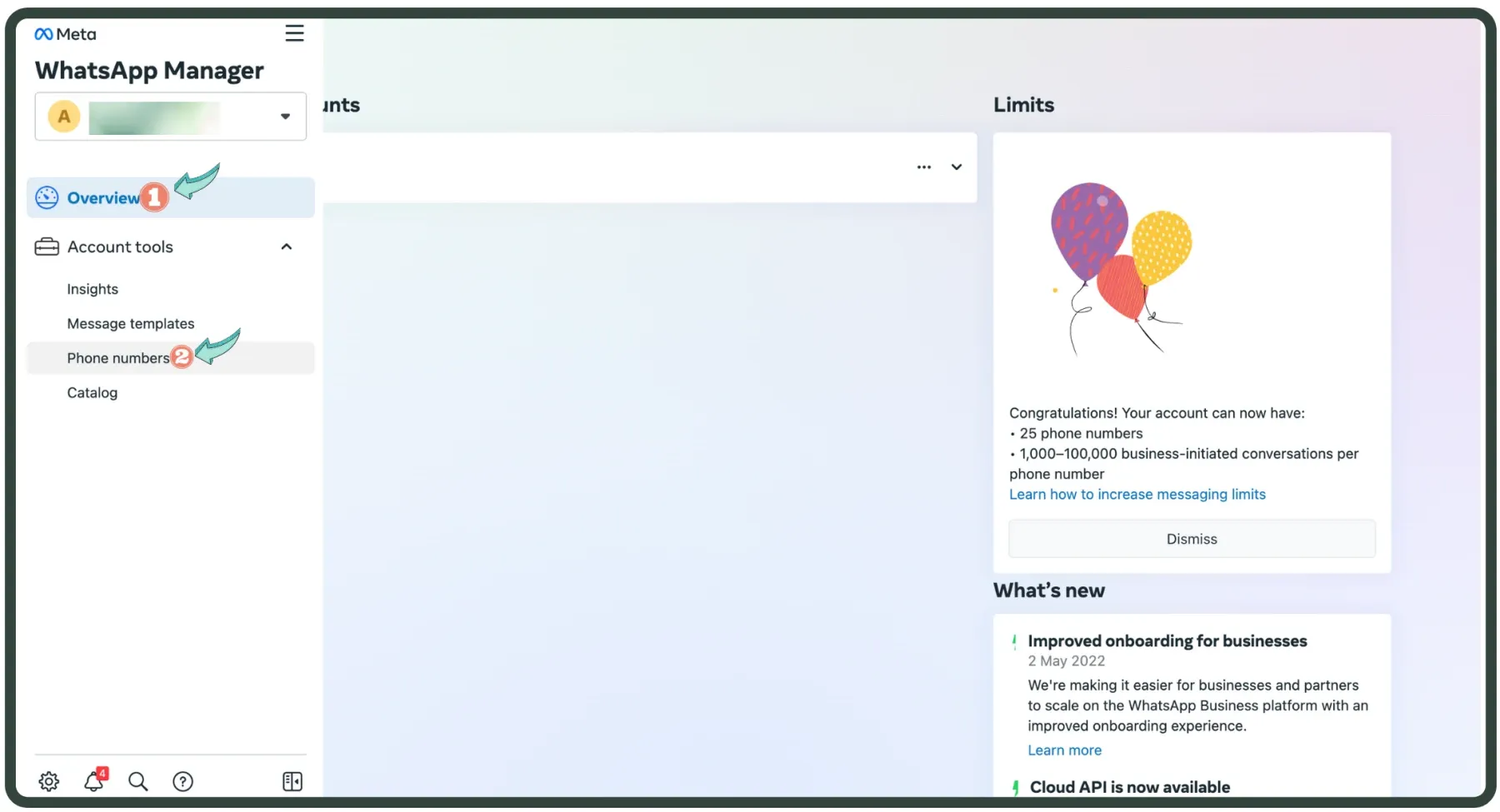
Click on 'Account Tools' & choose 'Phone Numbers'.
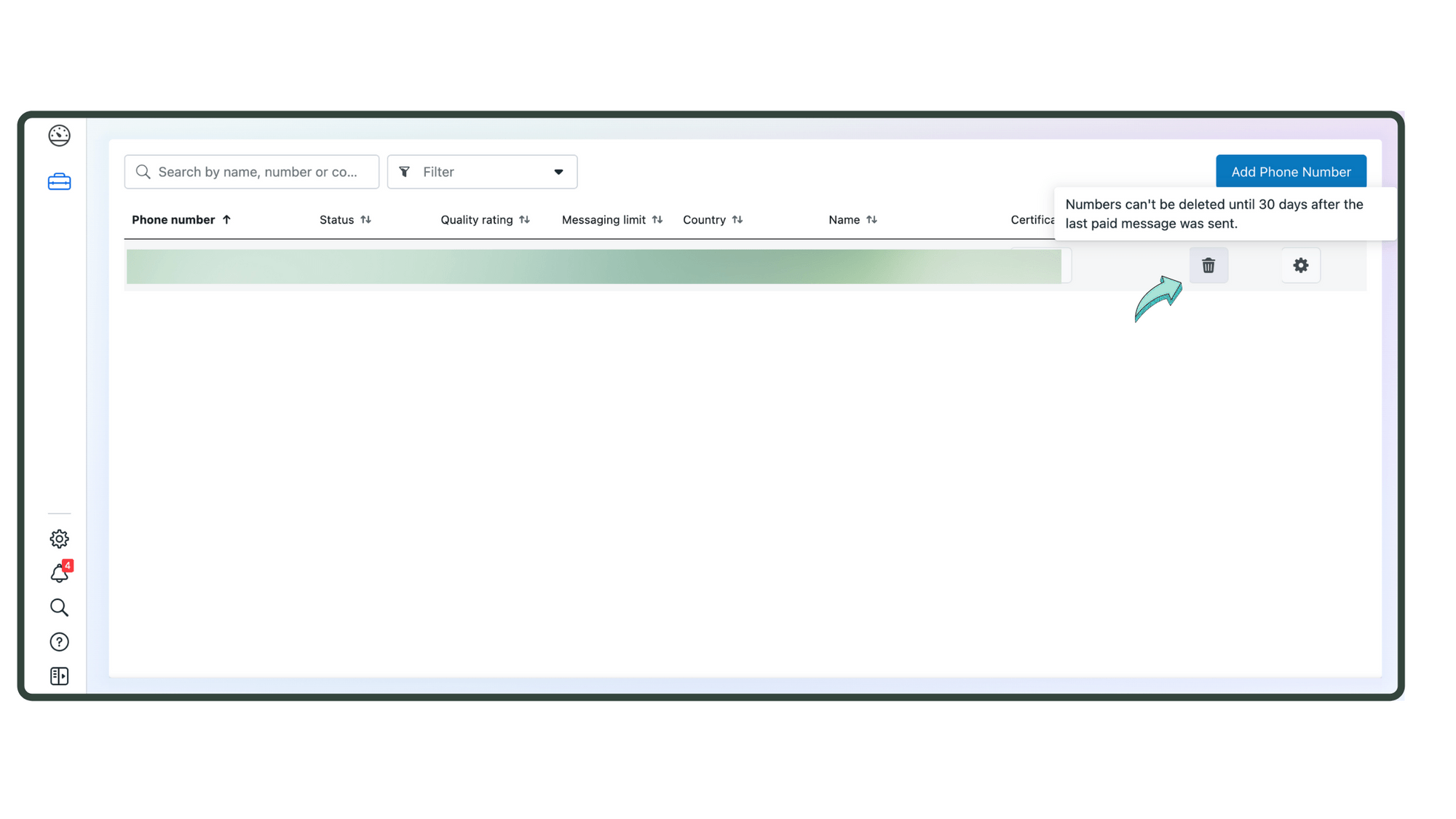
Click on the trash bucket icon to downgrade your WhatsApp Business API Account.
It takes anywhere between 24 hours to 30 days for your WhatsApp API number to downgrade successfully.Note: Downgrading your WhatsApp Business Account is now a Reversible process. You can re-create a WhatsApp Business API account using the same phone number. But, you'll permanently lose all data including messages, contacts & more stored in the WhatsApp Business API account.Once your WhatsApp Business API number gets downgraded, go ahead & cancel your Messegy Plan.
Cancel Messegy Account
Case 2 - Switch to a different WhatsApp API Provider
If you wish to switch to a different WhatsApp API provider, follow the steps below
Submit a Request to Disable 2FA
Submit a request by connecting with our support team available on our website via Live chat, call or email.
Contact Us
Cancel your Messegy Plan
Last, sign up to your Messegy account to cancel your Messegy plan and ensure that you aren't charged in the upcoming months.
Sign up
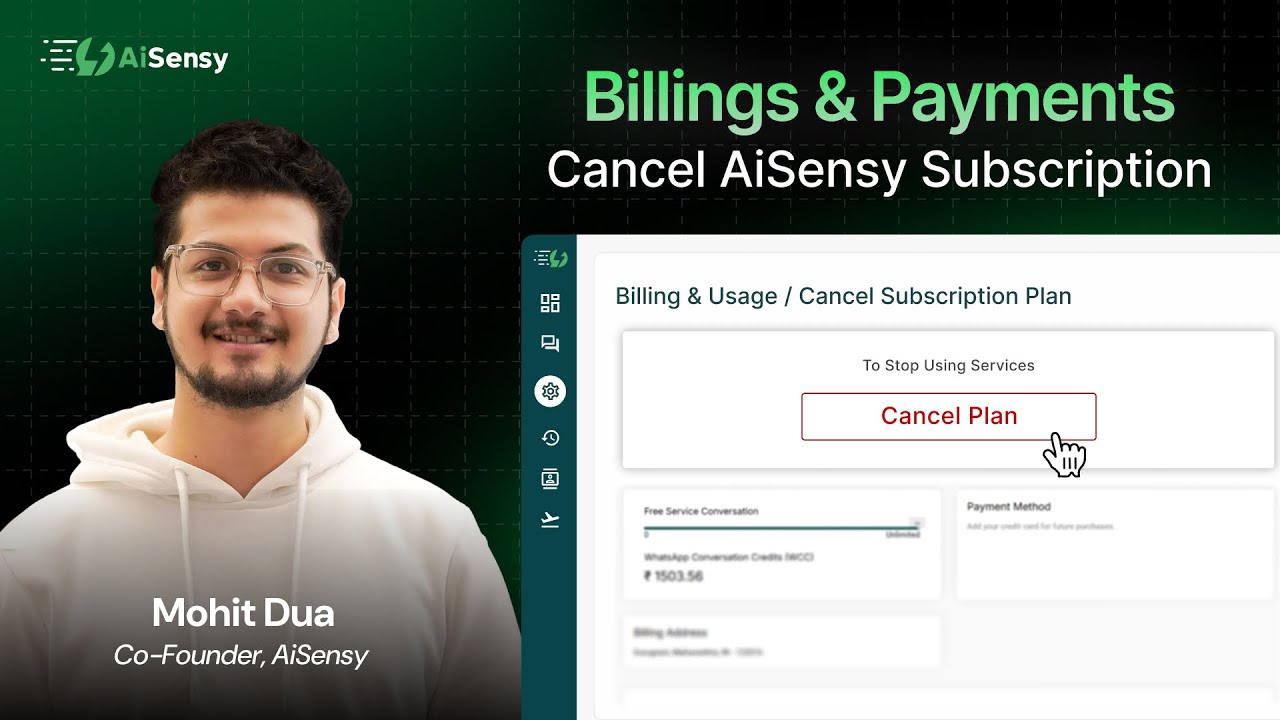
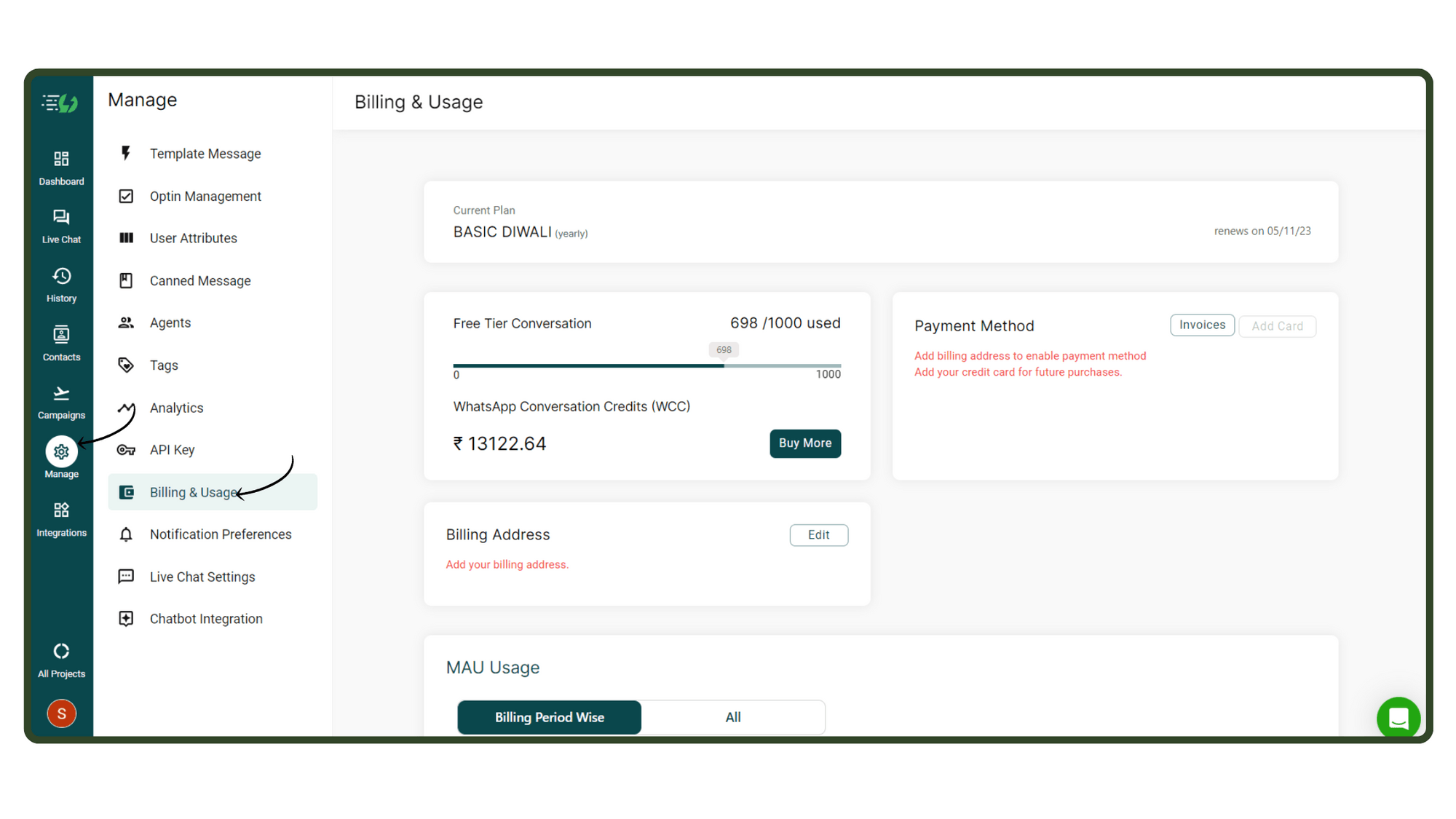
In Manage, go to Billings & Usage
To cancel your Messegy Subscription, you first need to go to Manage & click on Billings & Usage.
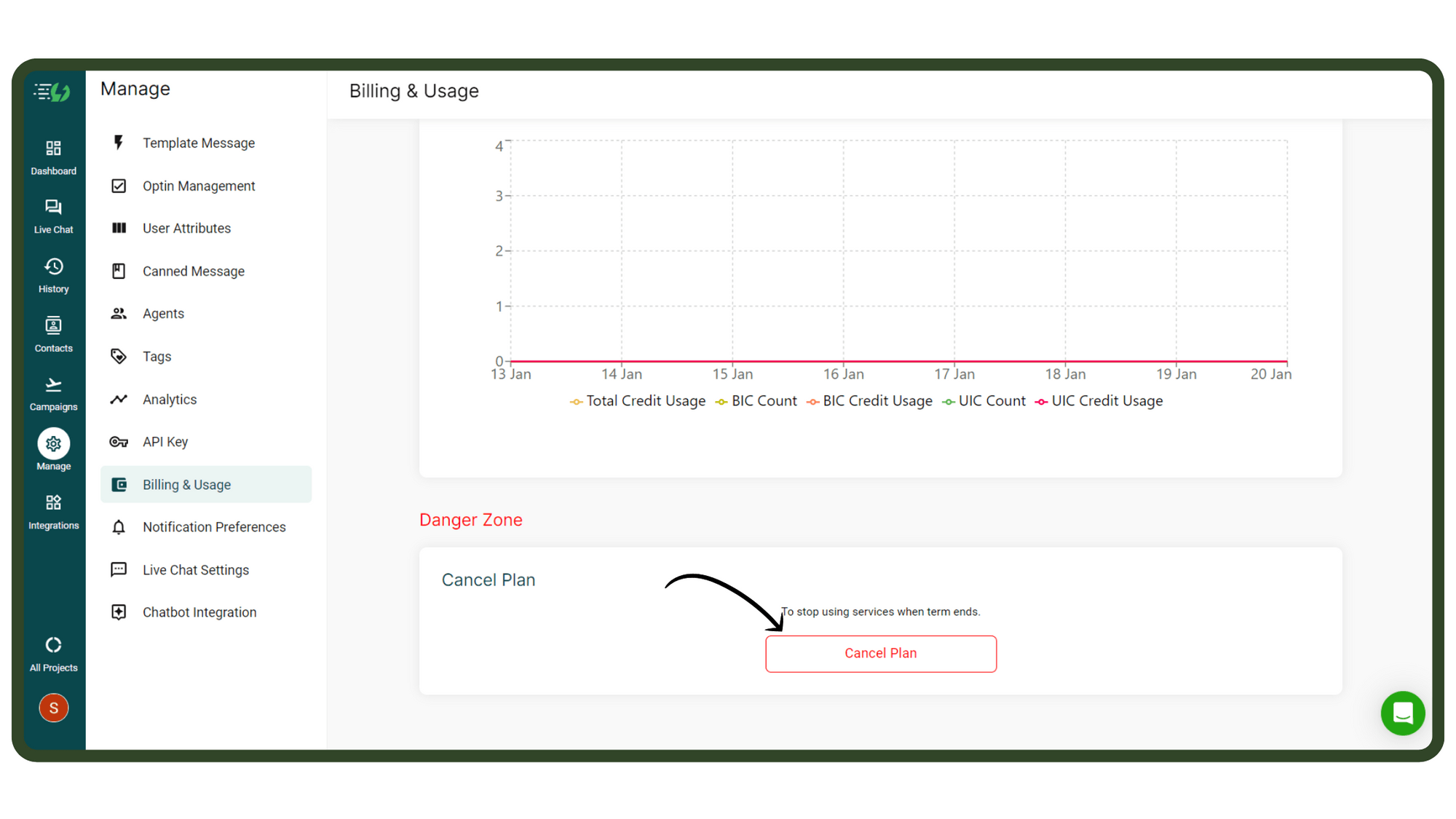
Scroll down & click Cancel Plan
Now, scroll down on Billings & Usage page & click Cancel Plan as shown in the image.
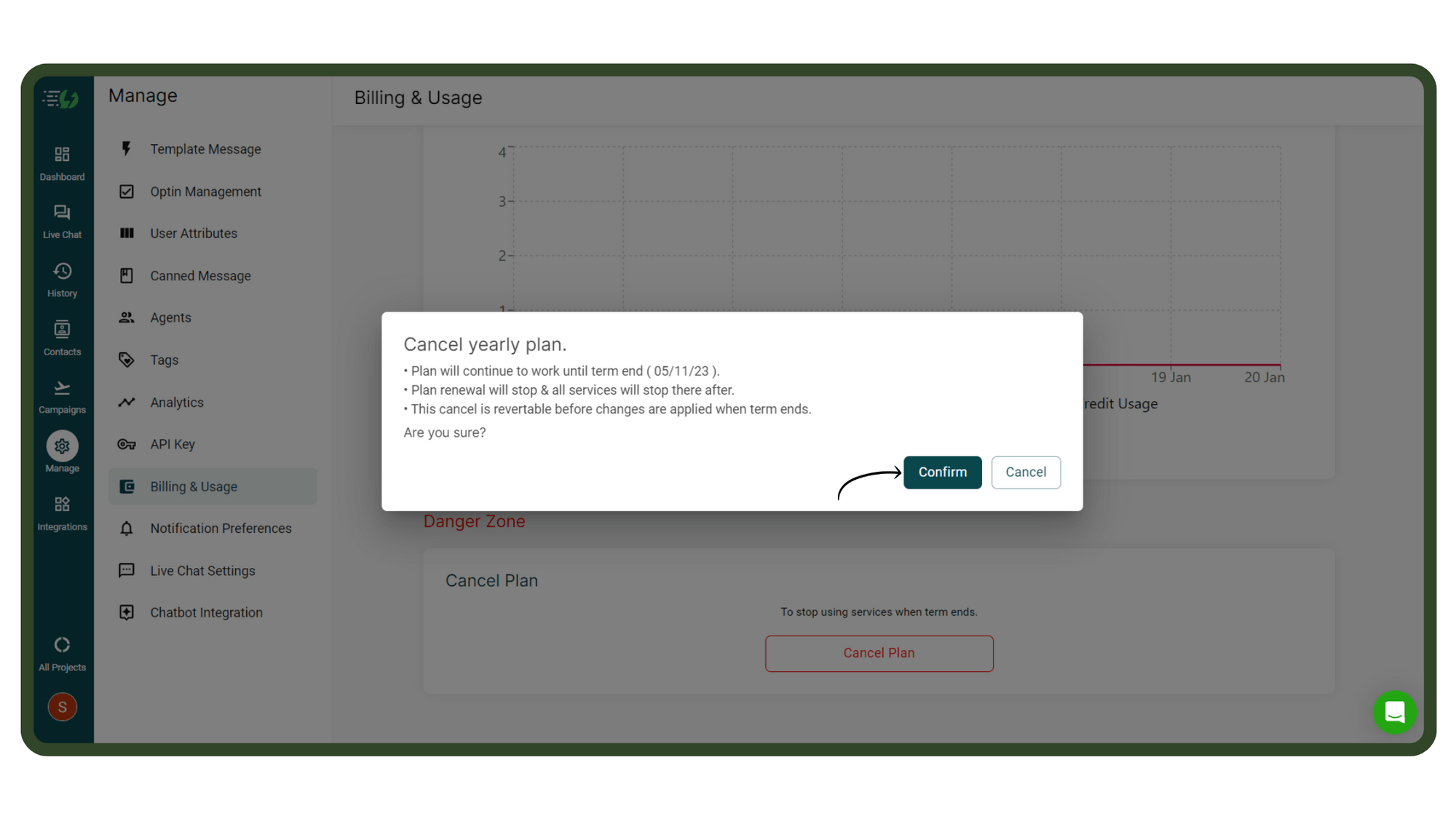
Press 'Confirm'
A pop-up will appear re-confirming if you really wish to cancel your Messegy Subscription. Press Confirm to cancel your Monthly/ Yearly plan. 'Note here that since all Messegy plans are pre-paid, your plan will continue to work until the term ends which in the below case is 5 November 2023.
Things to Know Before Cancelling Your Plan
Ending your Messegy subscription doesn't automatically delete your WhatsApp Business API account. You'll still need to downgrade your WhatsApp Business API to go back to using the normal WhatsApp App.The data in your account will still be there till you downgrade your WhatsApp Business API number. But, once you downgrade your WhatsApp Business API number, all your data will be permanently deleted & can't be restored.The plan will continue to work till the next billing date. E.g. - Your monthly plan activates on 3rd Jan 2023 & you cancel your subscription on 23rd January. The plan will continue to work till 3rd February after which your subscription will end.No refunds will be issued for cancelled subscriptions. Once your plan expires, the WhatsApp Conversation Credits in your account will also expire. Make sure to use them before your subscription ends.All pending payments in your Messegy account must be settled before you can cancel your plan.You can reactivate your subscription anytime. If you have downgraded your WhatsApp API by then, you'll have to re-apply for the WhatsApp Business API.
We're Sad to See you Go 😔
Kindly fill out this feedback form to help us improve Messegy for you.
Fill out Feedback Form