A WhatsApp Button lets visitors engage with you on WhatsApp directly from your website, even after they leave. By clicking the button, users can instantly connect with you via chat.With a WhatsApp Button, you can:- Drive website visitors to WhatsApp- Instantly receive user's names & WhatsApp numbers
Reach the WhatsApp Button Creator Page
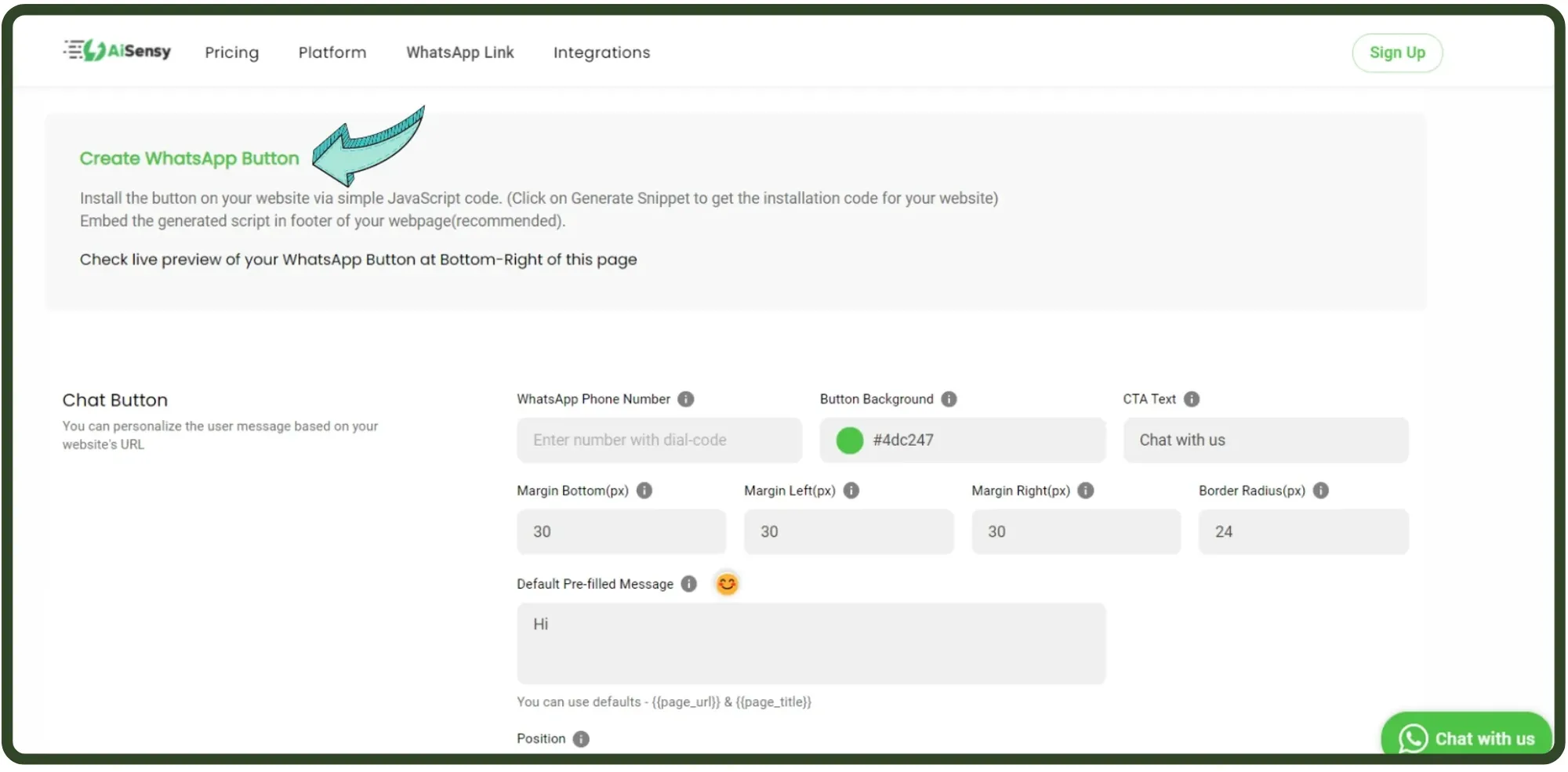
First, go to the WhatsApp Button generation tool page to create your own website WhatsApp Button.
WhatsApp Button Generator
Customize the WhatsApp Button
Add your WhatsApp number with your country's dial code. E.g.- If you have an Indian number, add '91' behind your number.Customize the button with a range of options such as:- Button Background- CTA (call to action) - Text (E.g.- Chat with us)- Margin from the bottom, left and right- Margin Radius- A pre-filled message that customers will send you (By default it's 'Hi'. You can change it whatever you find suitable)- Button Position
Choose WhatsApp Button Background Colour
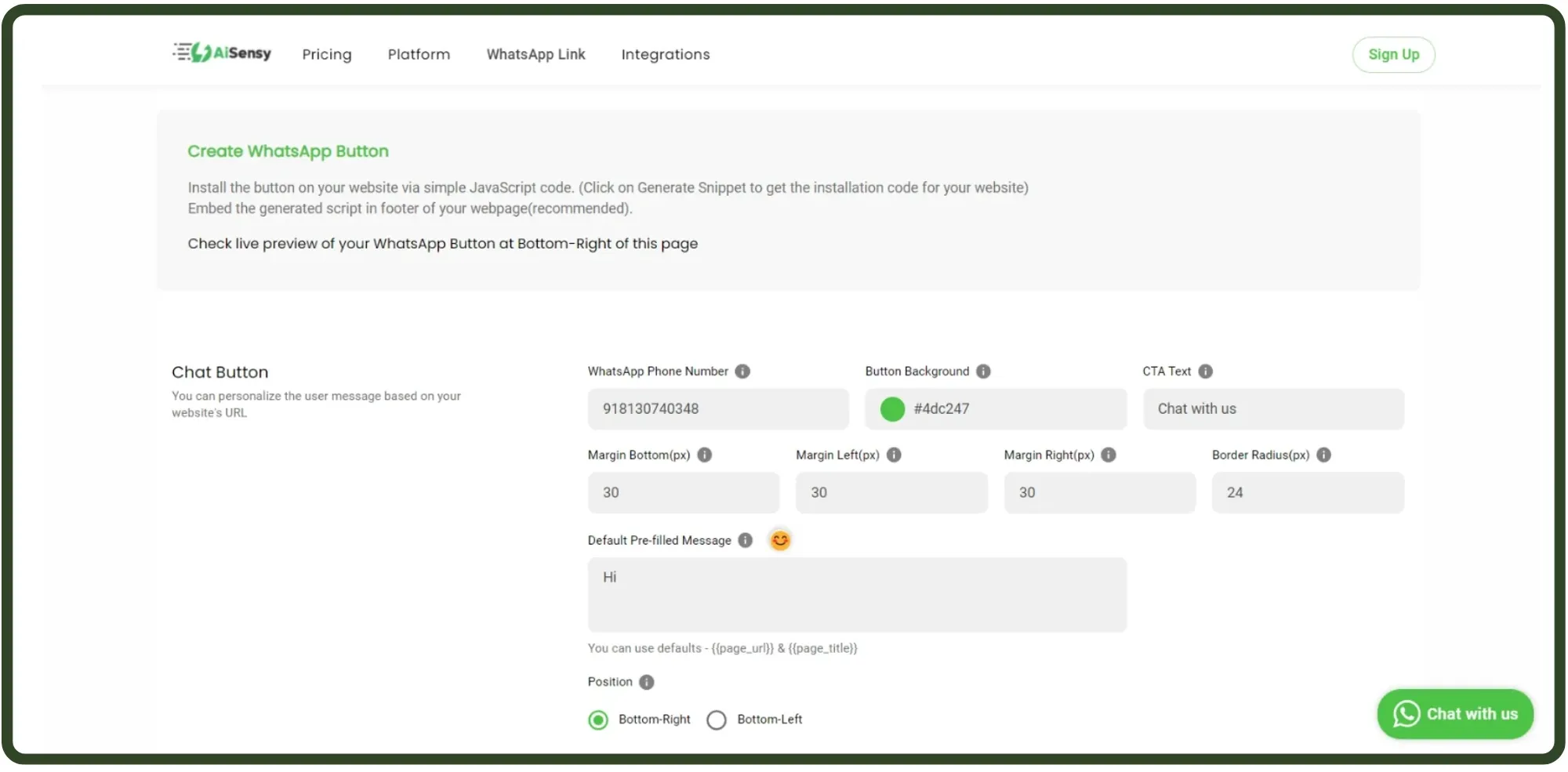
To create a WhatsApp Button that catches your website visitor's eye, the button should have a healthy contrast with the background colour of your website.
Configure the WhatsApp Button Dimensions
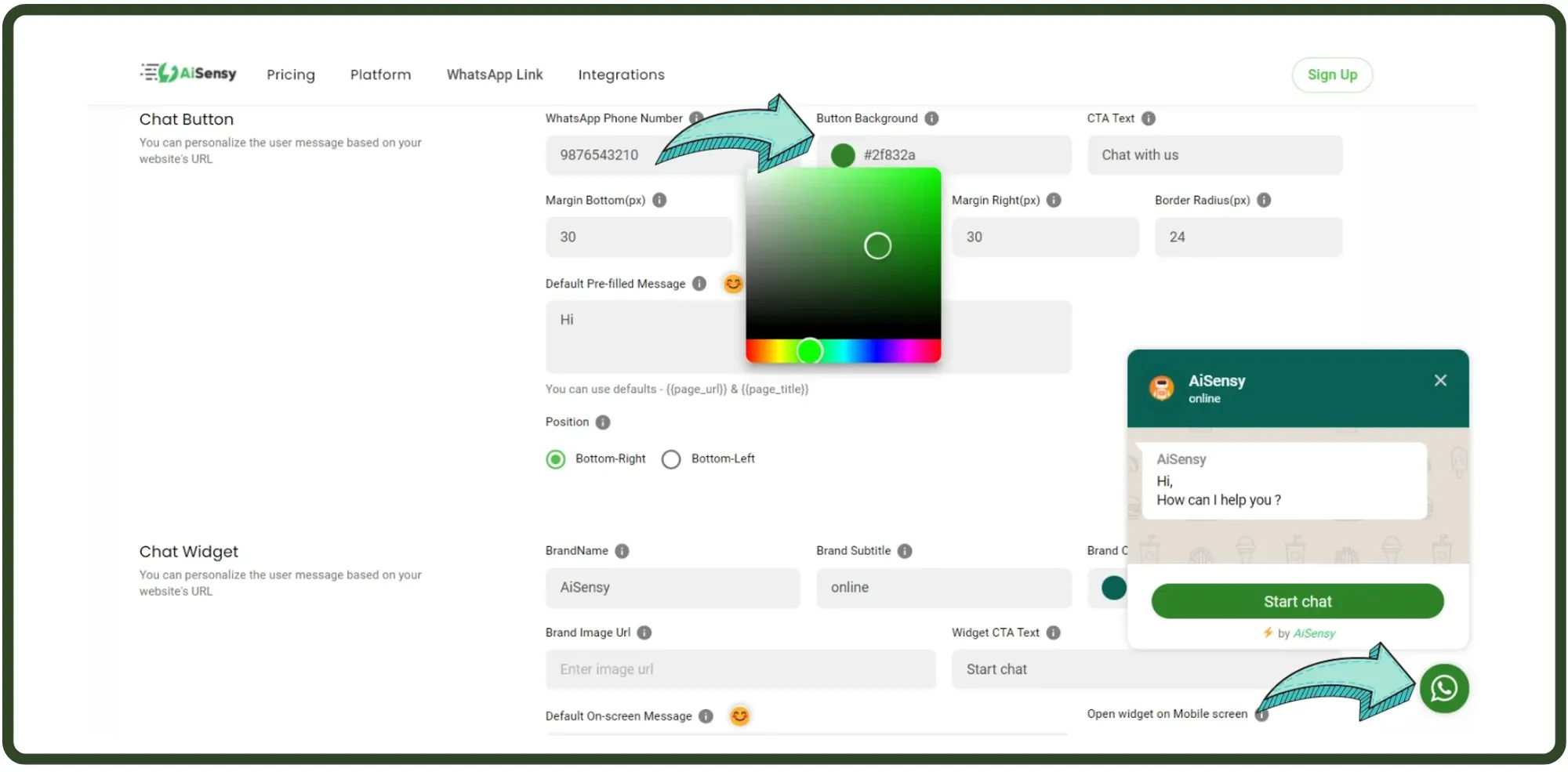
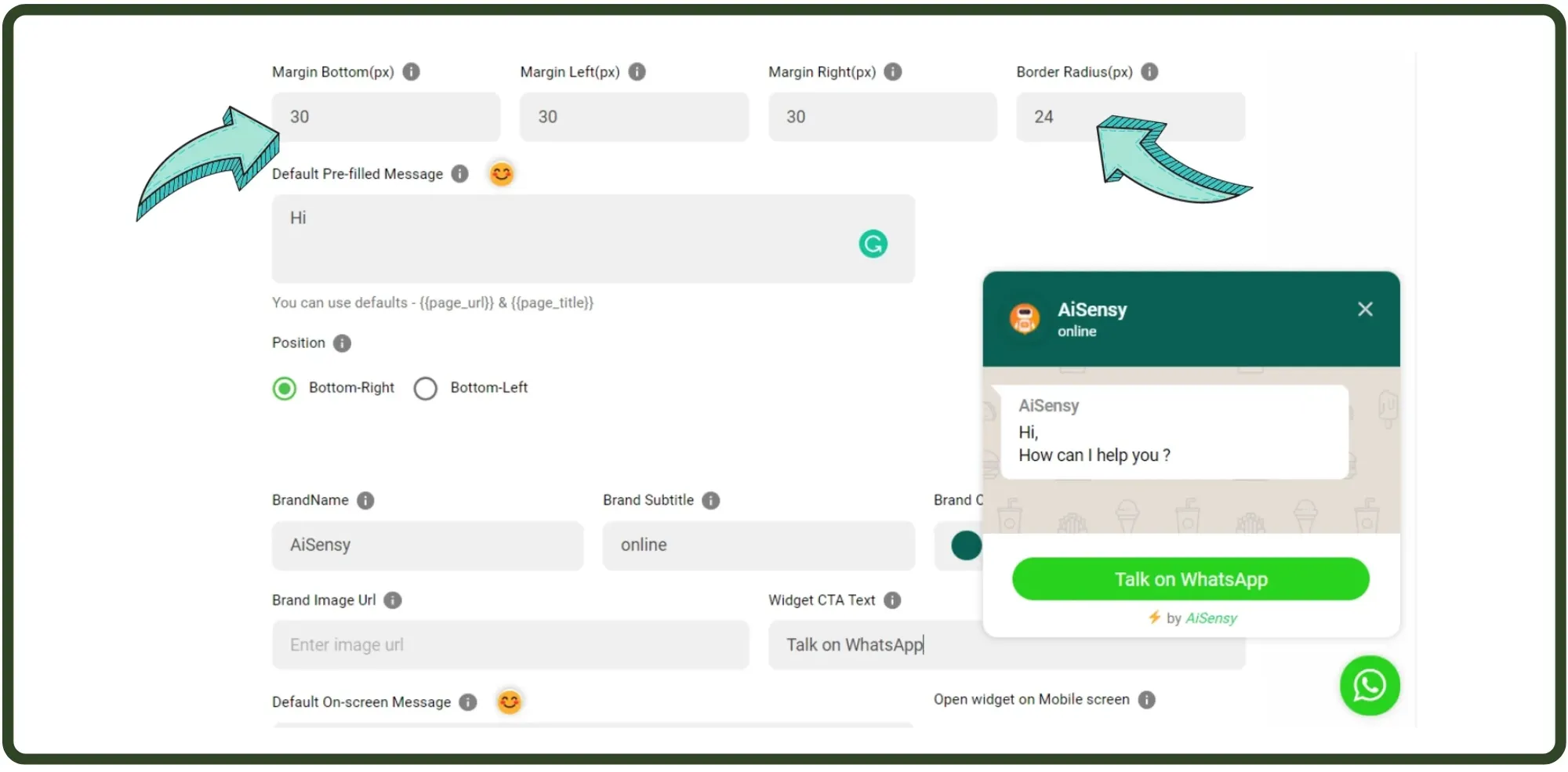
Configure the dimensions of the WhatsApp Button which will define where the button will open on the screen when a user clicks the WhatsApp Button.By default, Margin Bottom, left & right are kept 30 while the radius is kept 24 by default.
WhatsApp Button Position
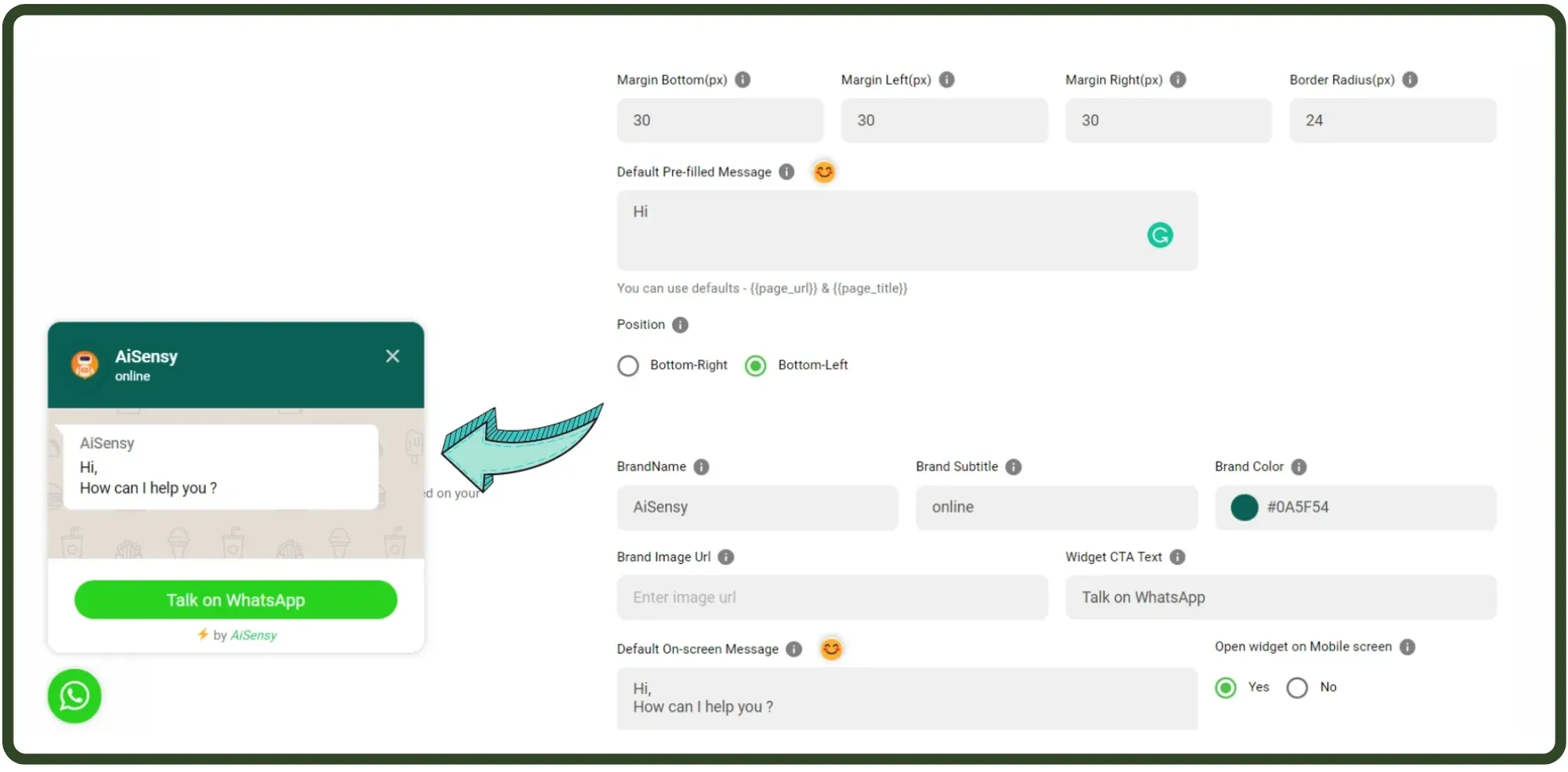
You can either place the button on the left or on the right-hand side of your website.Reports suggest 80% of people pay attention to the left side of a website. So, it would be beneficial to place the WhatsApp Button on the left-hand side.
CTA Text & Pre-filled Message
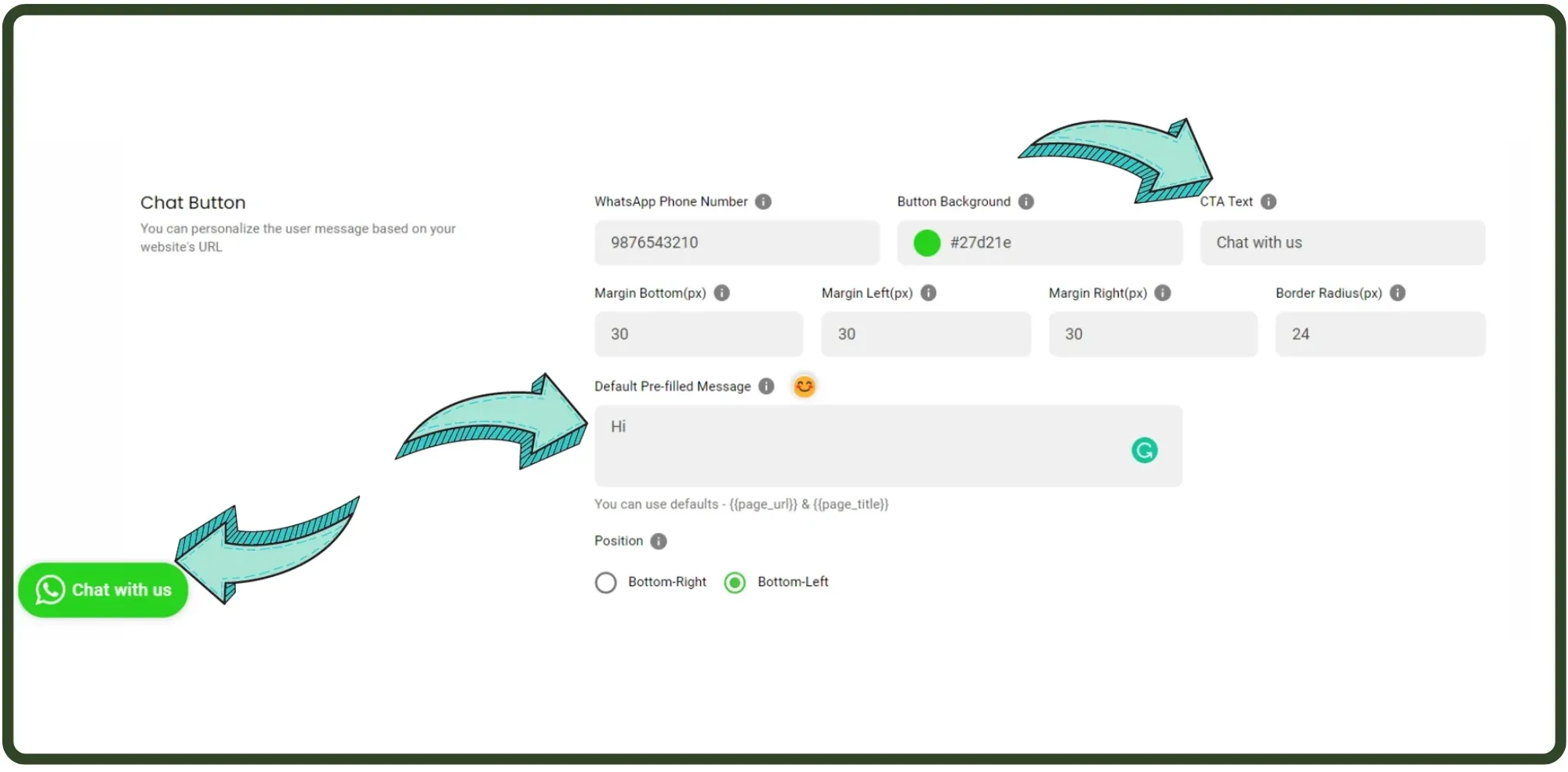
CTA Text is basically the text displayed on the WhatsApp Button. On the right, "Chat with us" is the CTA text for our sample WhatsApp Button.A pre-filled Message is a message that will pre-fill in a user's chat when they connect with you on WhatsApp after clicking the WhatsApp Button.The pre-filled message should be based on your first message tag to automatically allot the tag to the user. By default, the pre-filled message is 'Hi'.
Customize Chat Widget
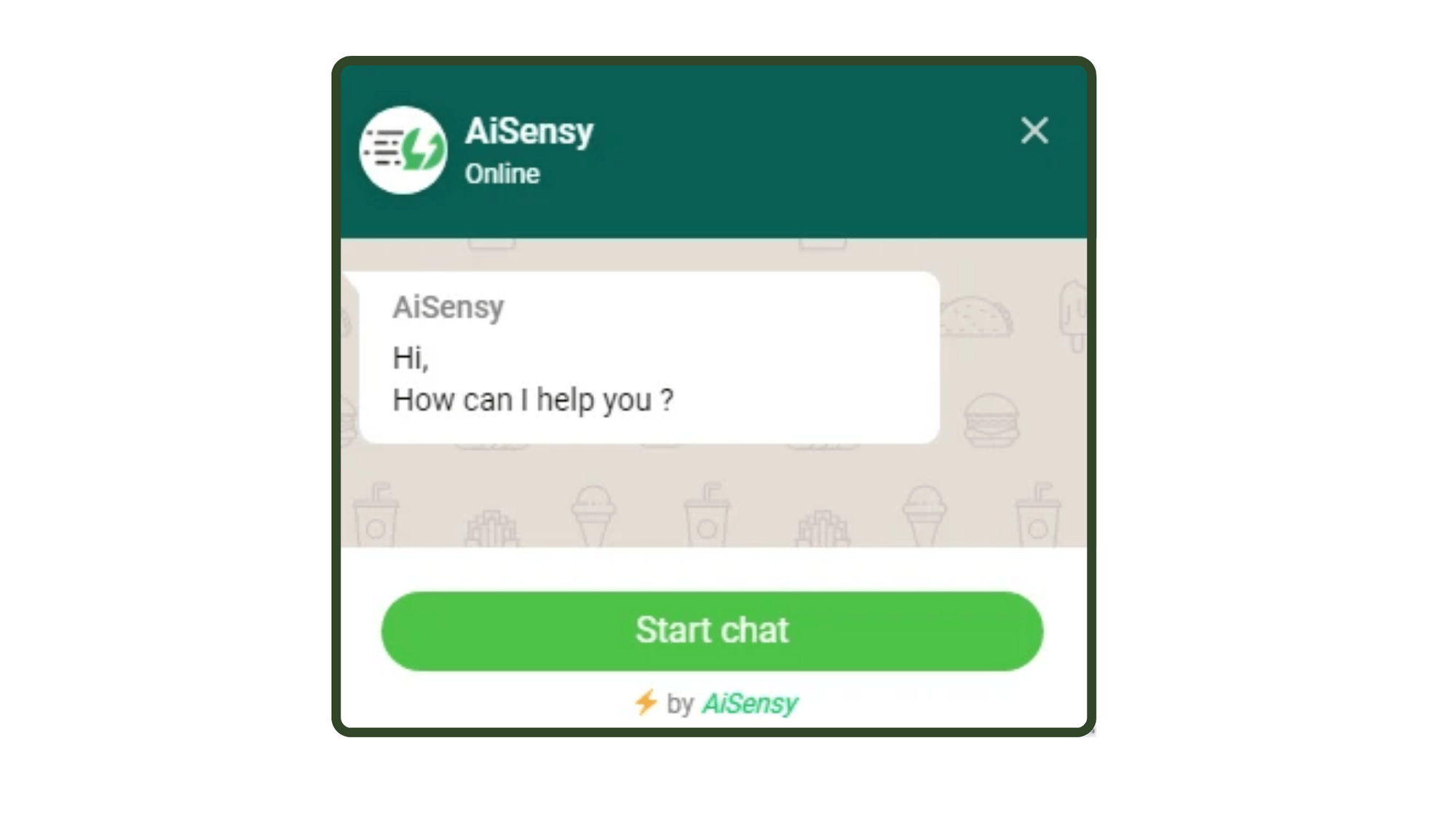
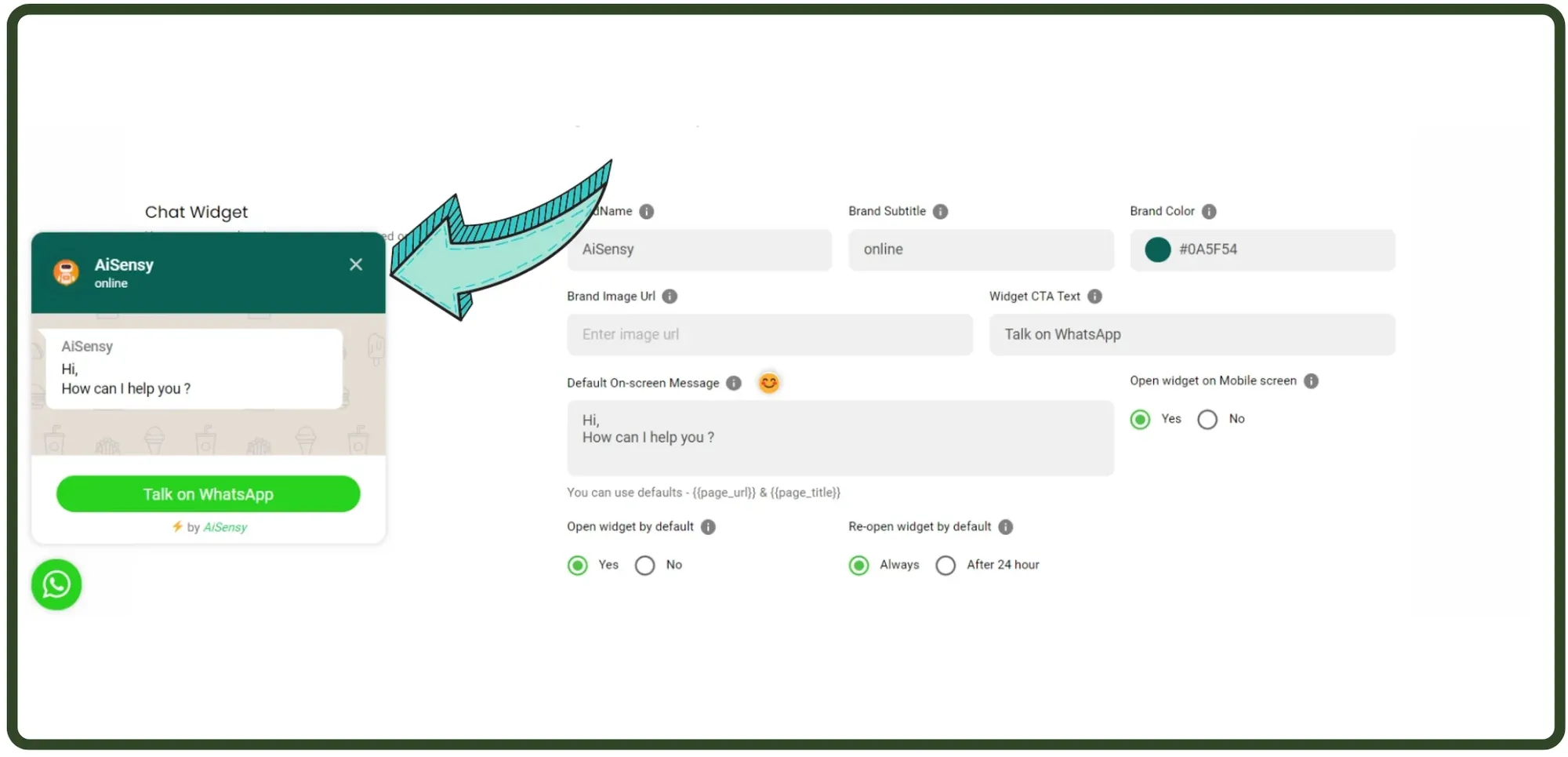
The image on the right is the Chat Widget. This pops up upon clicking the website button.The next step is customizing the Chat Widget window that customers will view after clicking on the WhatsApp Chat Button.Fill in the necessary details such as your Brand name, Brand image, Widget C.T.A. text and a default on-screen message. as shown in the image below.As you can guess, the brand name in the image is Messegy, the on-screen message is "Hi, How can I help you?", and the Widget CTA Text is "Start Chat"
Personalize your URL (Optional)
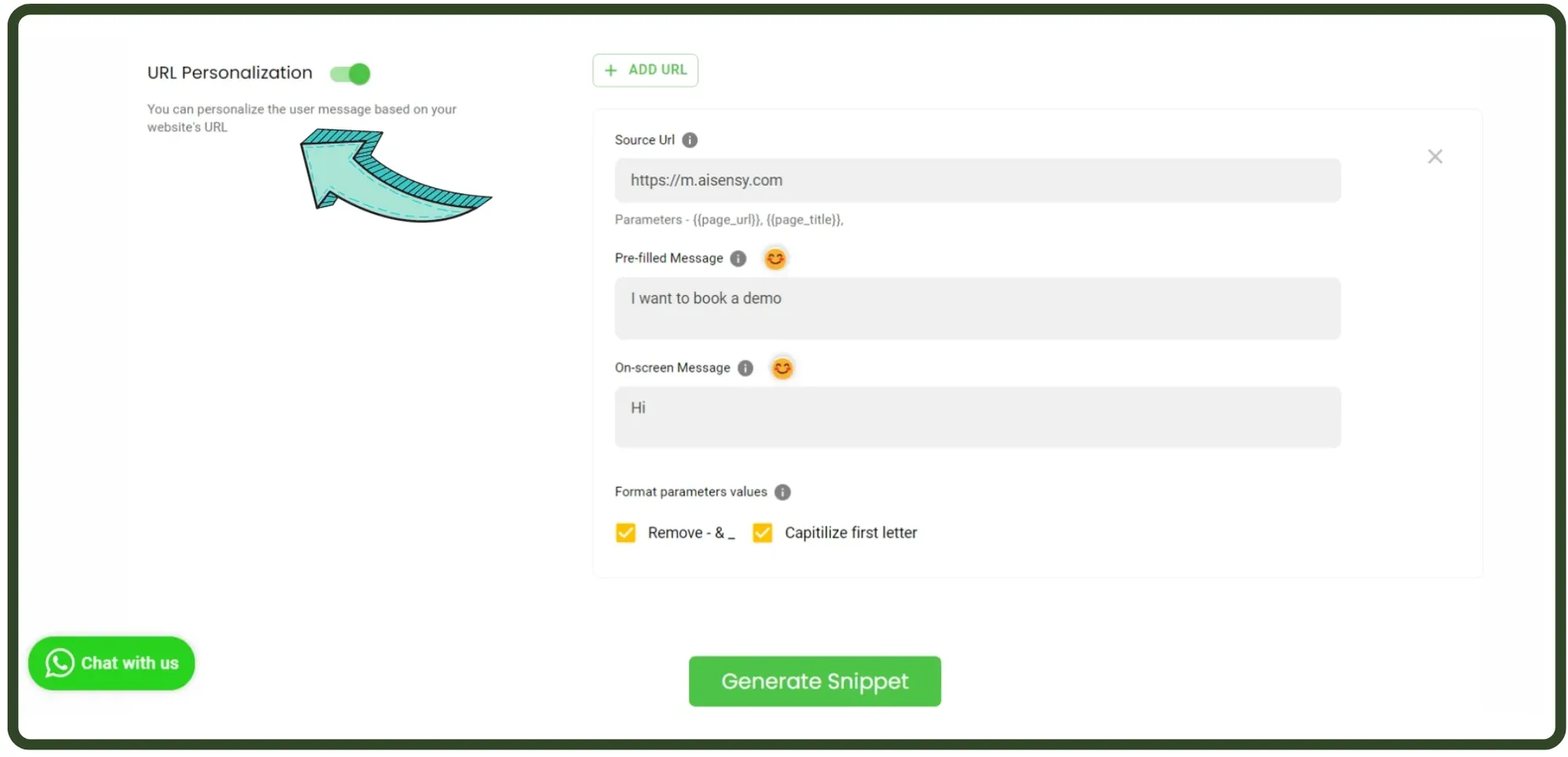
After customizing the Chat Widget, you are good to go. However, you also get the option to customize the chat button for a particular page.Basically, you can configure the WhatsApp Button Content for a particular URL, including display message, pre-filled message etc as shown in the image on the left.Carefully fill in the necessary details such as source URL (keep in mind the parameters), pre-filled message and on-screen message. You can create Chat buttons personalized according to different web pages on your website.
Preview the WhatsApp Button
Preview your WhatsApp Button by clicking it! Finalize the changes & proceed towards the final step.
Generate & paste snippet code below body tag of Webpage
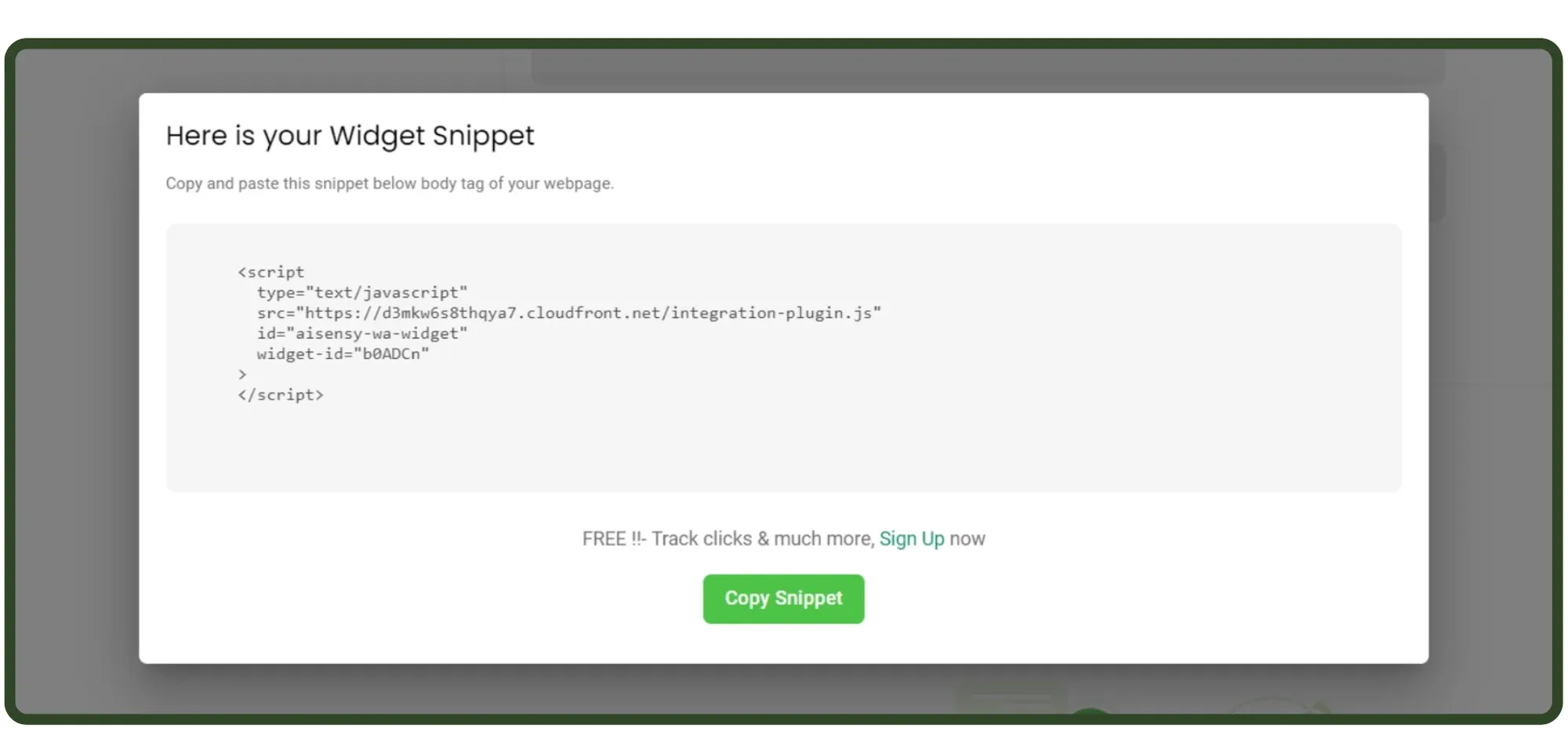
As the last step, hit the "Generate Snippet" button. Copy the snippet code & paste it below the body tag of the webpage.You are good to GO!Enjoy 3x more engagements & conversions with your WhatsApp Button!
Ready to get Started?
Get Started for FREE. No Credit Card needed.⚡️Powered by Official WhatsApp Business API
Book a DemoStart for FREE