Step-by-step guide to setup a retry campaign while sending a WhatsApp broadcasting using Messegy.

With Messegy’s Failed Retries feature, you can maximize the delivery of your WhatsApp messages by retrying failed messages up to three times.
You can choose a retry window of 24 hours from the time the campaign was sent to ensure maximum delivery.
Follow these simple steps to set up a retry campaign while sending a WhatsApp broadcast using Messegy:
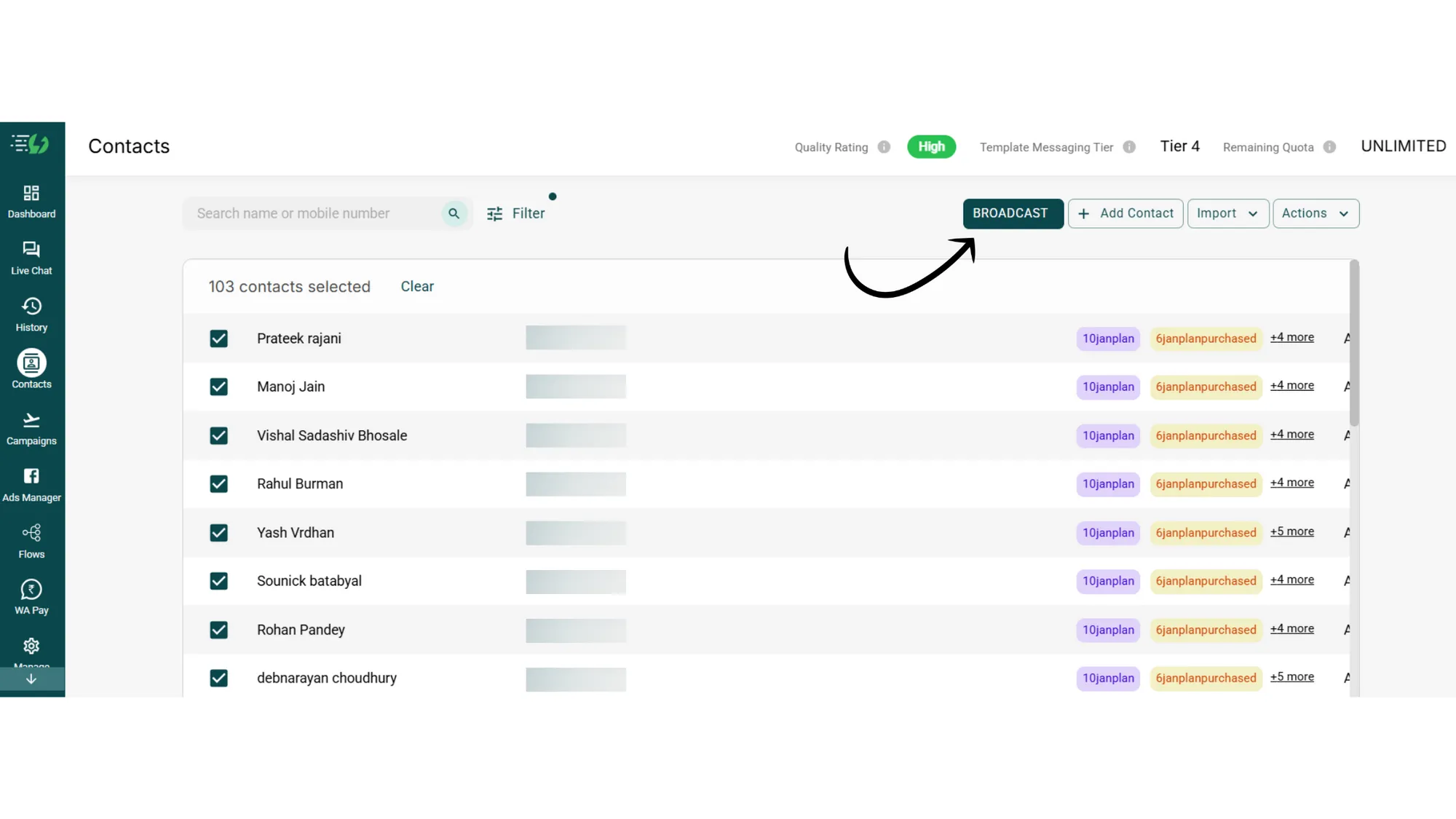
1. Go to Contacts page & select the contacts you wish to send a Broadcast
First, go to the Contacts page and select the contacts you want to send your WhatsApp broadcast to.
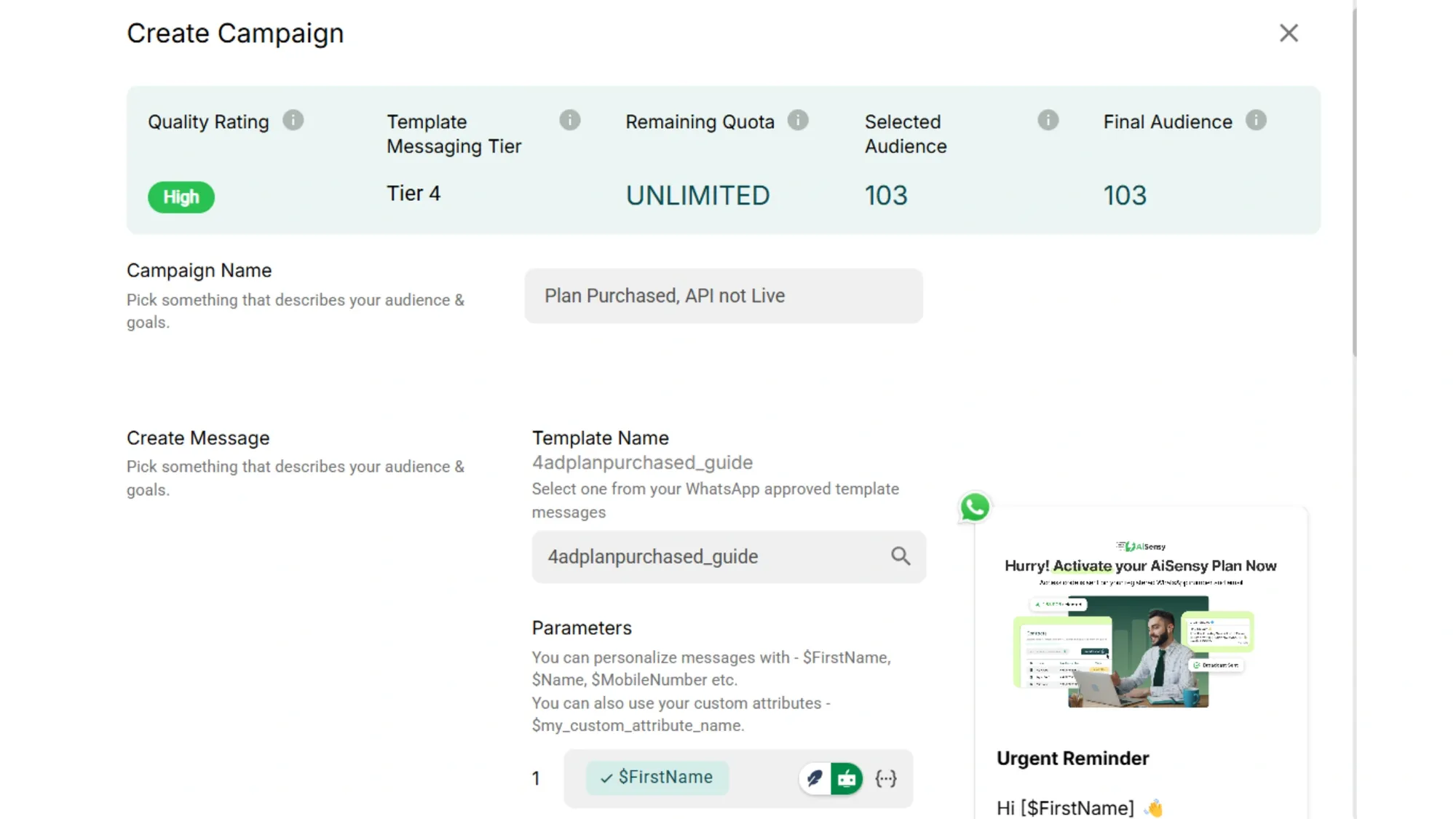
2. Enter your Campaign name and select your pre-approved WhatsApp Template message
Next, enter a Campaign Name and select your pre-approved WhatsApp Template message.
If you need help creating a Template message, check out:
WhatsApp Template Message Guide
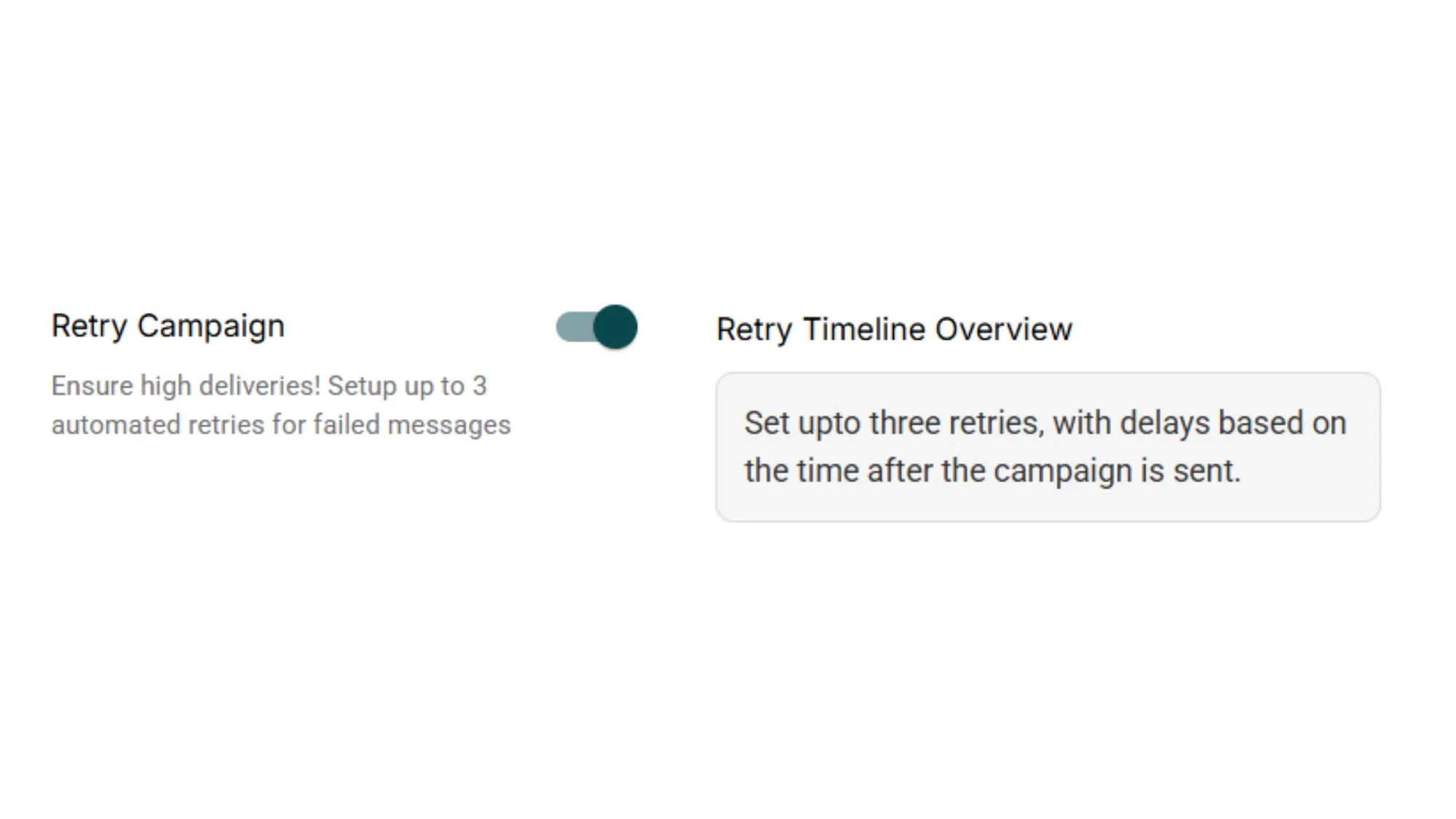
3. Scroll down & turn on the toggle for "Retry Campaign"
Scroll down and turn on the toggle for "Retry Campaign".
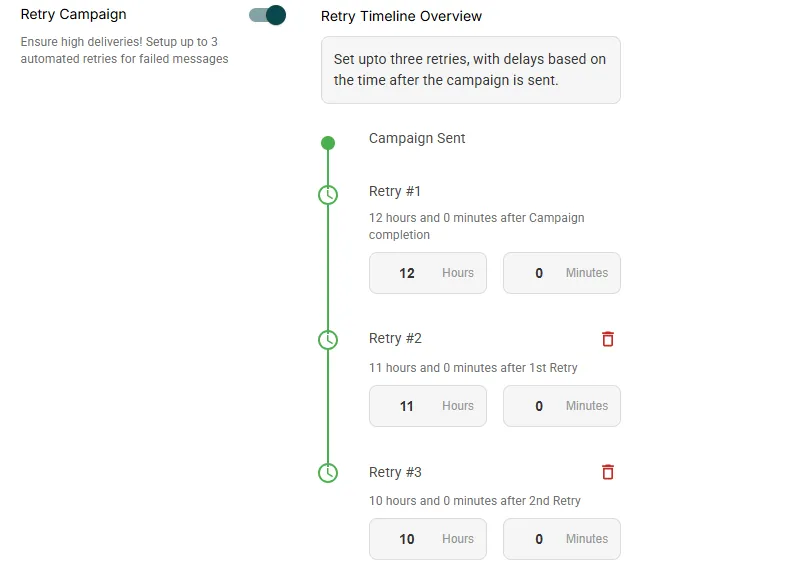
4. Set upto three retries, with delays based on the time after the campaign is sent
You can set up to three retries for failed messages. Each retry can be sent with a delay, up to 24 hours after the original campaign is sent.
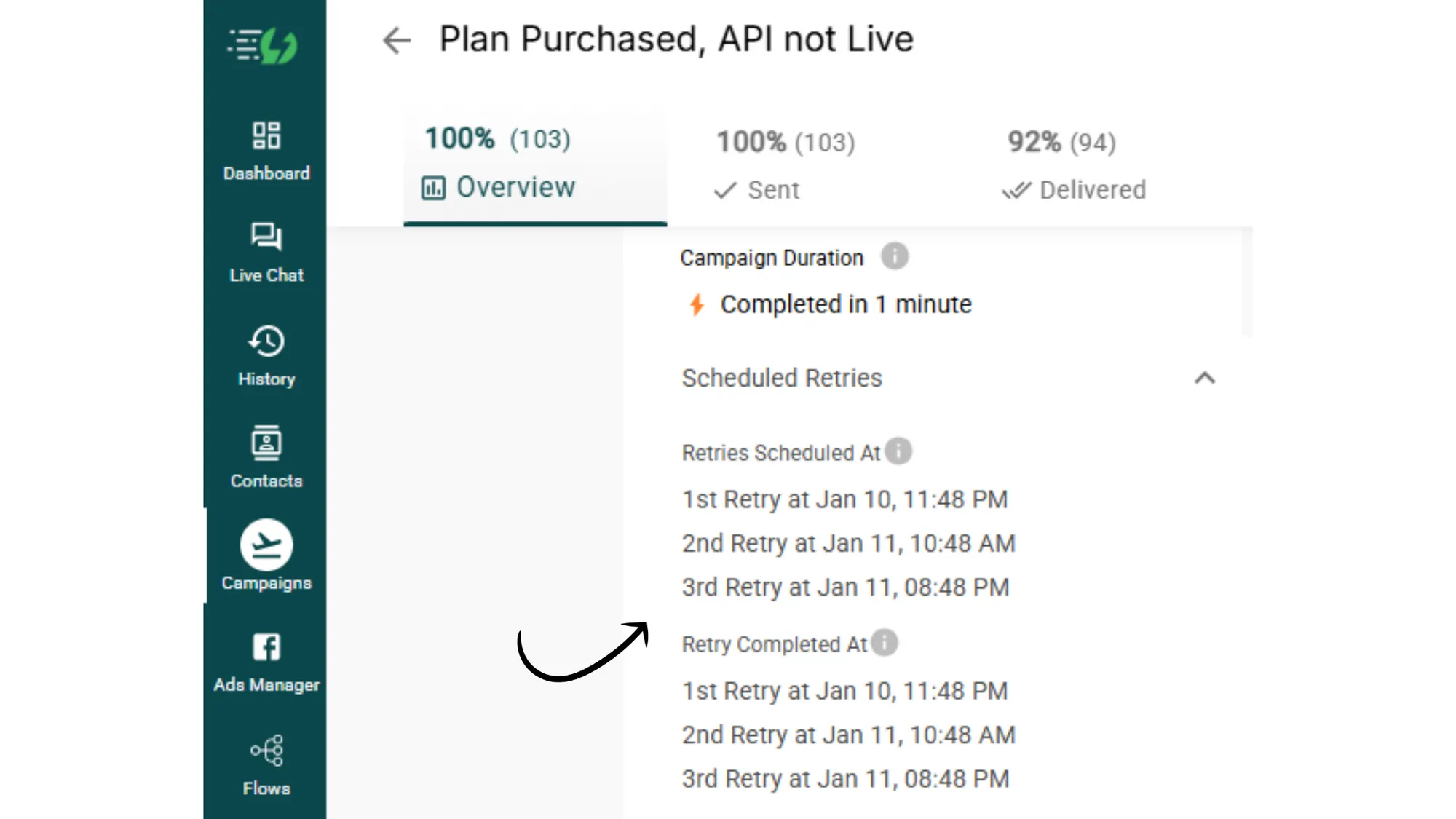
5. Monitor success for Retry Campaign in Campaign analytics
To monitor the success of your retry campaign, go to Campaigns > Select the campaign with the failed retries > Track completion under the "Scheduled Retries" section.
That's how you setup Retry campaign in Messegy.
Still got queries? Don't hesitate to reach out via Live chat or write to us on support@messegy.com
Contact Us