Enhance customer loyalty by automating personalized birthday wishes on WhatsApp via Messegy. Check out how!
Learn MoreGet Started
Wish to bring a smile to your customer's faces by automating a birthday wish message on WhatsApp?
Not only will a birthday wish make them happy, but it'll also go a long way in building loyalty towards your brand in the long run.
Users buy from brands with whom they feel a connection!
In this doc, we'll tell you how to set up a personalized birthday wish which will automatically trigger to your customers on their birthday at a time specified by you.
Pre-requisites to send a Birthday wish message
- You must have your customer's birth date to send a birthday wish message. If you have this requirement ready, let's go ahead and automate the birthday wish message for your customers.
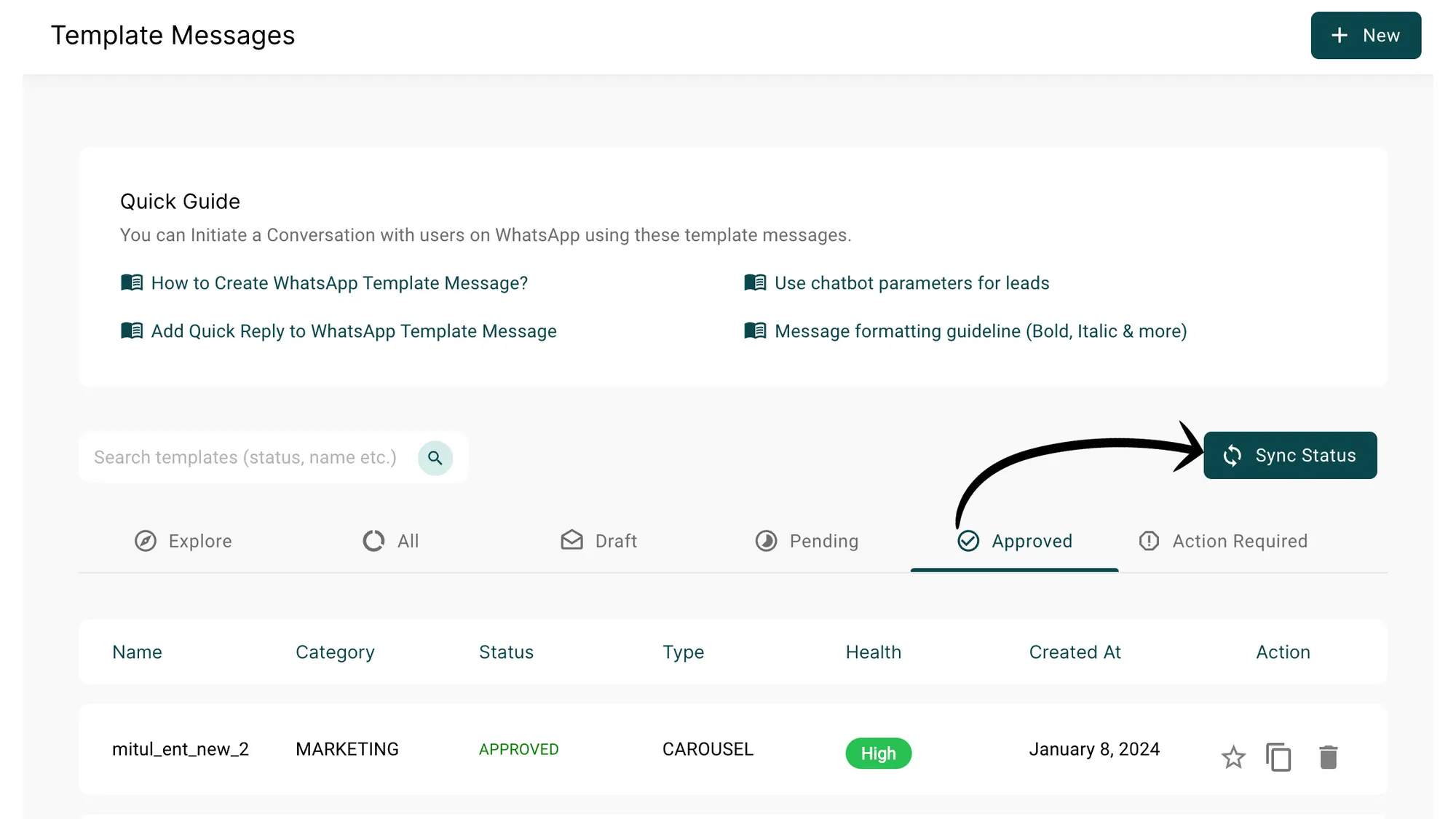
Go to Manage and Tap on "Template Message"
First, we'll configure a Birthday wish message. Follow the below steps to create your birthday wish template message.
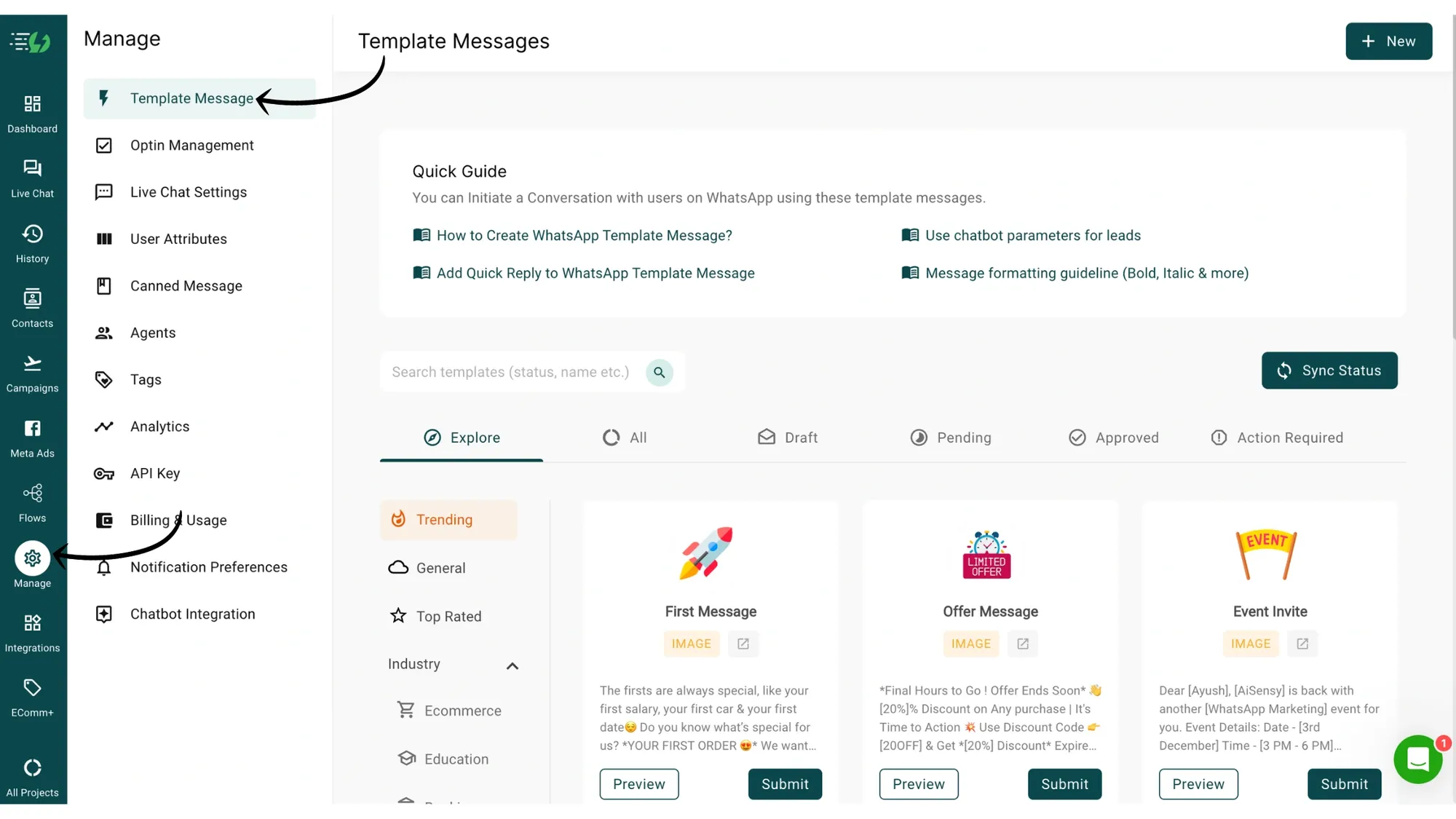
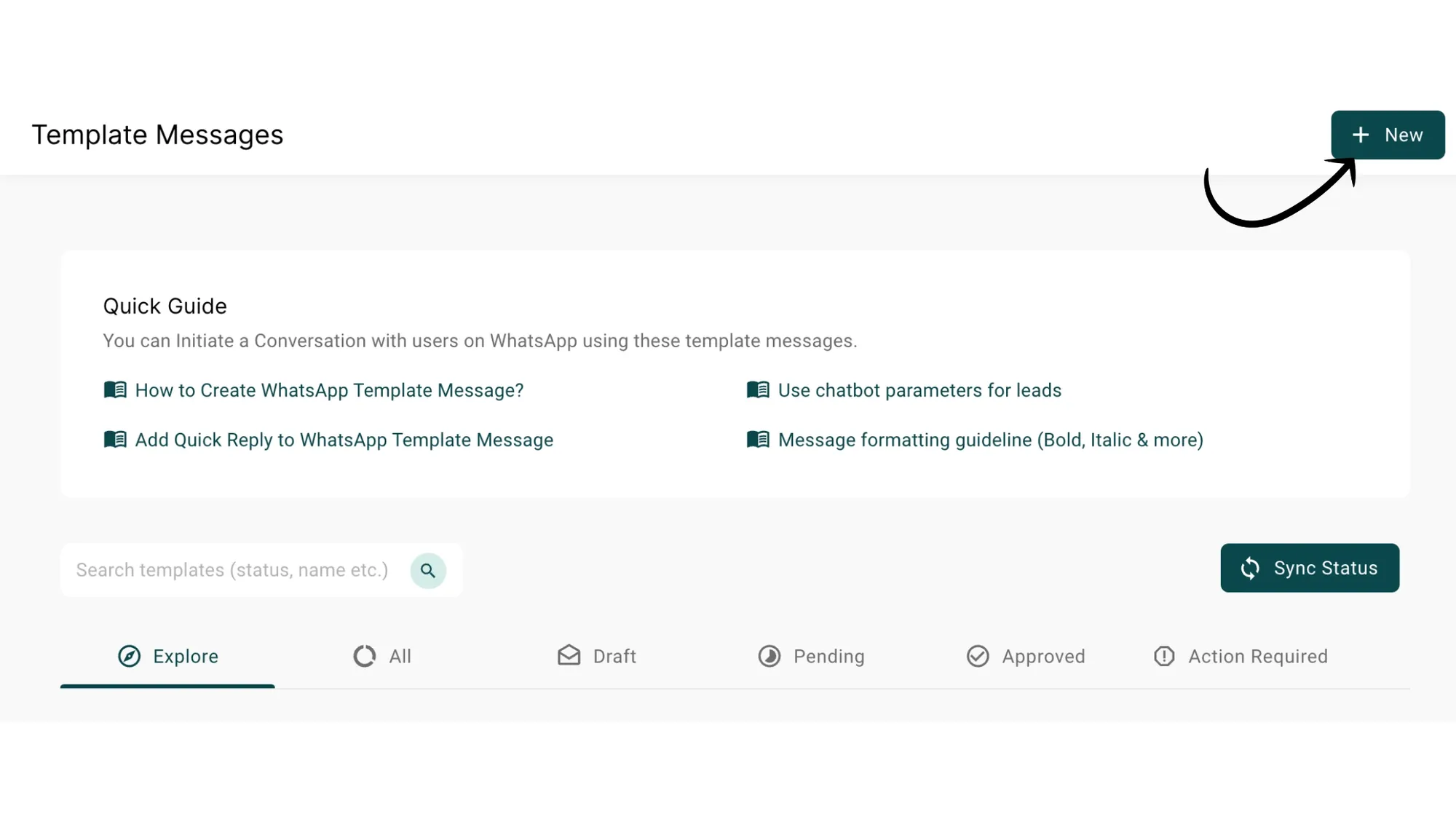
Click "+New" to create a New Template Message
... Now that you have an account, you're almost done. In the next step you can choose your individual plan and create a subscription ...
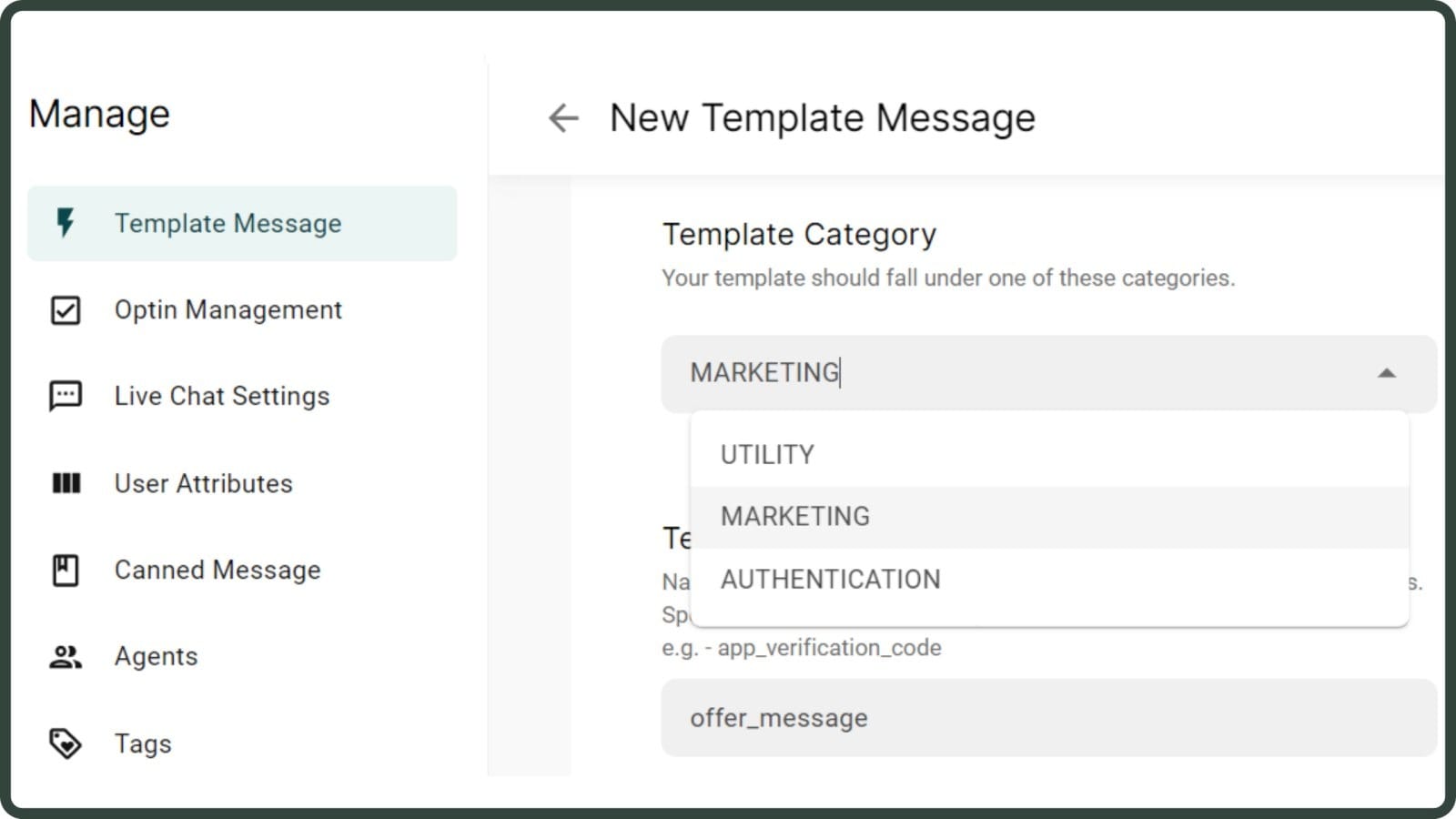
Choose "Marketing" under the WhatsApp Template message category.
Since we wish to send a birthday wish message, we'll select Marketing under the Template Category.
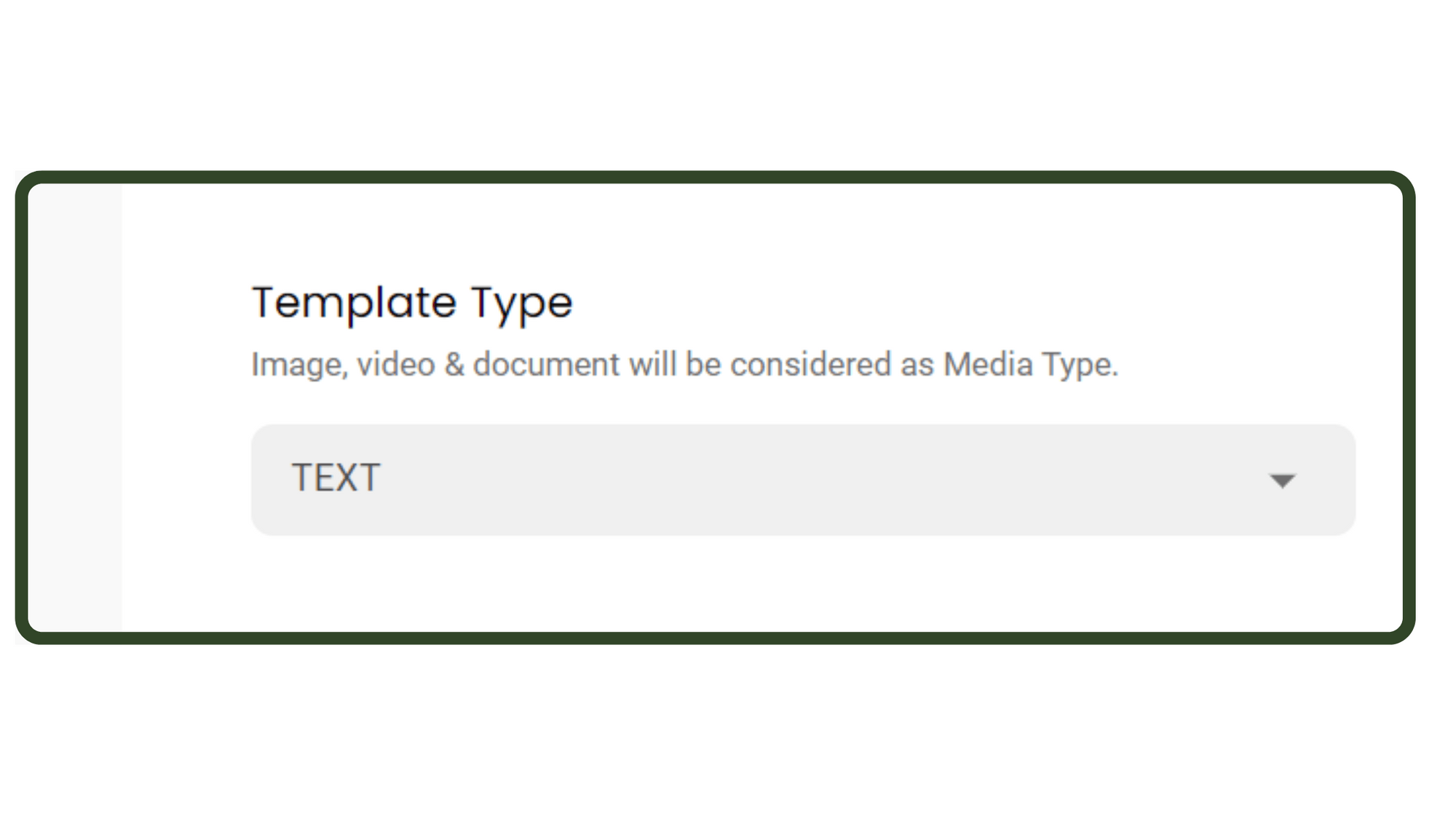
Under Template Type, select Text
This defines the type of WhatsApp template message you want to send. The different types are TEXT, IMAGE, LIMITED TIME OFFER, CAROUSEL, LOCATION, VIDEO & FILE.
Since we are creating a Limited time offer WhatsApp Template message, choose Limited Time Offer under the template type.
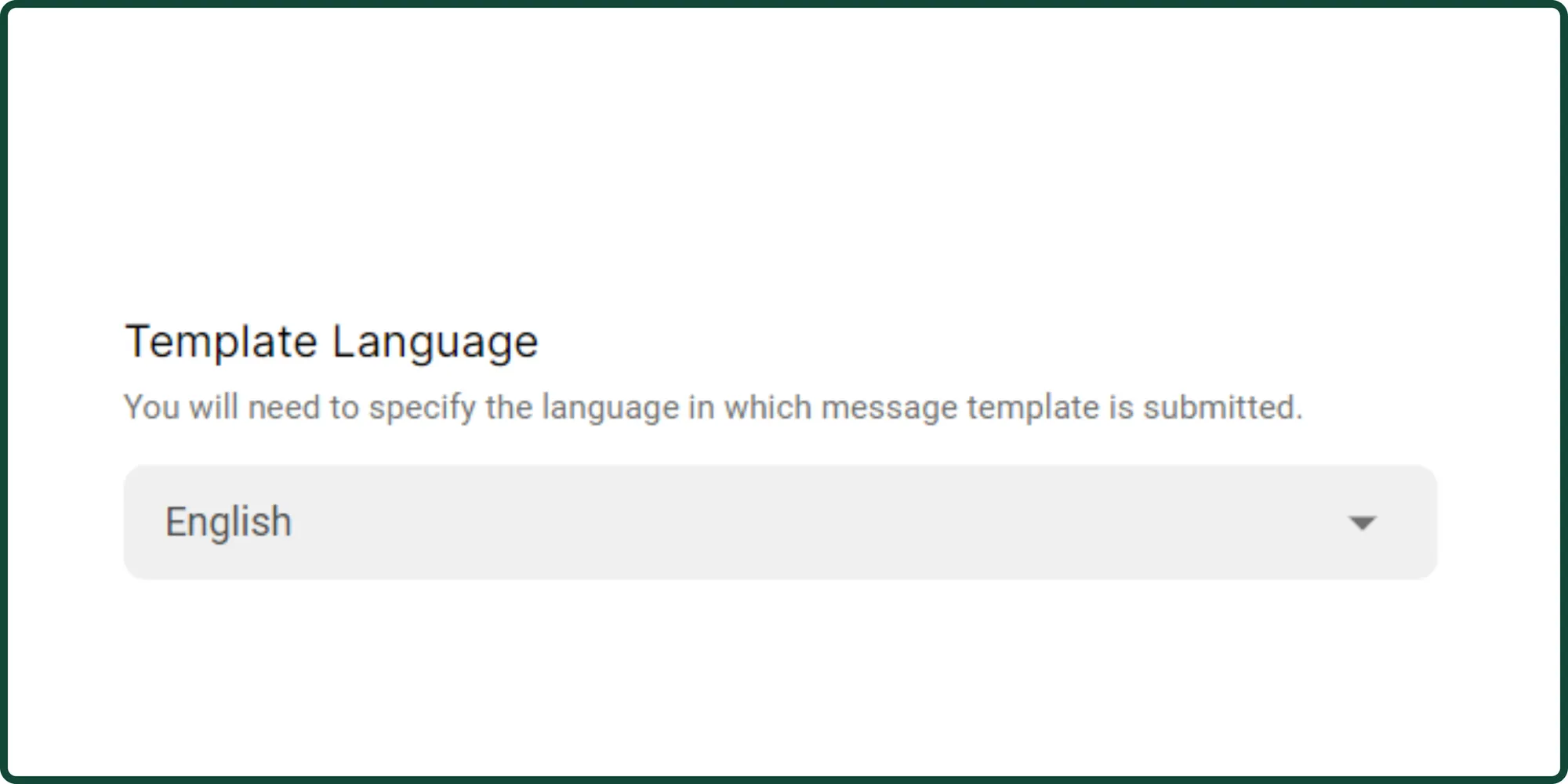
Select your Template Language
Choose the language of your WhatsApp template message from all the global languages.
For each template message, you can only pick one language.
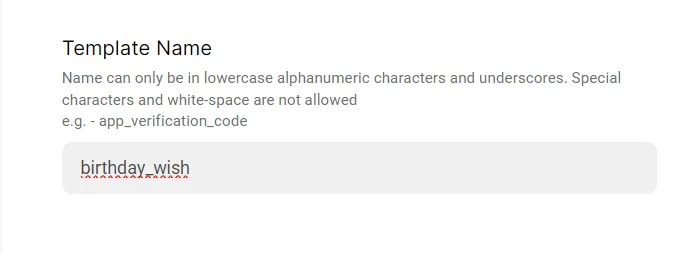
Name your Birthday wish Template Message
FORMAT – The template name can only be in lowercase alphanumeric characters and underscores. Special characters and white spaces are not allowed.
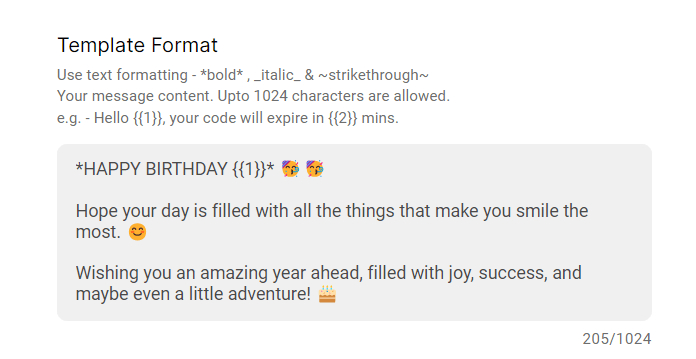
Enter content for your message under Template Format
The template format is your WhatsApp template message content. Write down the birthday wish message here.
Submit your template message for approval
That's it! Your birthday wish template message is ready. Now, let's import contacts with their birth dates all set!
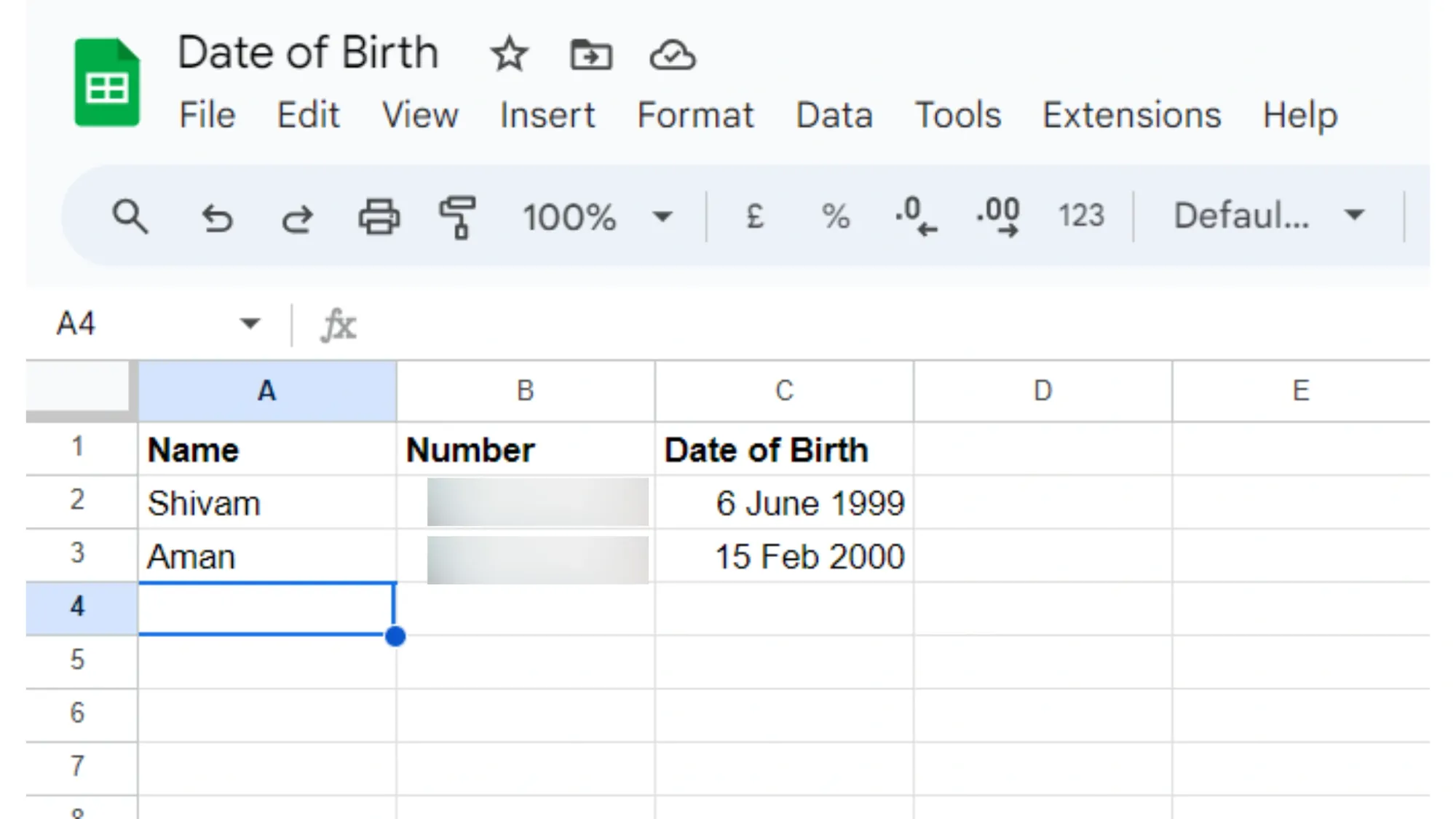
Download this google sheet in .csv format
Go to Google Sheets👉🏻Add your contact's name, number and date of birth in dd/mm/yyyy format as shown in the image.
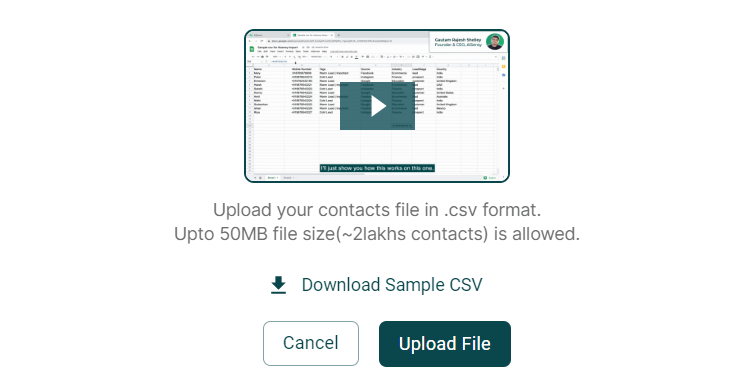
Go to Messegy platform👉🏻Contacts👉🏻Import Contacts👉🏻Upload File
... Now that you have an account, you're almost done. In the next step you can choose your individual plan and create a subscription ...
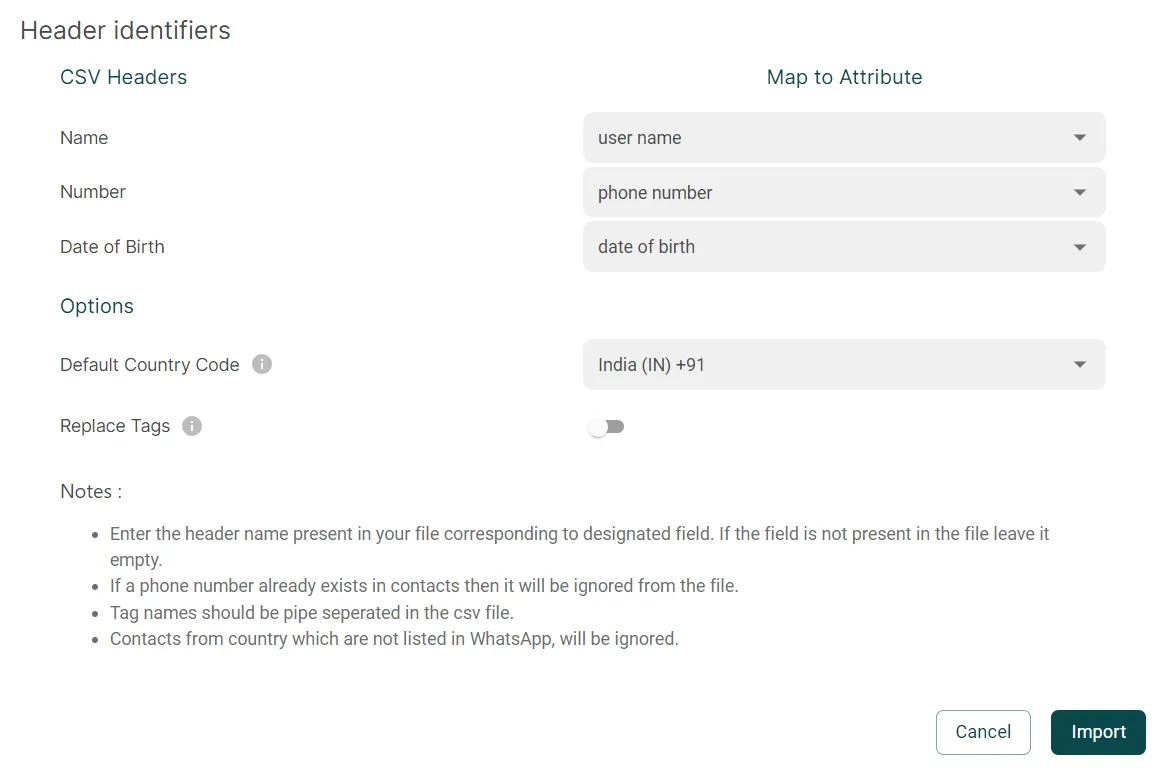
Map the attributes like this and tap Import
Completing this step will add your customer's date of birth which will reflect under the attribute "Date of Birth" visible on the Contacts page.
Go to Messegy platform👉🏻Tap Manage👉🏻Live Chat Settings
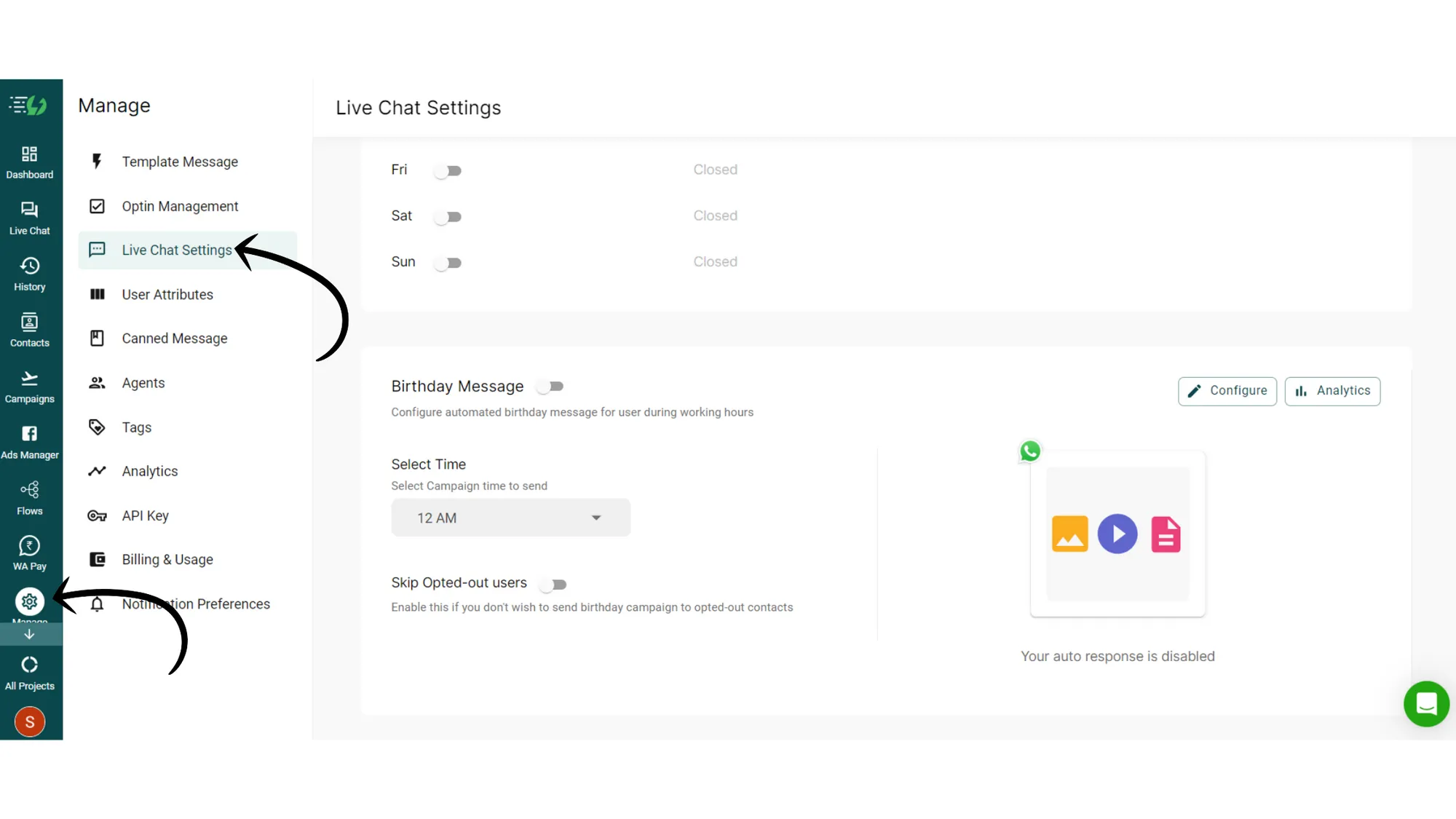
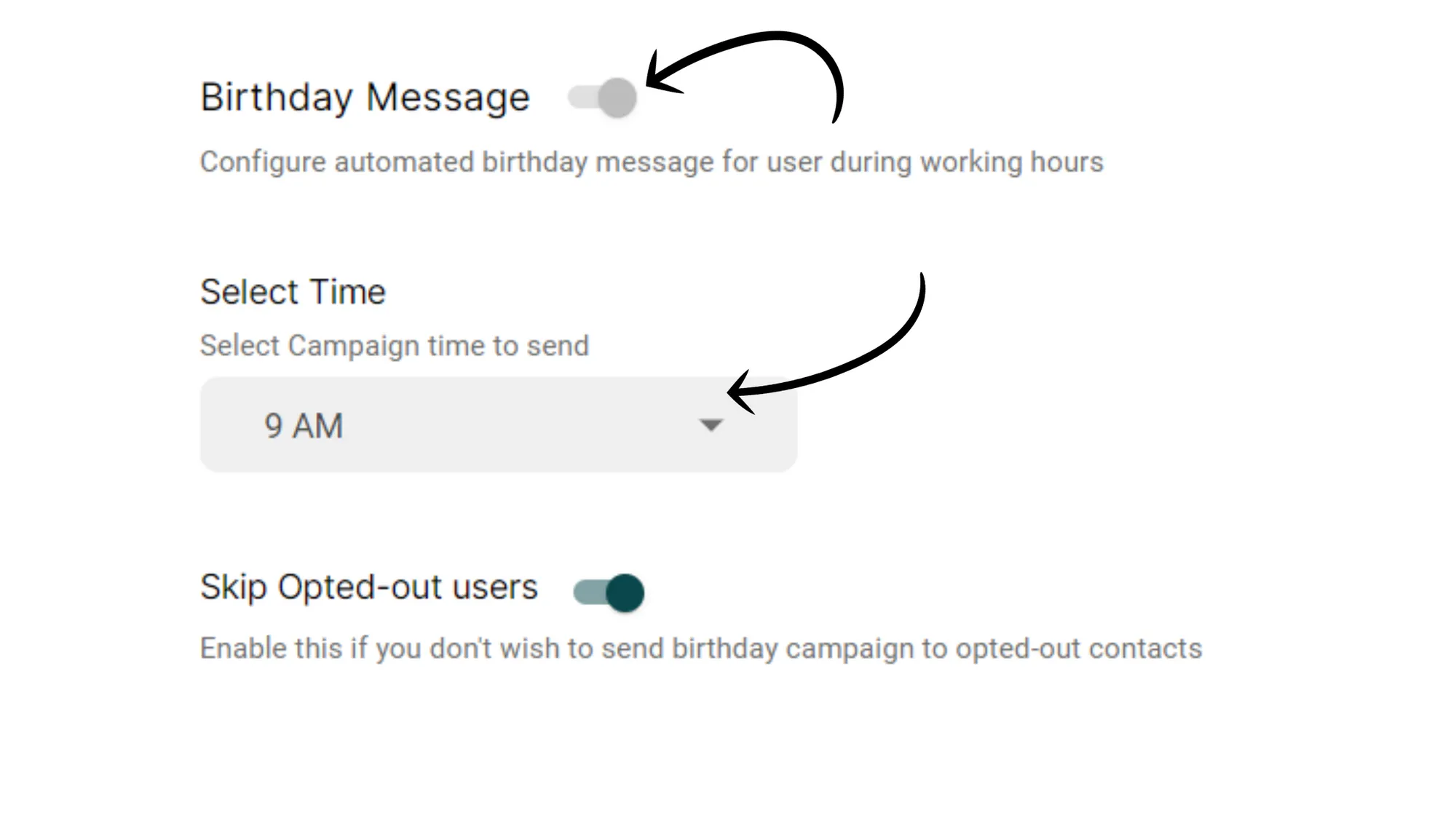
Enable the Birthday message toggle and select the desired time to trigger the message
(Optional) Enable Skip Opted-out users if you want to exclude them.
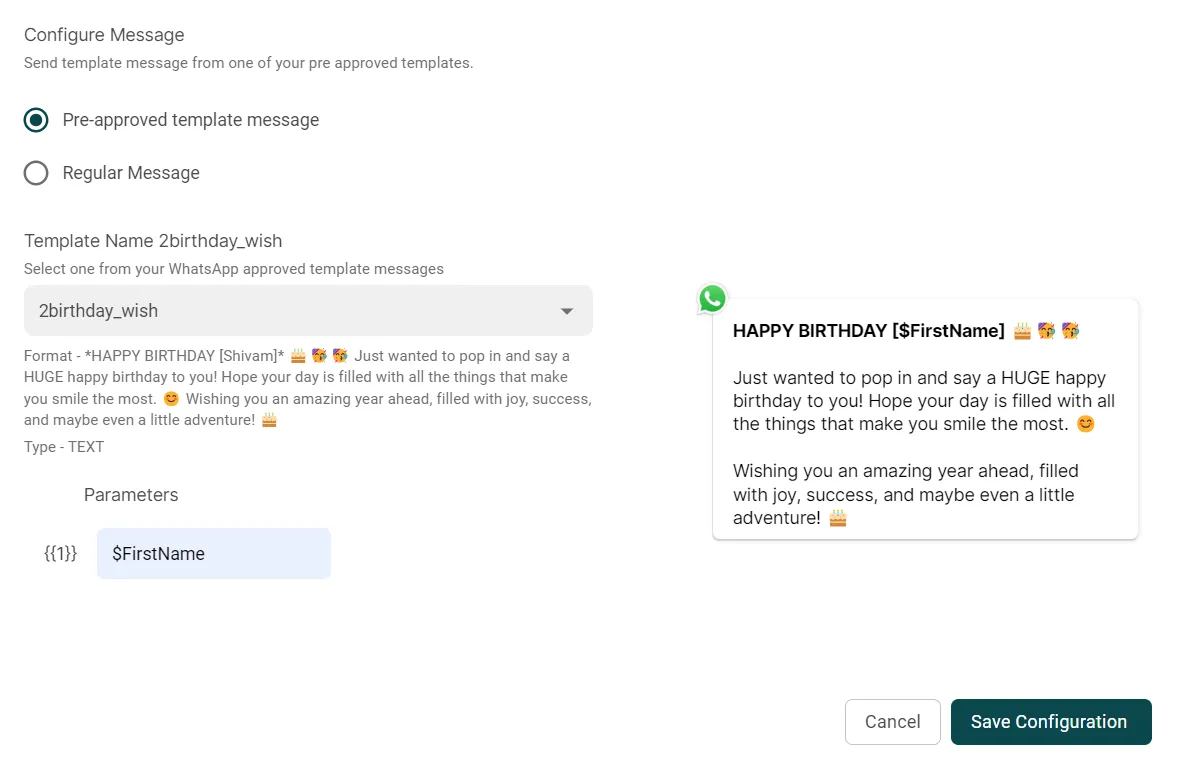
Tap Configure👉🏻Select Pre-approved template👉🏻Press Save Configuration
Congratulations⚡
You've successfully set birthday wish automation for your customers.
You can track the analytics for this message by tapping the analytics button.
Tip: To make the message more awesome, you can include discounted offers, add engaging media and much more.
The more creative you are, the better the engagement you will reap!
For any doubts, feel free to reach out to us on Live chat or write to us on support@messegy.com