You can now add individual contacts easily to Messegy without importing a .csv file. Know how to do it!

Adding new contacts just became more seamless & easy. Now you can create a contact directly in Messegy App without importing a .csv file.
You can easily create new contacts directly from Messegy Dashboard. With this new feature you’ll be able to:
-
Add contacts without importing .csv file
-
Create new contact directly in Messegy Dashboard
-
Save valuable time needed to create a .csv file for importing a single contact.
How to add a contact directly on Messegy App?
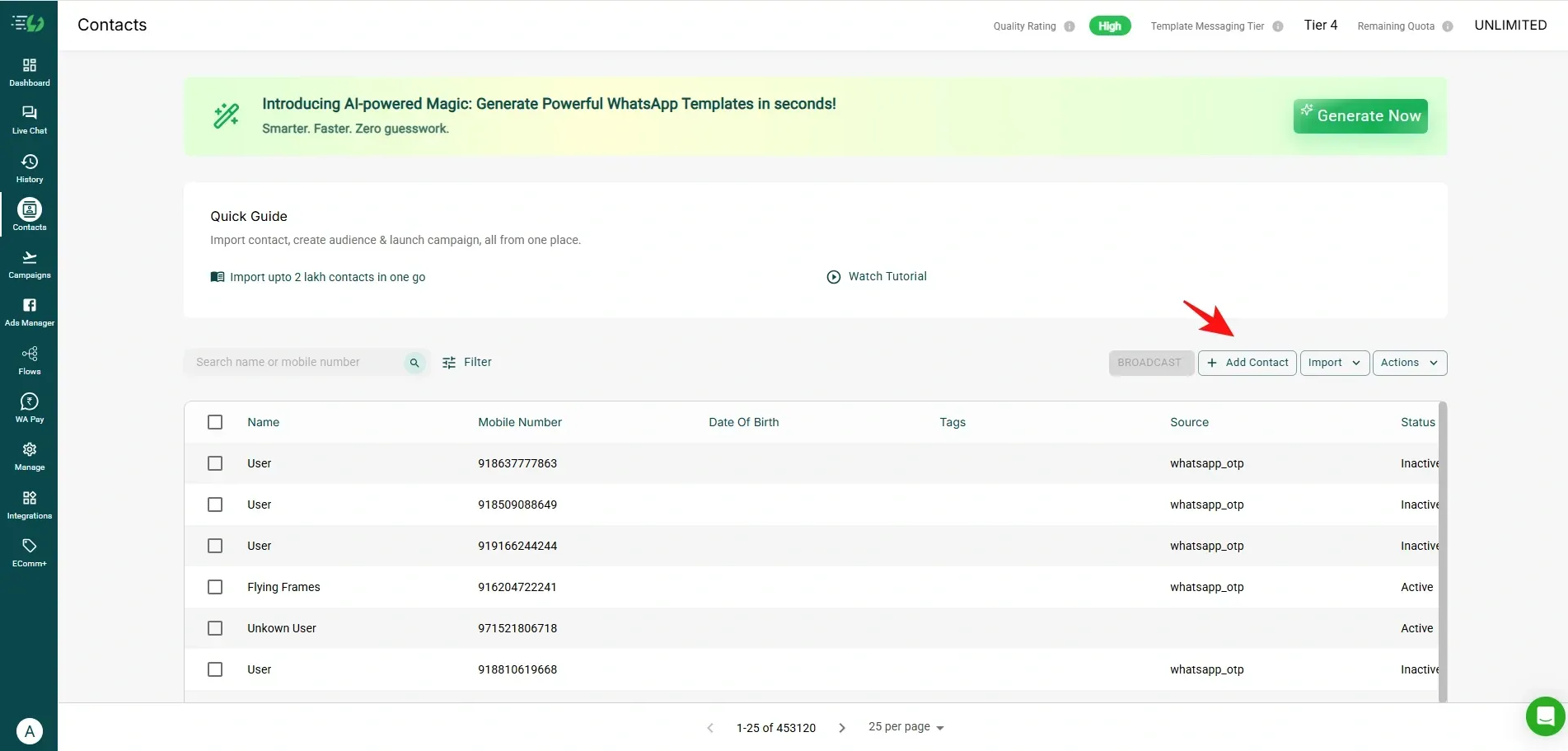
- Find this feature in the Contacts page of Messegy App as you can see in the below image. Click Add Contact to add a contact manually.
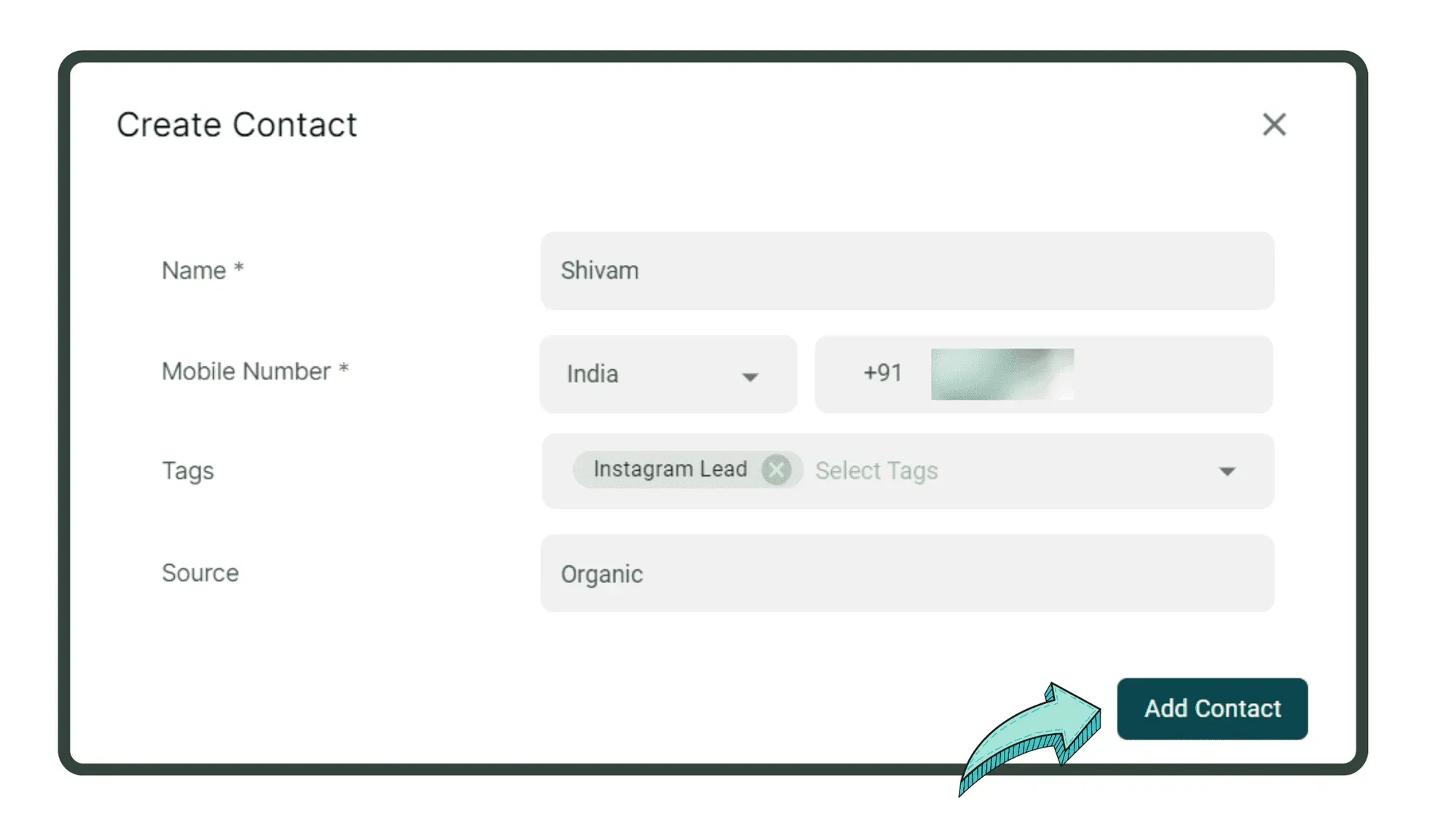
- Enter the contact details & press ‘Add Contact’ to manually create the contact in Messegy App.
That’s it 😉! Go to Messegy Dashboard now to add contacts manually.