Wish to connect your CleverTap Dashboard with Messegy?
Messegy offer native integration with CleverTap CRM, allowing you to directly send WhatsApp Broadcasts to your users from your CleverTap Dashboard directly.
All you need to do is follow some simple steps to connect CleverTap with Messegy & see the magic happen.
1. In the CleverTap Dashboard, go to Settings
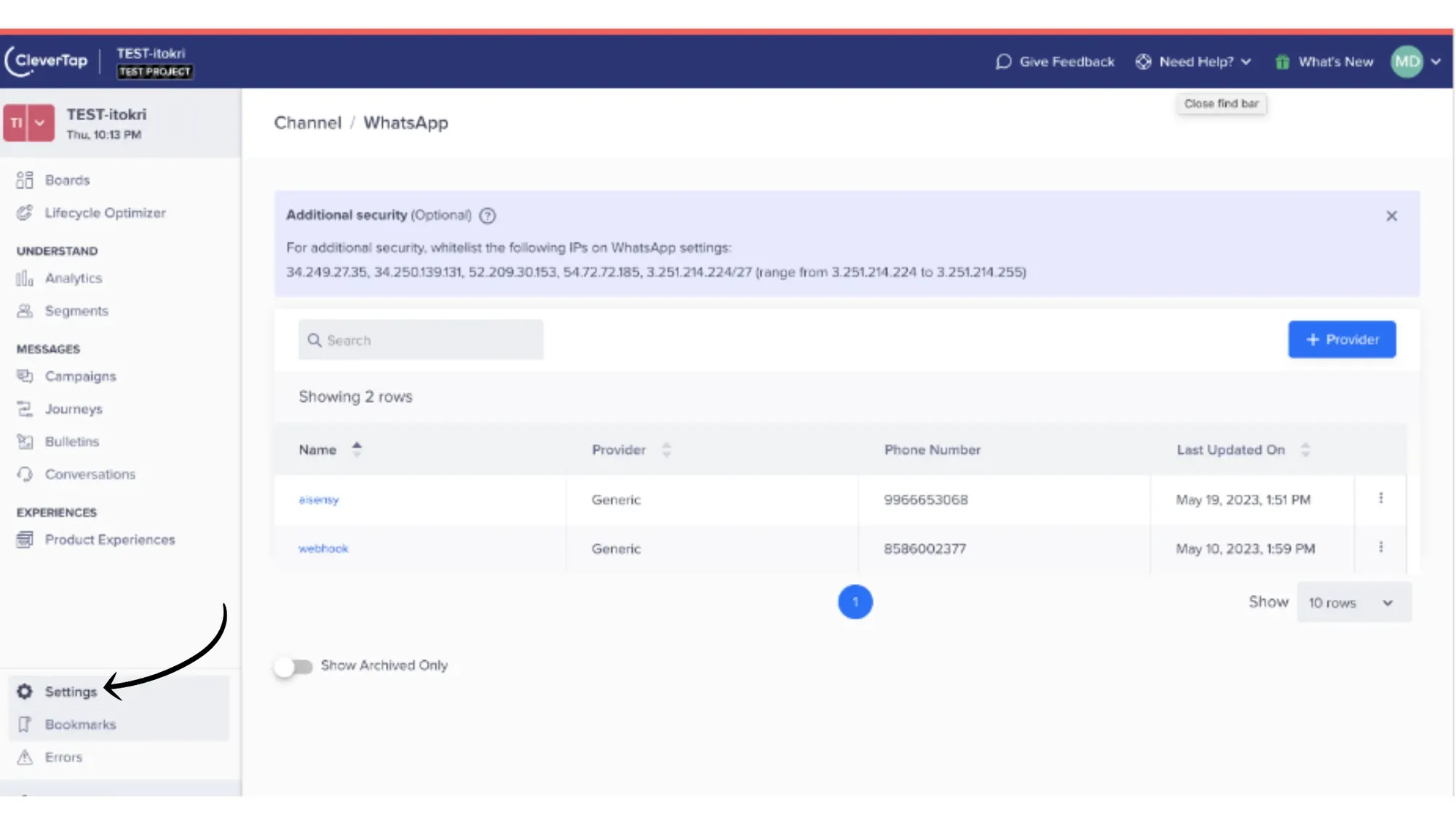
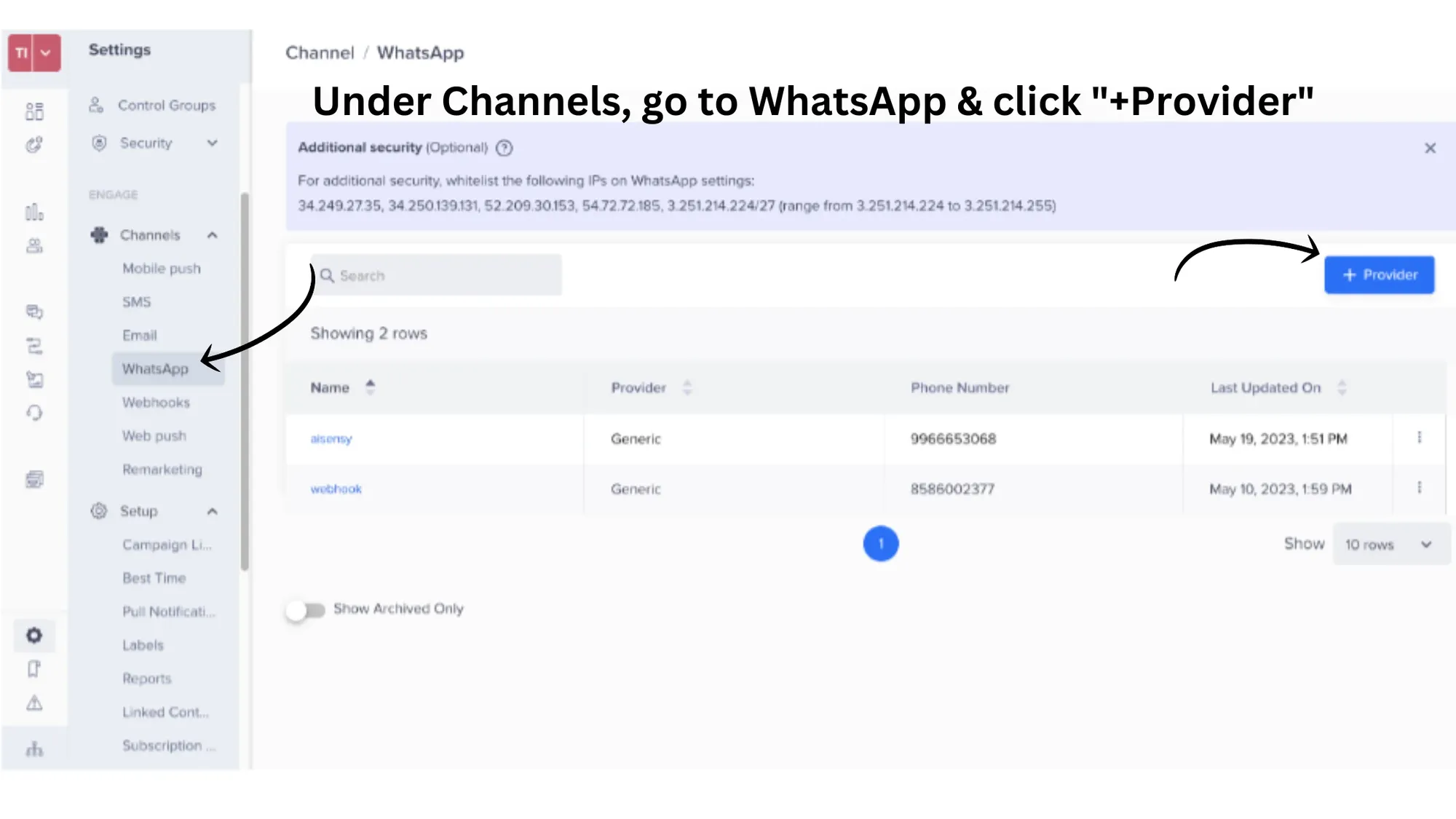
2. Under Channels, click on "WhatsApp" and tap the "+Provider button"
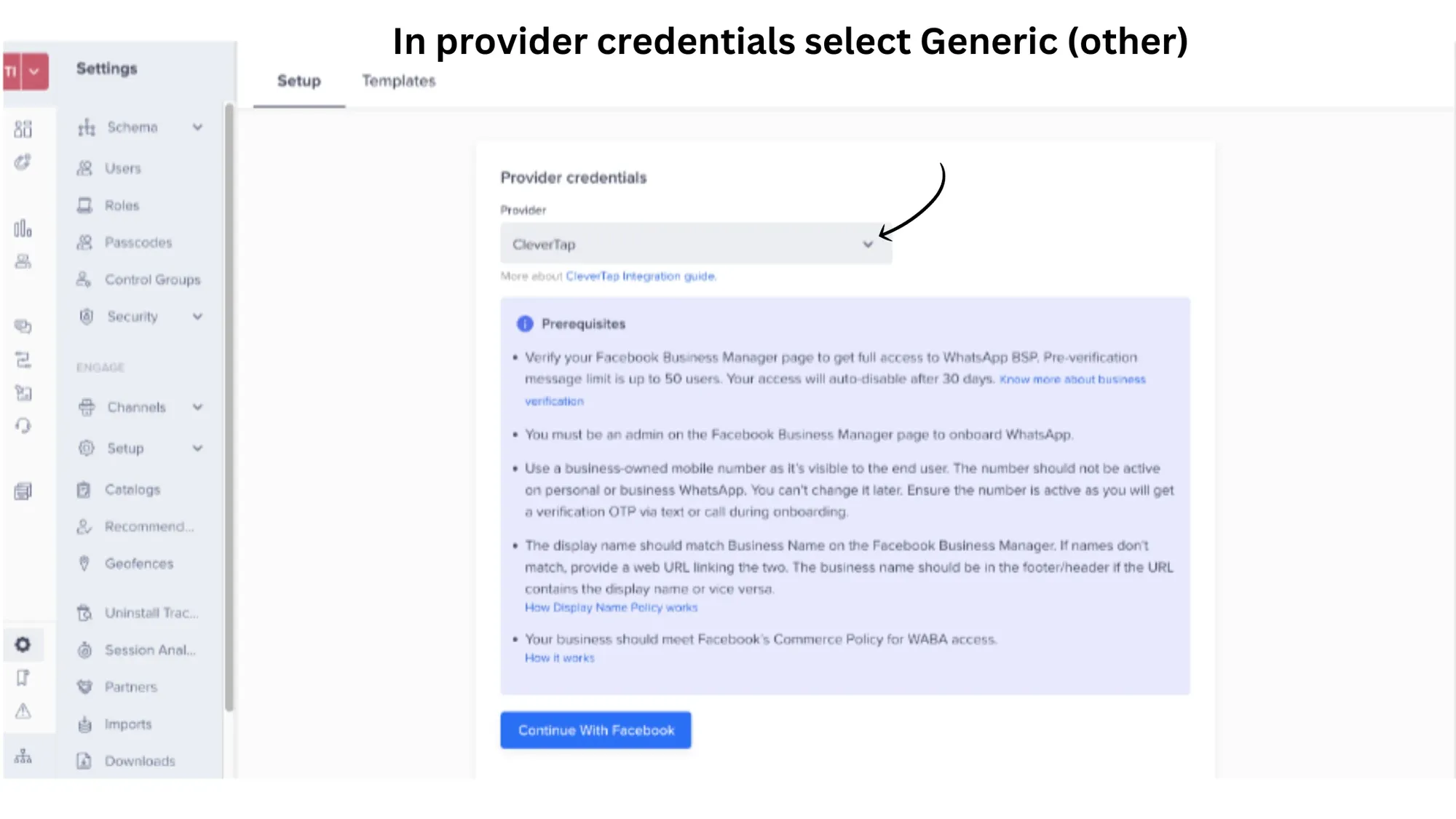
3. In provider credentials, select "Generic (others)"
By default, the provider will appear as CleverTap. Change it to "Generic (Others)"
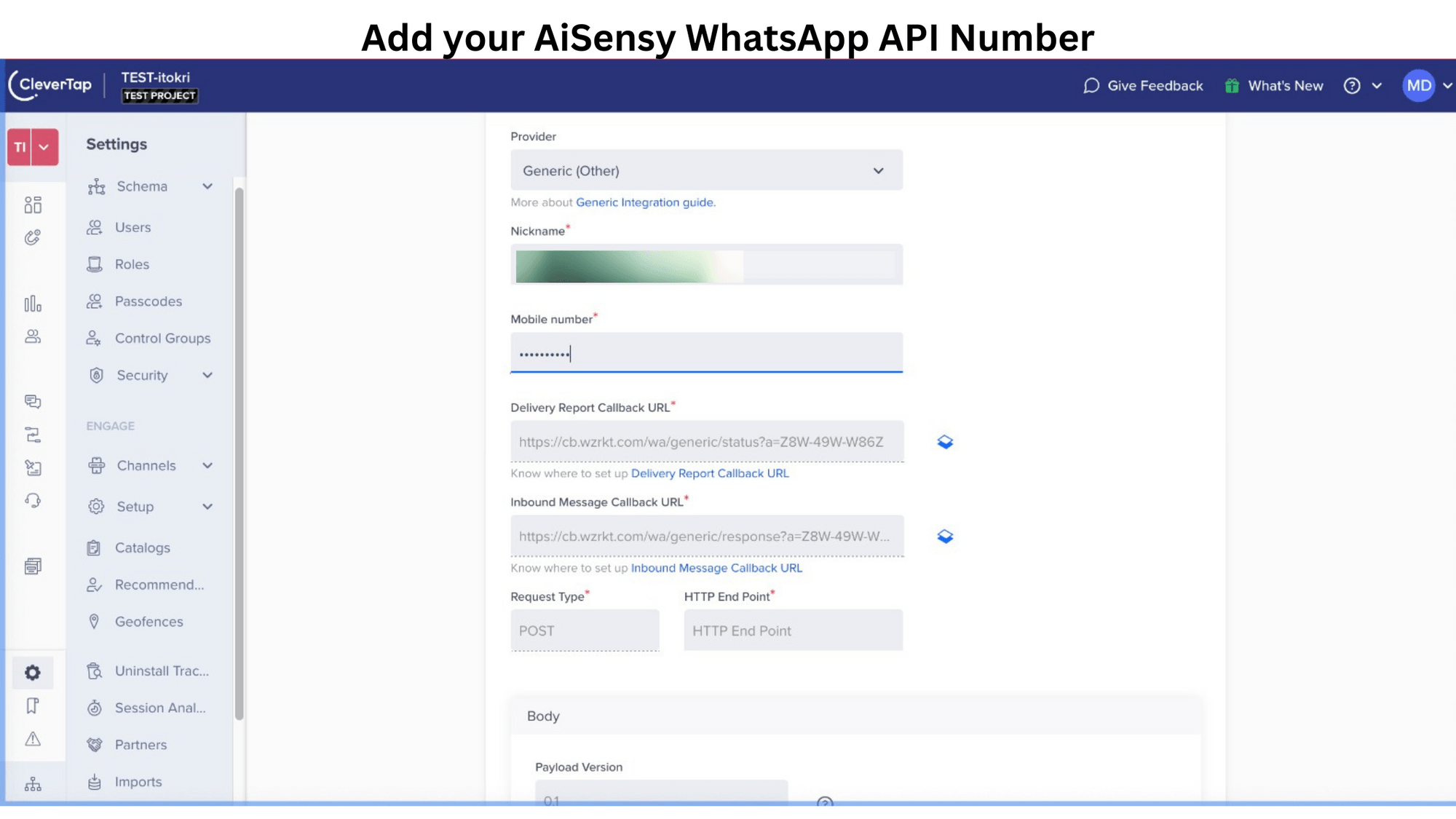
4. Now, enter a nickname & WhatsApp API number connected with Messegy
Next, add a name and the WhatsApp Business API number connected with Messegy. Under Request type choose POST and paste this exact URL under HTTP End Point.
HTTP End Point: https://backend.messegy.com/clever-tap/t1/messages
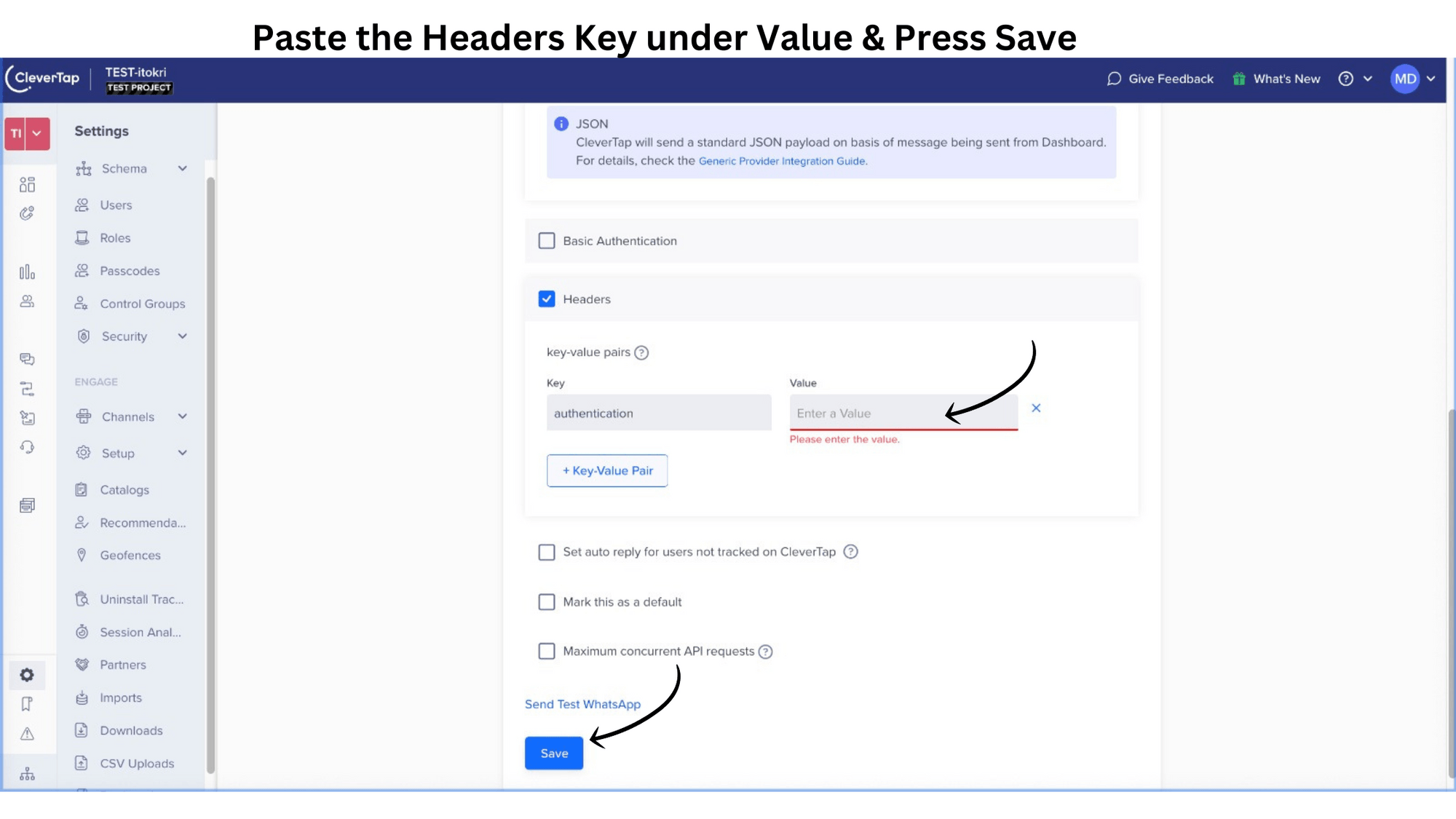
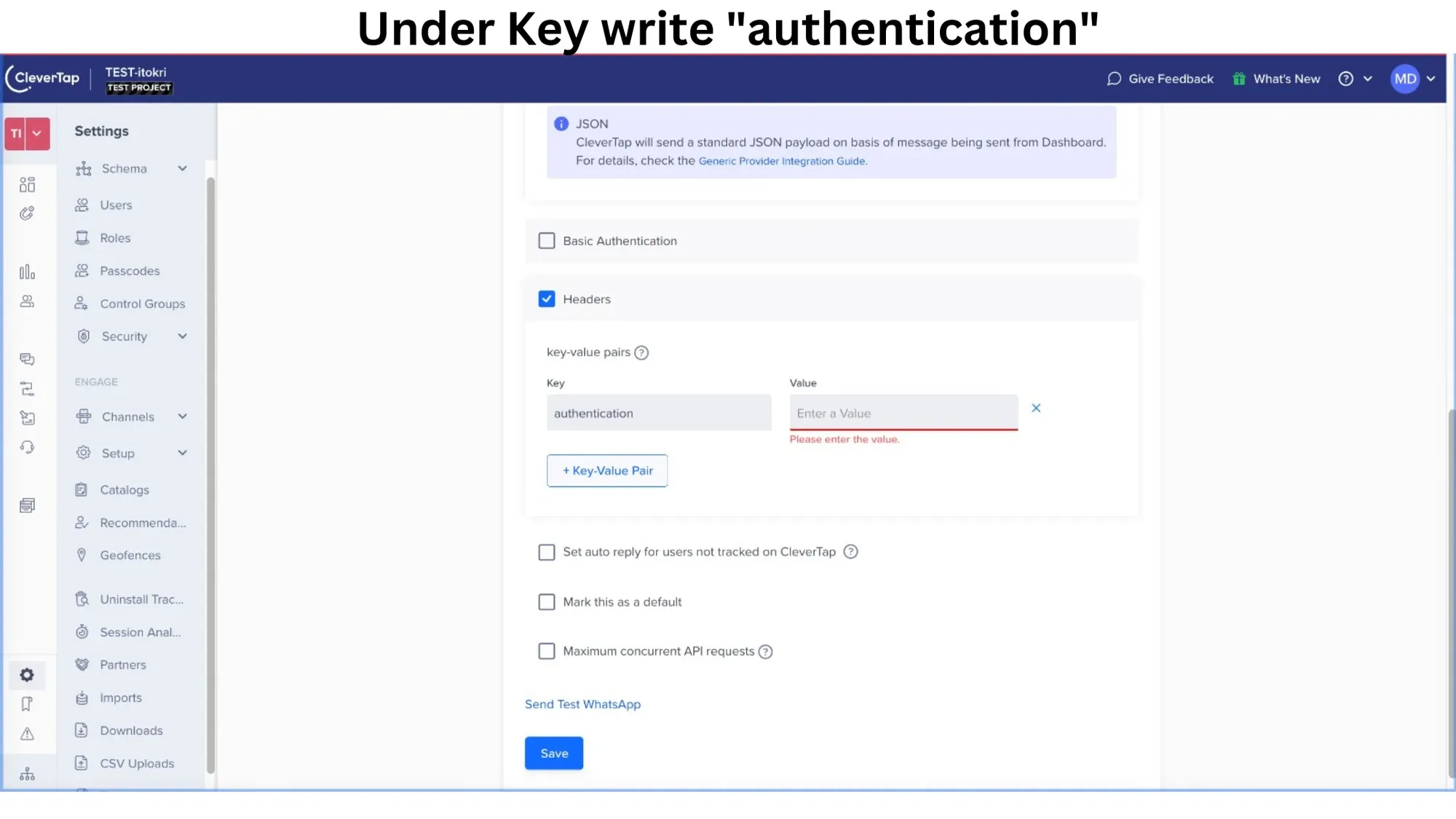
5. Scroll down & click on "Headers"
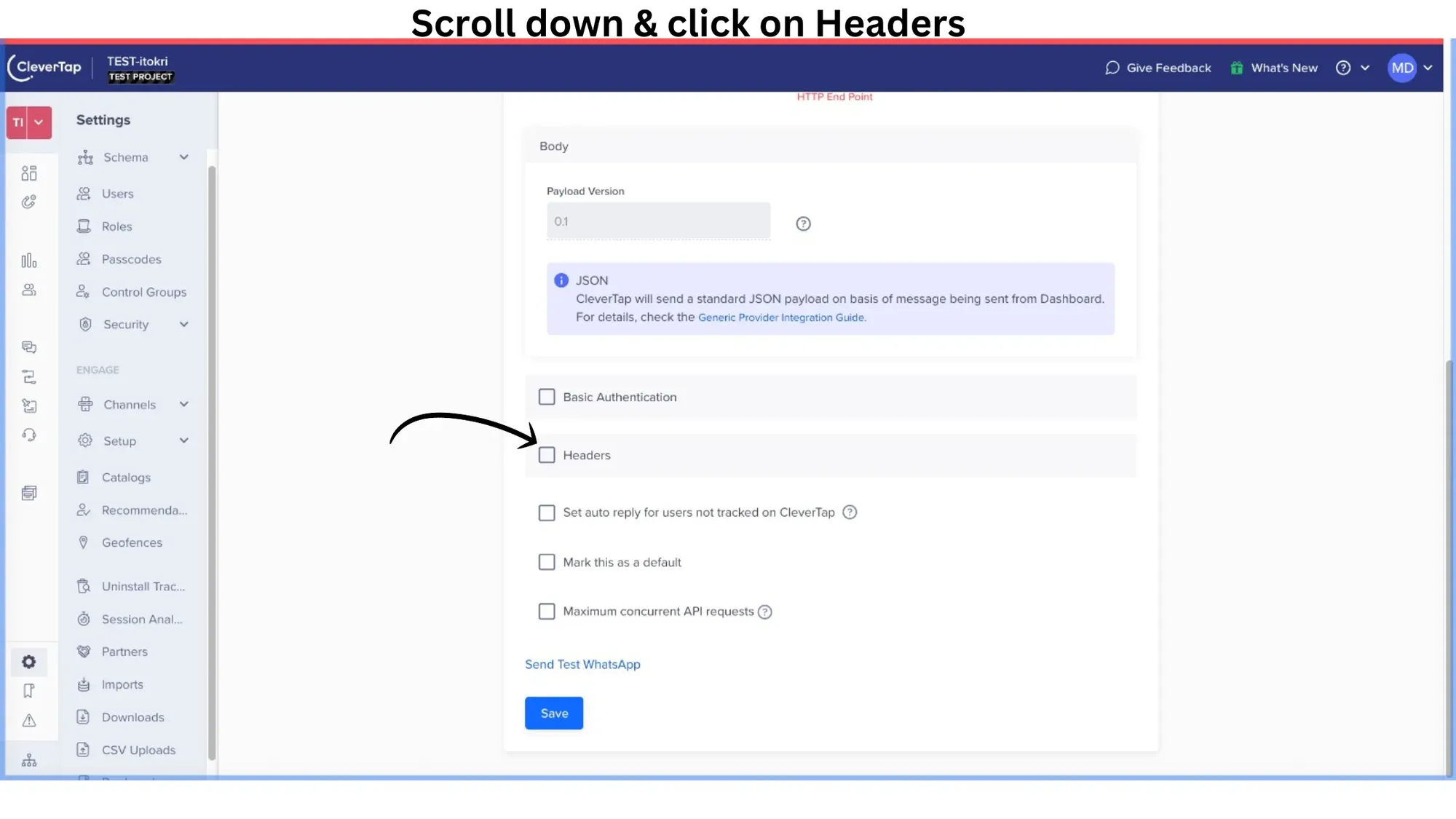
6. Under Key write "authentication"
Under Value, you need to paste the Headers key which you will get from the Messegy Dashboard as explained in the next step.
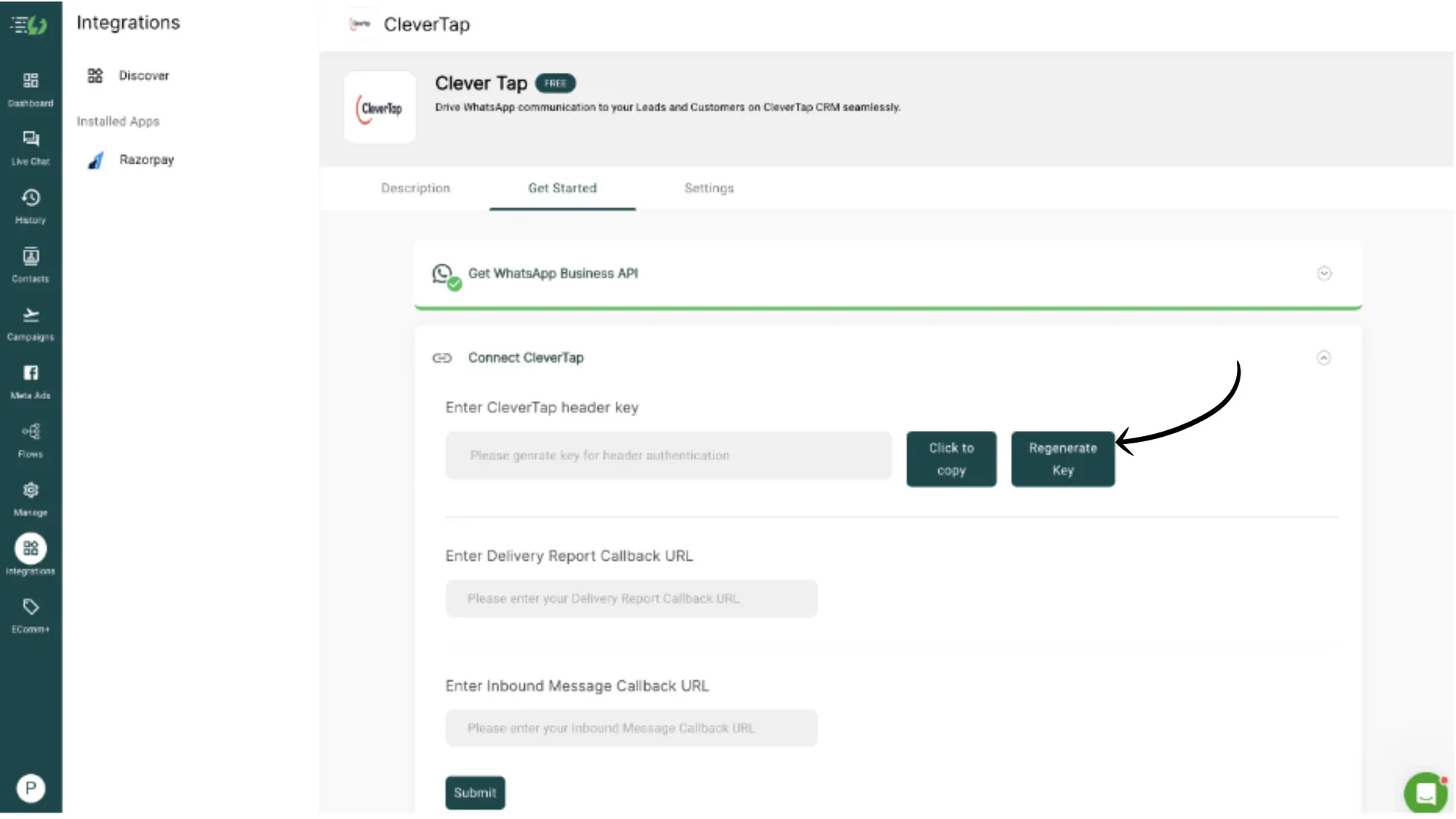
7. In Messegy Dashboard, go to Integrations👉CleverTap👉Click Regenerate Key under CleverTap Header Key
Here, paste the Delivery Report Callback URL & Inbound Message Callback URL from the CleverTap Dashboard.
After doing this, press Submit in Messegy Dashboard.
8. Copy & paste the Headers key in CleverTap Dashboard & press Save
That's it!!
Congratulations🎉. Your CleverTap Dashboard is now integrated with Messegy.
You can easily broadcast messages on WhatsApp directly from the CleverTap Dashboard easily.
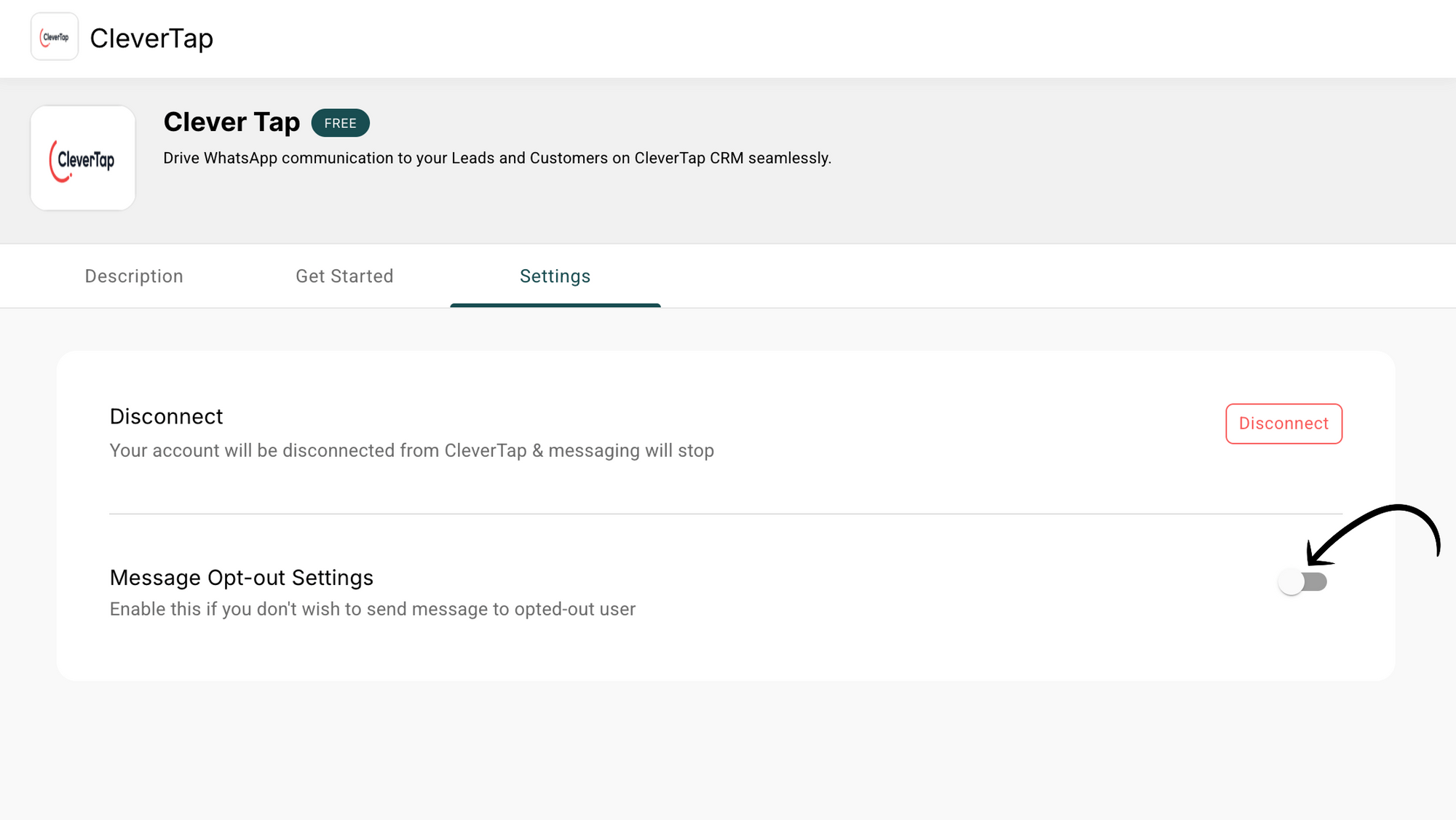
Note: If you wish to skip sending WhatsApp updates to opted-out contacts, turn on this toggle👇